Diary
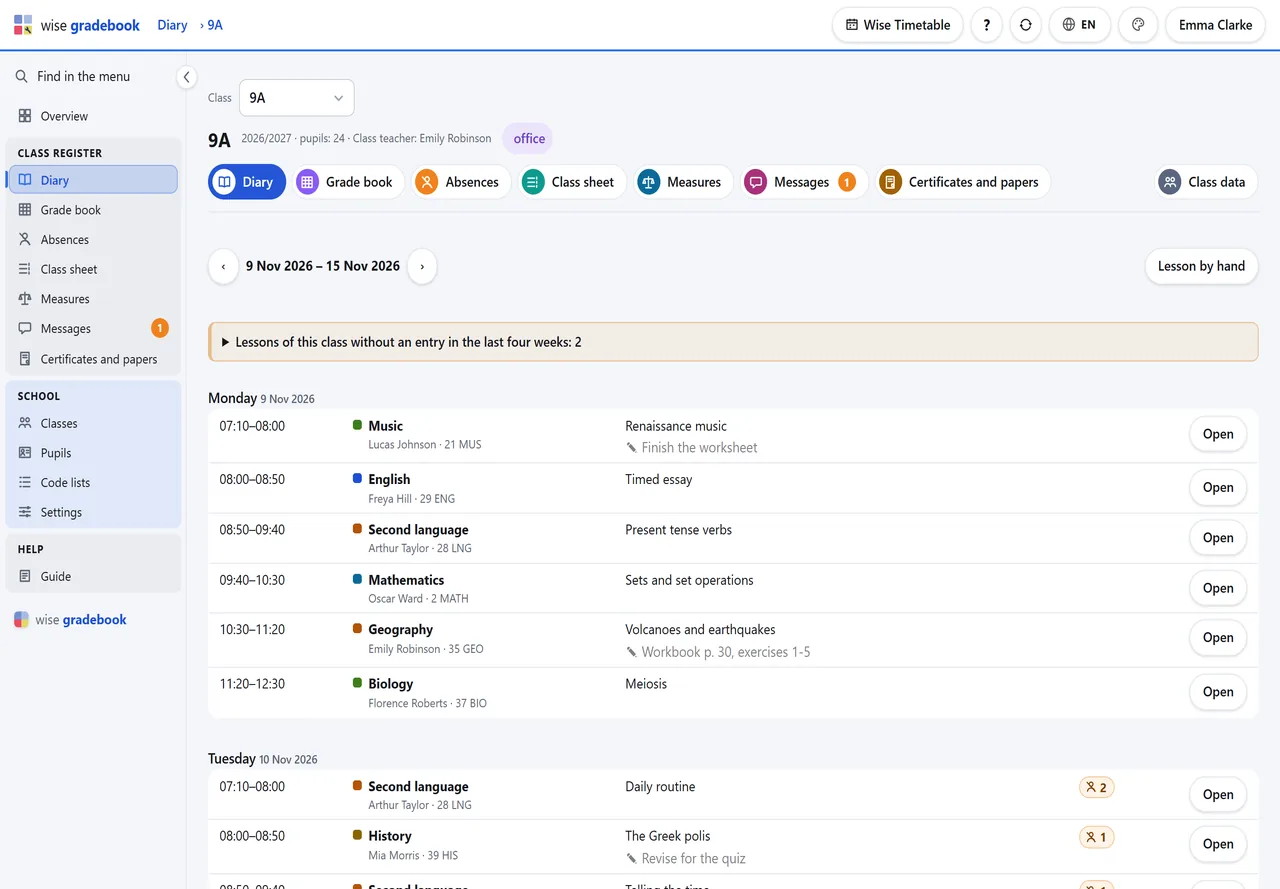
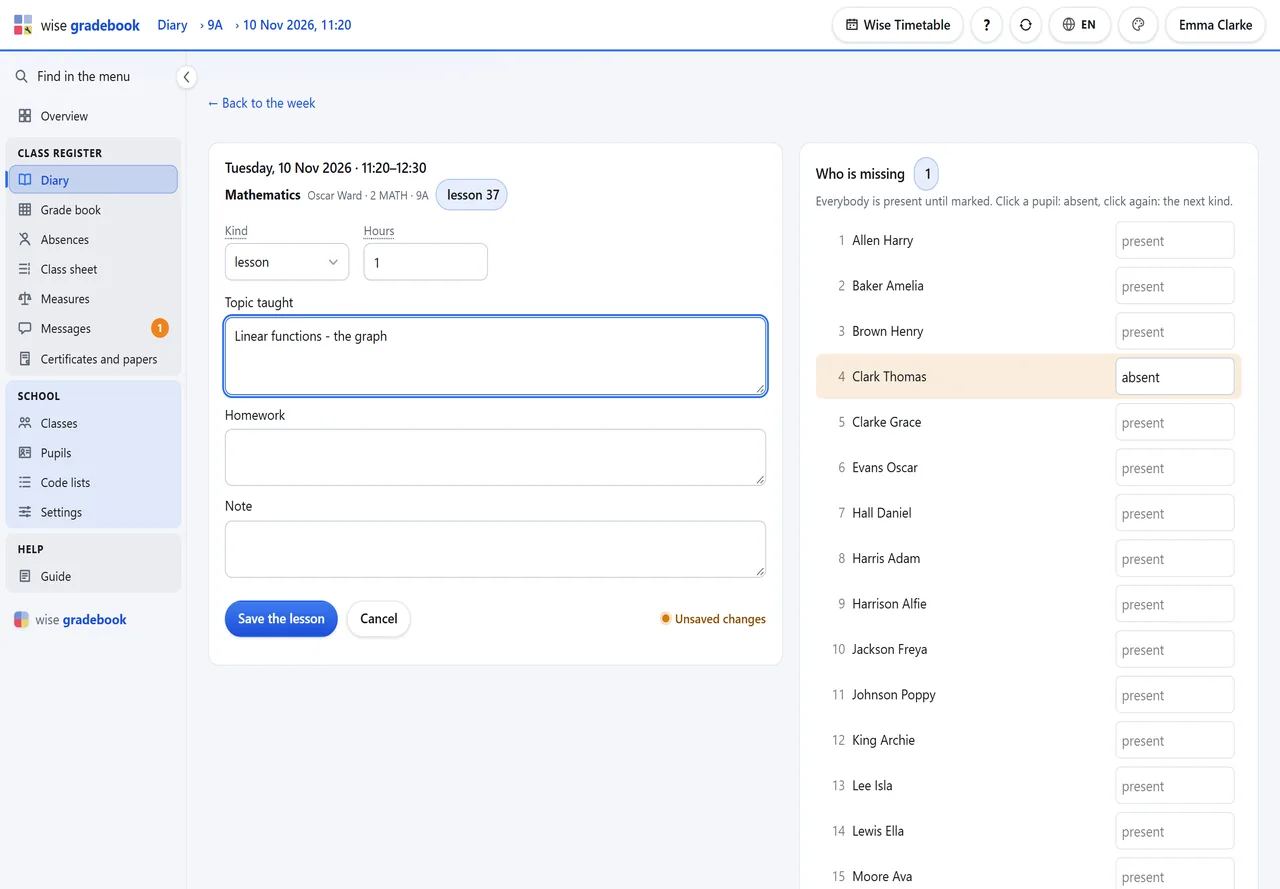
The week of a class, lesson by lesson, straight from its timetable. Open a lesson: the cursor is already in the topic, everybody is present, and a click marks who is missing.
Diary, grade book, absences, measures, record sheets and certificates in one place in the browser. Every lesson of the day is waiting for its entry because the timetable put it there – nobody types the schedule twice.
What it does
Seven tabs on every class, and they never lose the class you are in. What you can change follows what you are there: office, class teacher or teacher.
The week of a class, lesson by lesson, straight from its timetable. Open a lesson: the cursor is already in the topic, everybody is present, and a click marks who is missing.
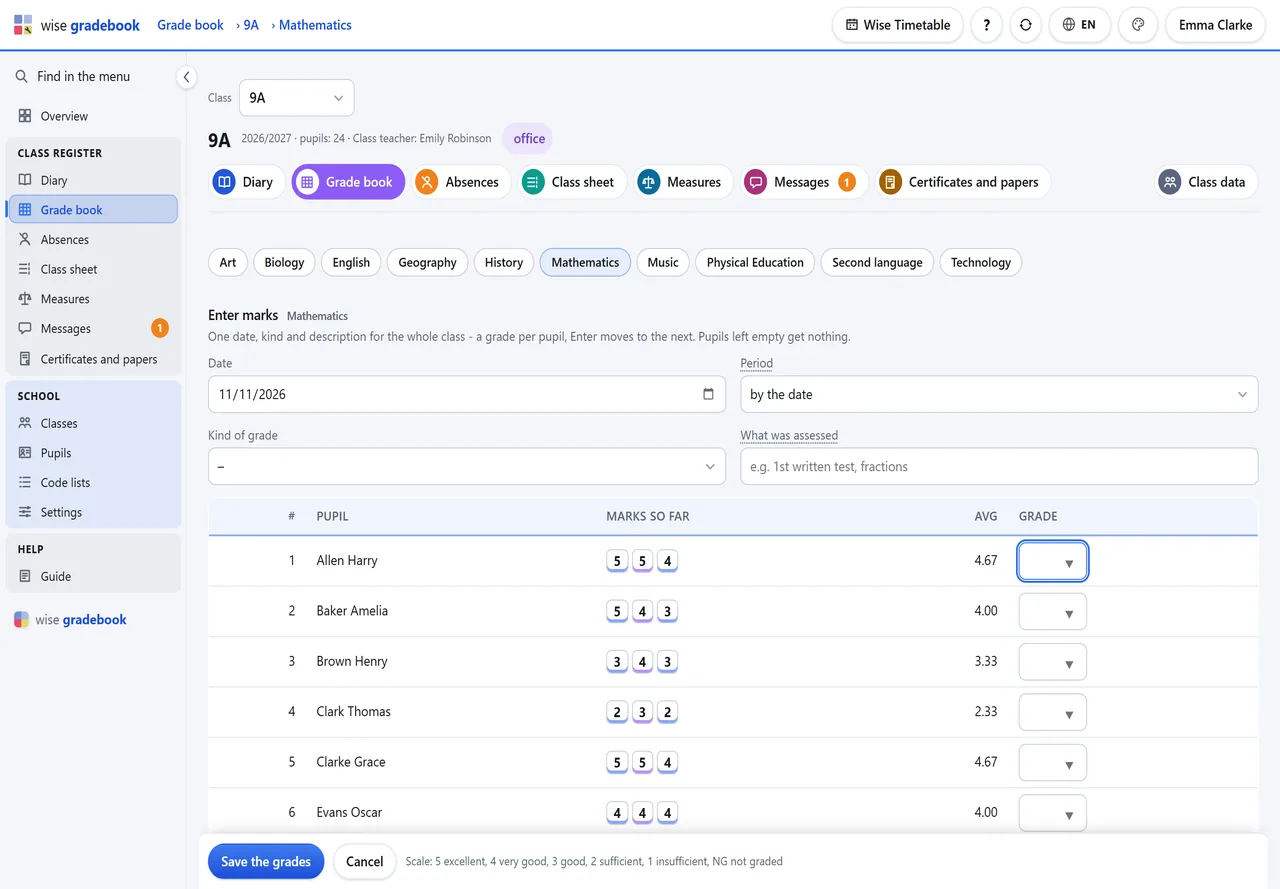
One date, kind and description for the whole class, then a grade per pupil with Enter. Period and final grades show each pupil’s average beside the field.
A lesson that was on the timetable and has no entry stays on the list of lessons without a diary entry until somebody writes it or marks it cancelled.
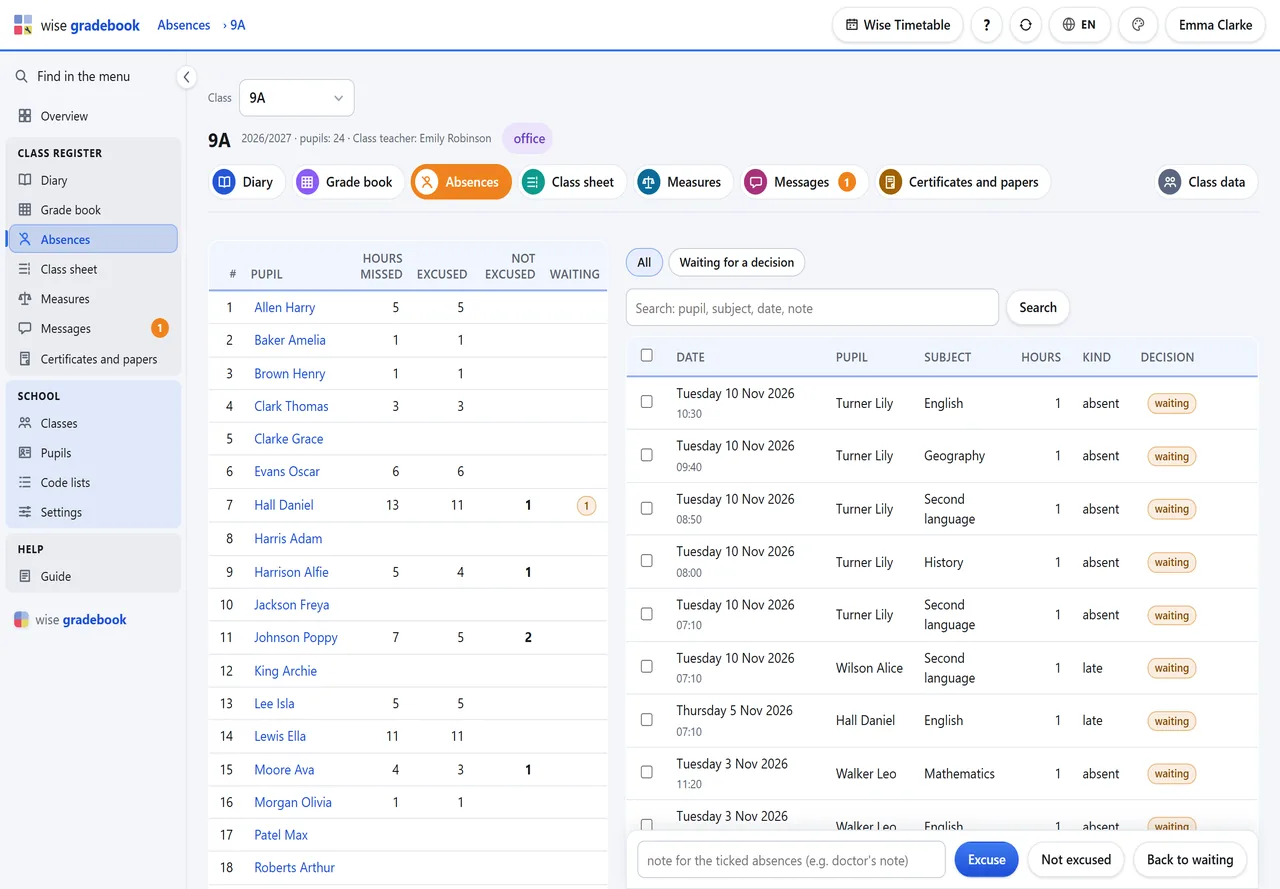
Totals per pupil beside the hours themselves. The class teacher ticks a sick week and excuses it in one go; a parent’s request stands beside the absence it asks about.
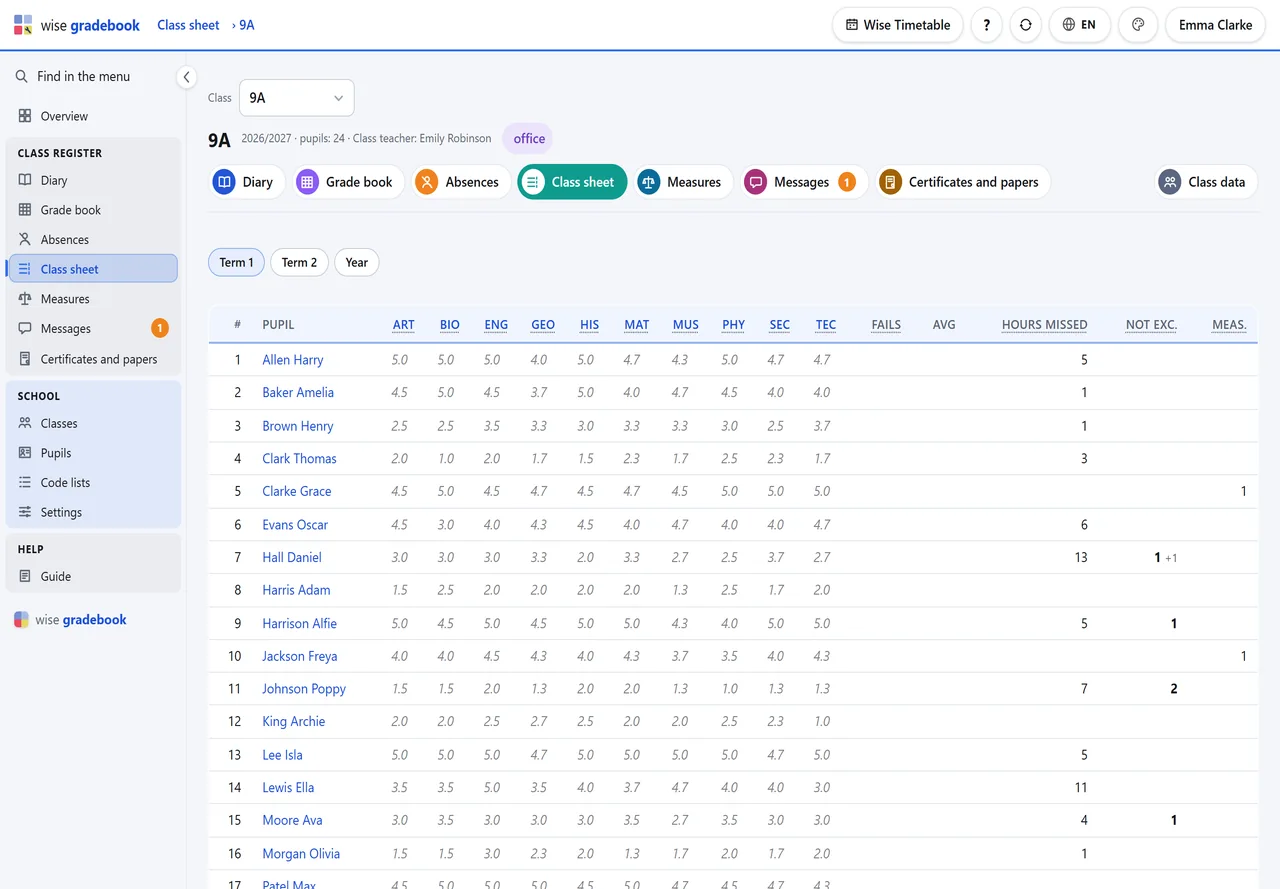
Pupils by subjects for a period or the year, with absences and measures. A dot marks a pupil worth a talk; a name opens the page for the talk with the parents.
Written with a reason, noted when the parents were told, withdrawn rather than deleted. The kinds are the school’s own list.
Notices of results, certificates, extracts and record sheets: preview the whole class first, then issue with a running number. A reprint prints exactly what was issued.
A grade is taken back with a reason, never overwritten; a changed closing grade keeps the old one, with who changed it and why. A voided paper keeps its number.
Grade scale, kinds of grade, assessment periods, kinds of absence, measures and ends of the year are code lists per school, with starting sets for Slovenia, Croatia and an English one.
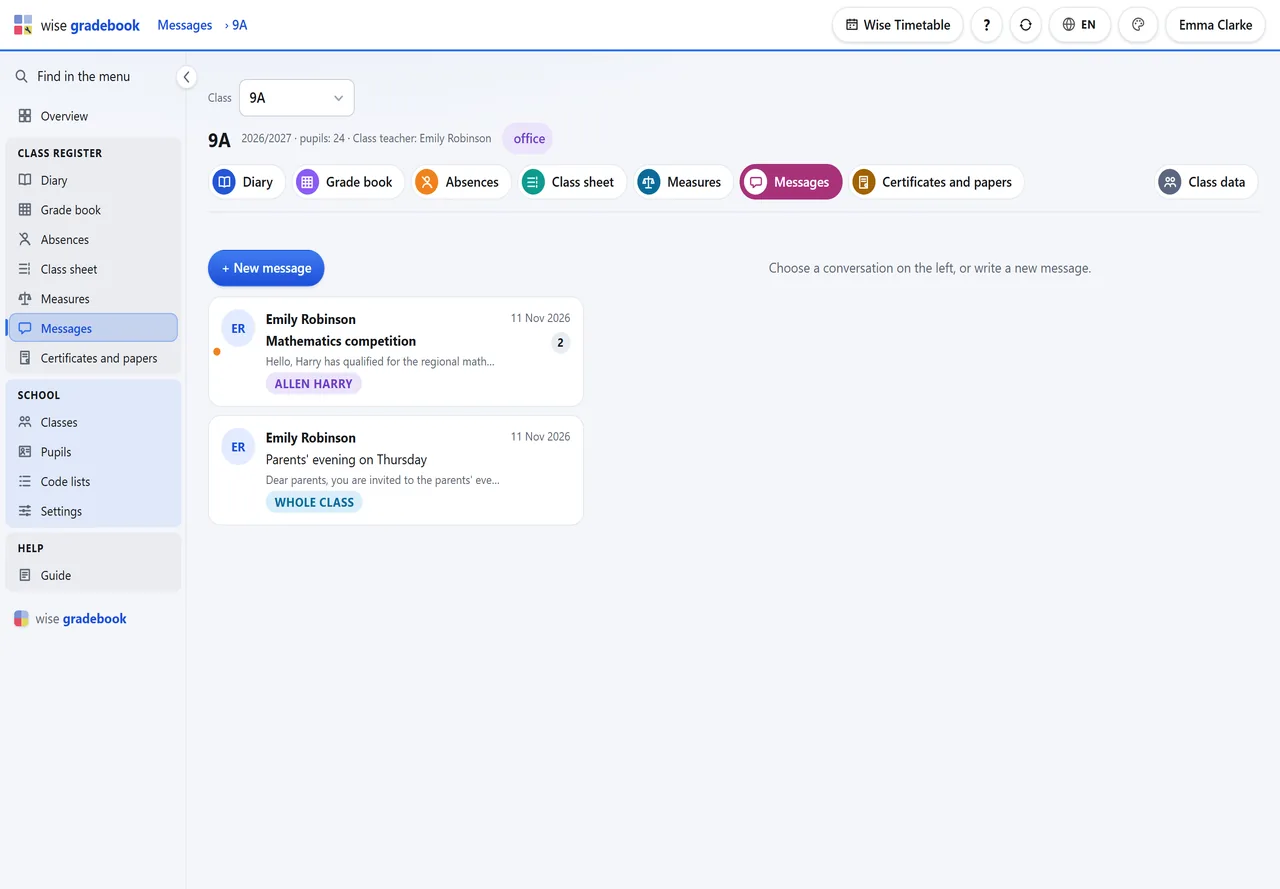
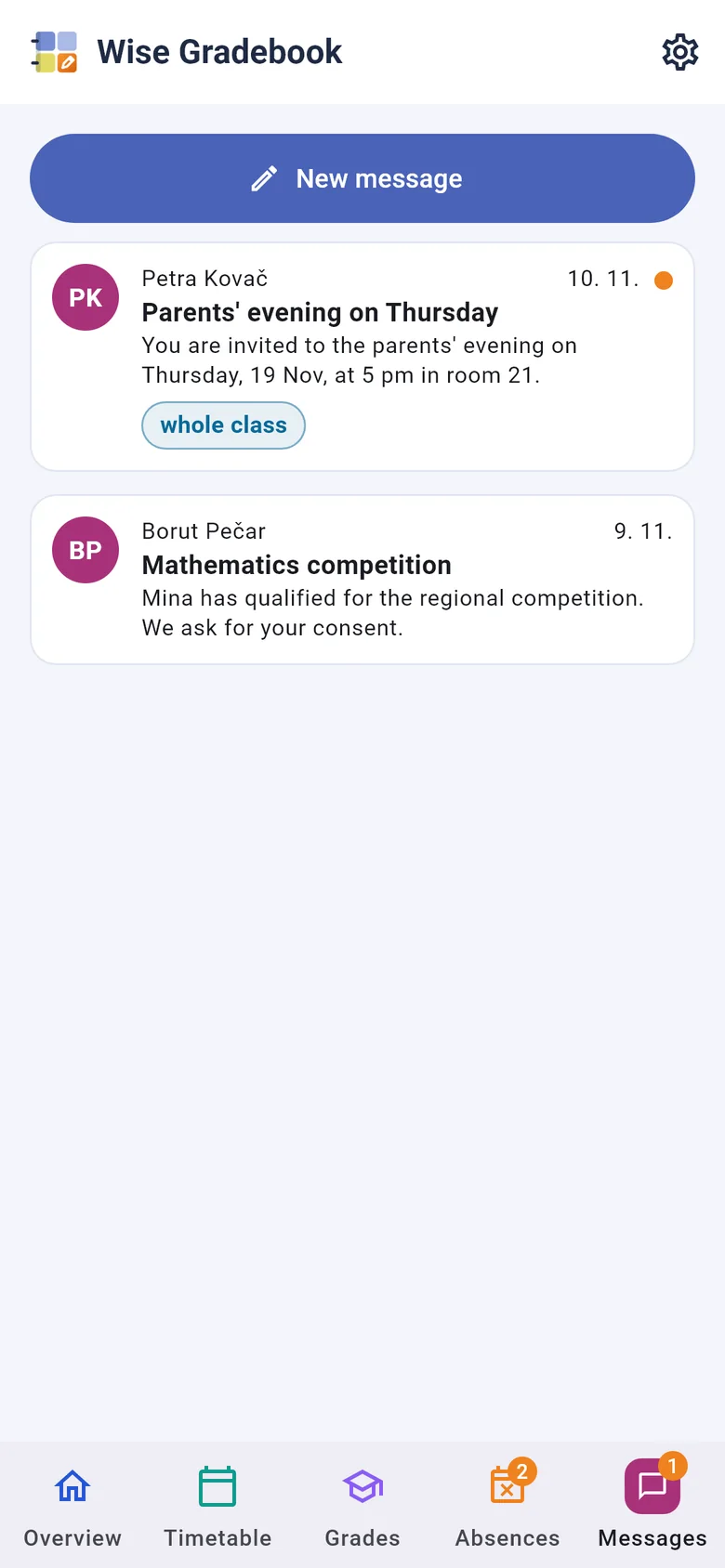
The class teacher writes to every family of the class or to one; a parent answers from the portal or the phone. Nothing is edited afterwards, and the number of conversations that wait is on every screen.
The pupil’s data, contacts and schooling on one page, and beside it the page for a talk with the parents: grades by subject, absences and measures. Pupils, subjects and teachers come with the class from the timetable – no import files.
Four numbers on top say what waits: lessons today, lessons without an entry, absences to decide, unread messages. Below them are your lessons of today, so the day starts on the first screen.
📷 Real screens
Screens of an invented school, Oakfield Grammar School. Swipe, or use the arrows.
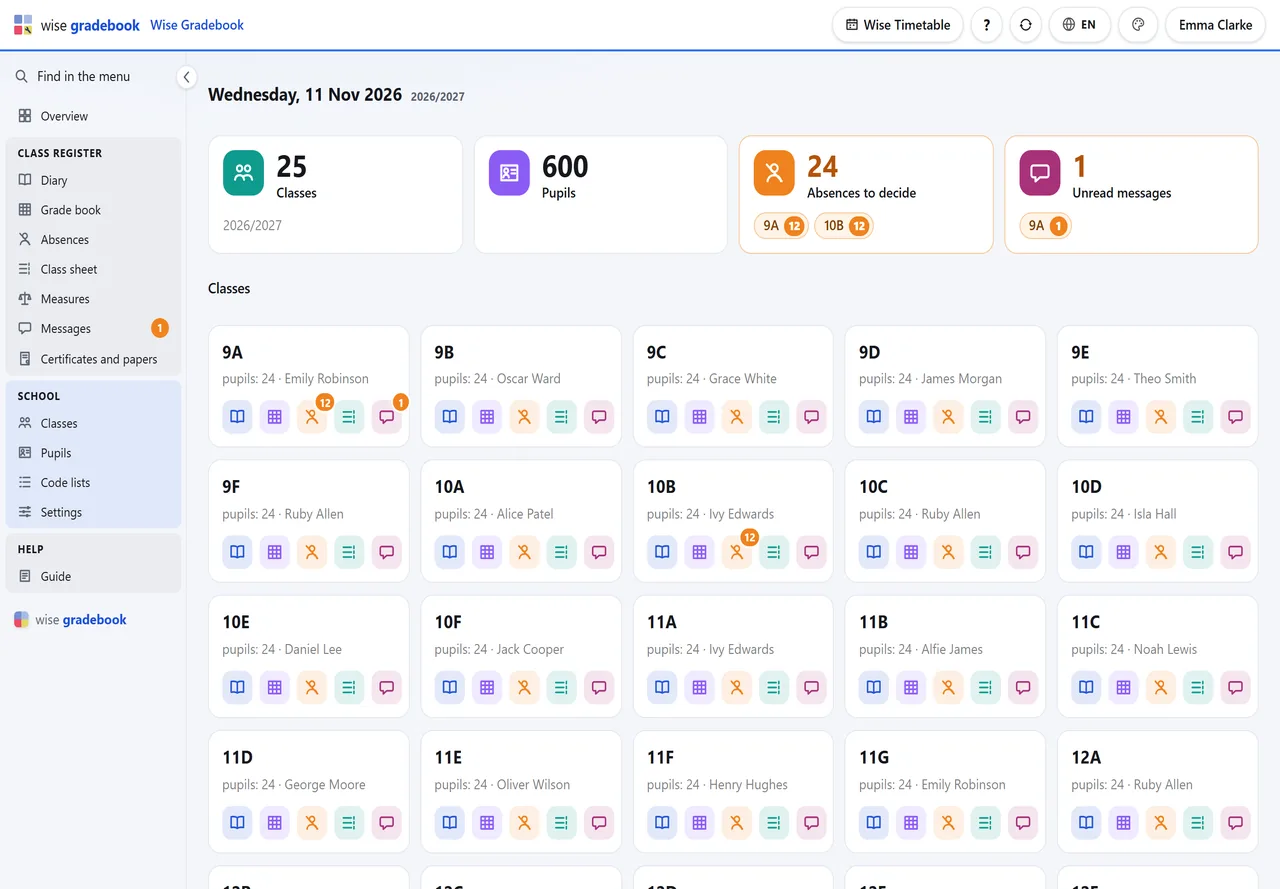
Class register · School and papers · Families
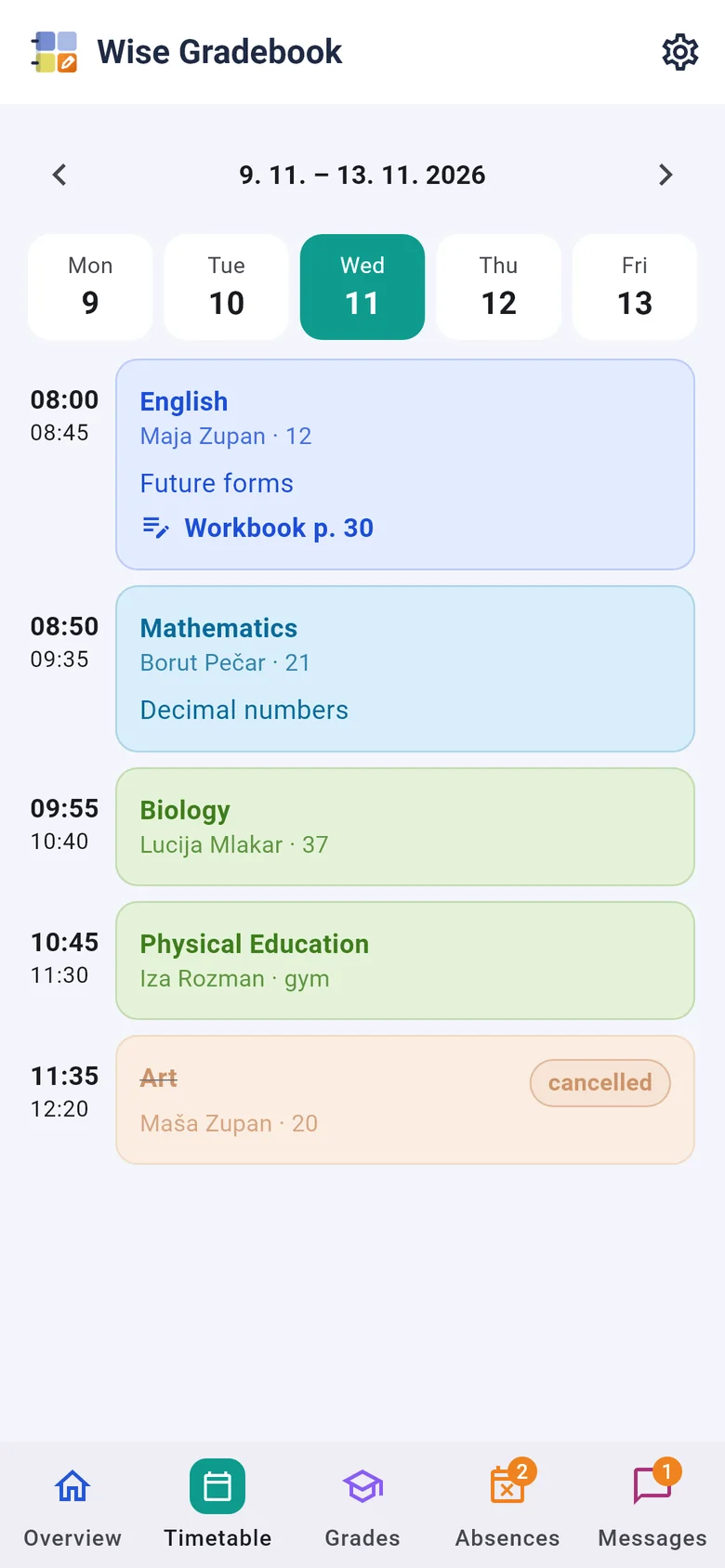
The week of a class, lesson by lesson, taken from its timetable. Each lesson waits for its entry.
One subject of one class as a grid: the marks of each assessment period, their average, the closing grade.
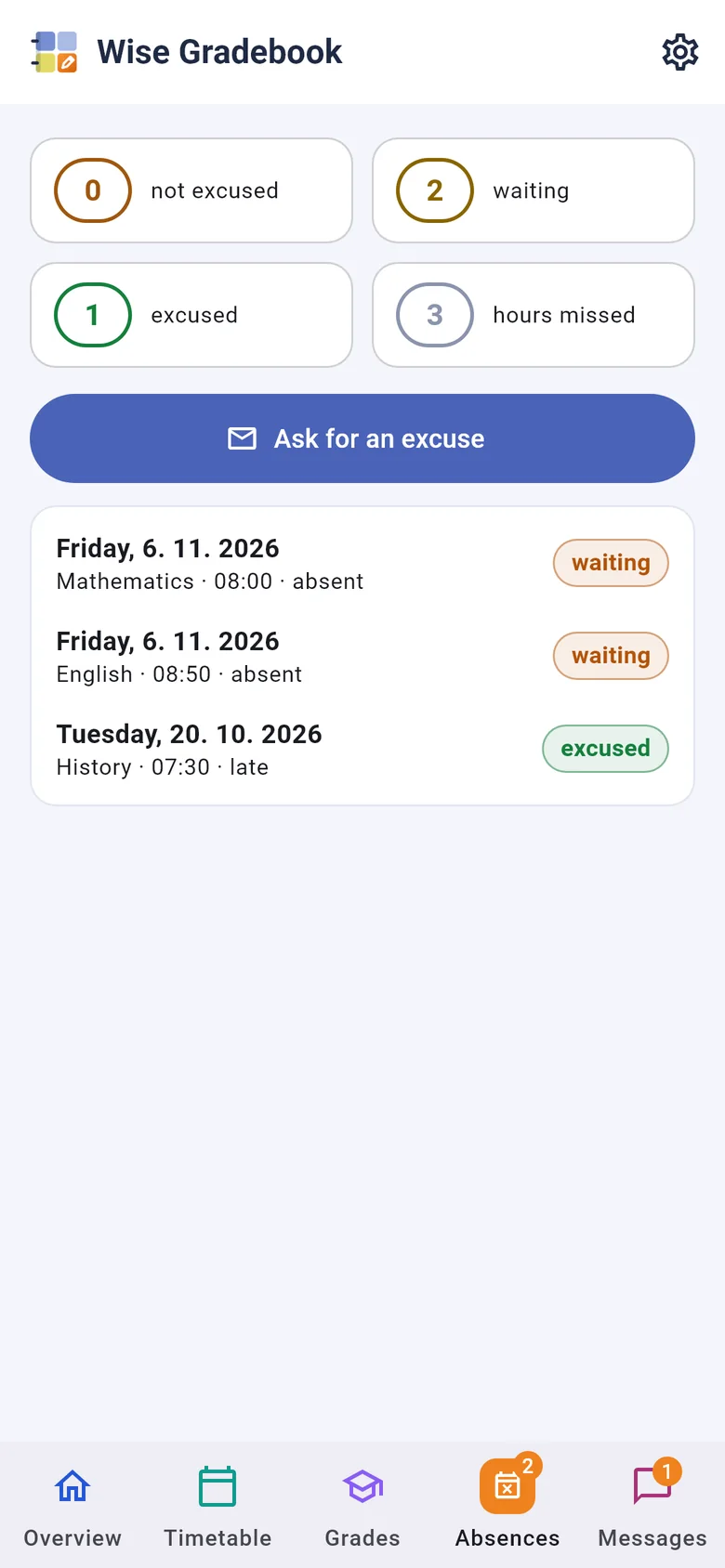
Who missed how much, and the class teacher's decision on each absence.
The whole class at a glance: pupils by subjects, with absences and measures.
Measures and commendations of a class, written by the class teacher or the office.
Notices of results, certificates, extracts and record sheets - previewed first, then issued with a number.
The school's register of pupils and each pupil's record sheet.
Set the school up from its timetable, by ticking boxes.
The grade scale, kinds of grade, assessment periods, kinds of absence, measures and ends of the year are your school's own lists.
The class and its families write to each other: an announcement to every family of the class, or a conversation about one pupil.
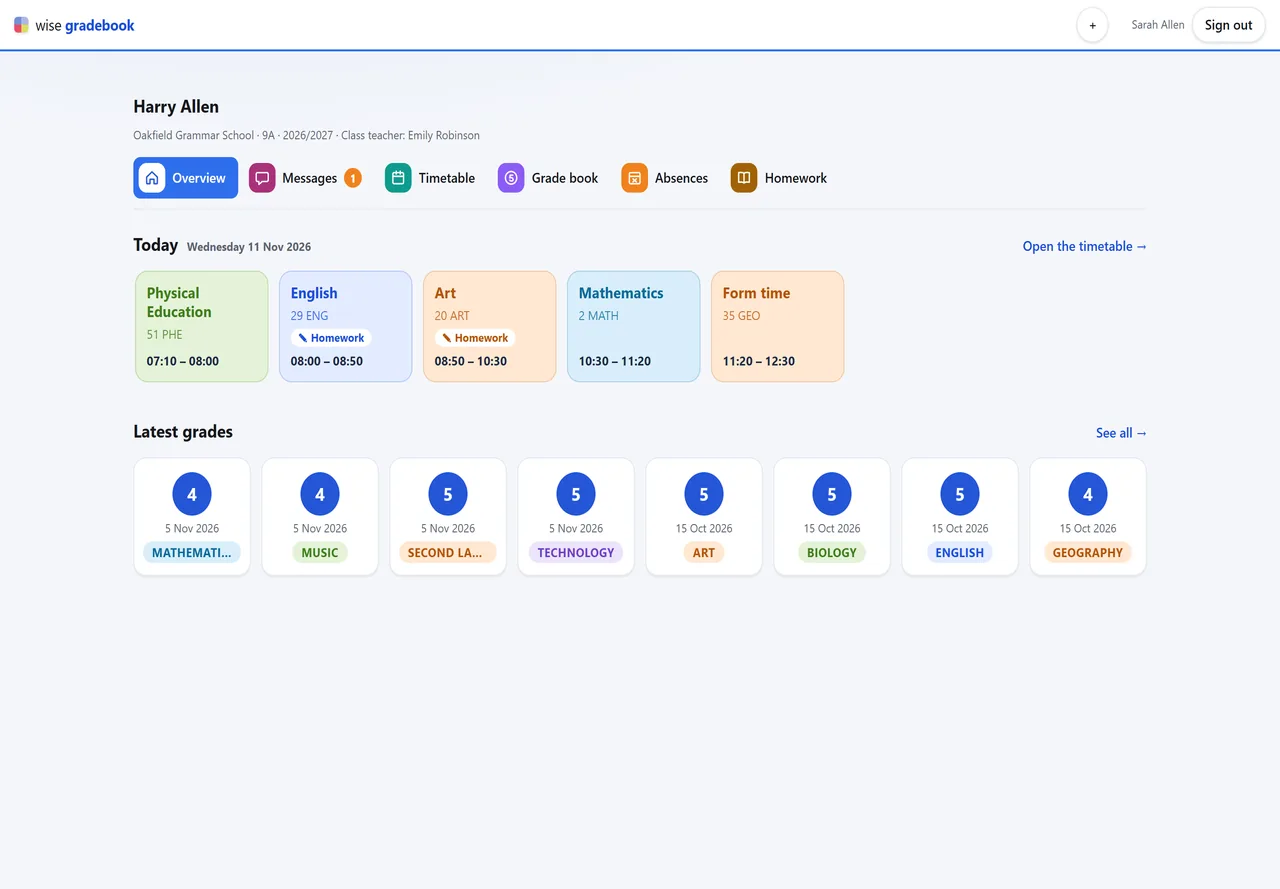
What a parent and a pupil see with the code you printed - in a browser, and in the Wise Gradebook app.
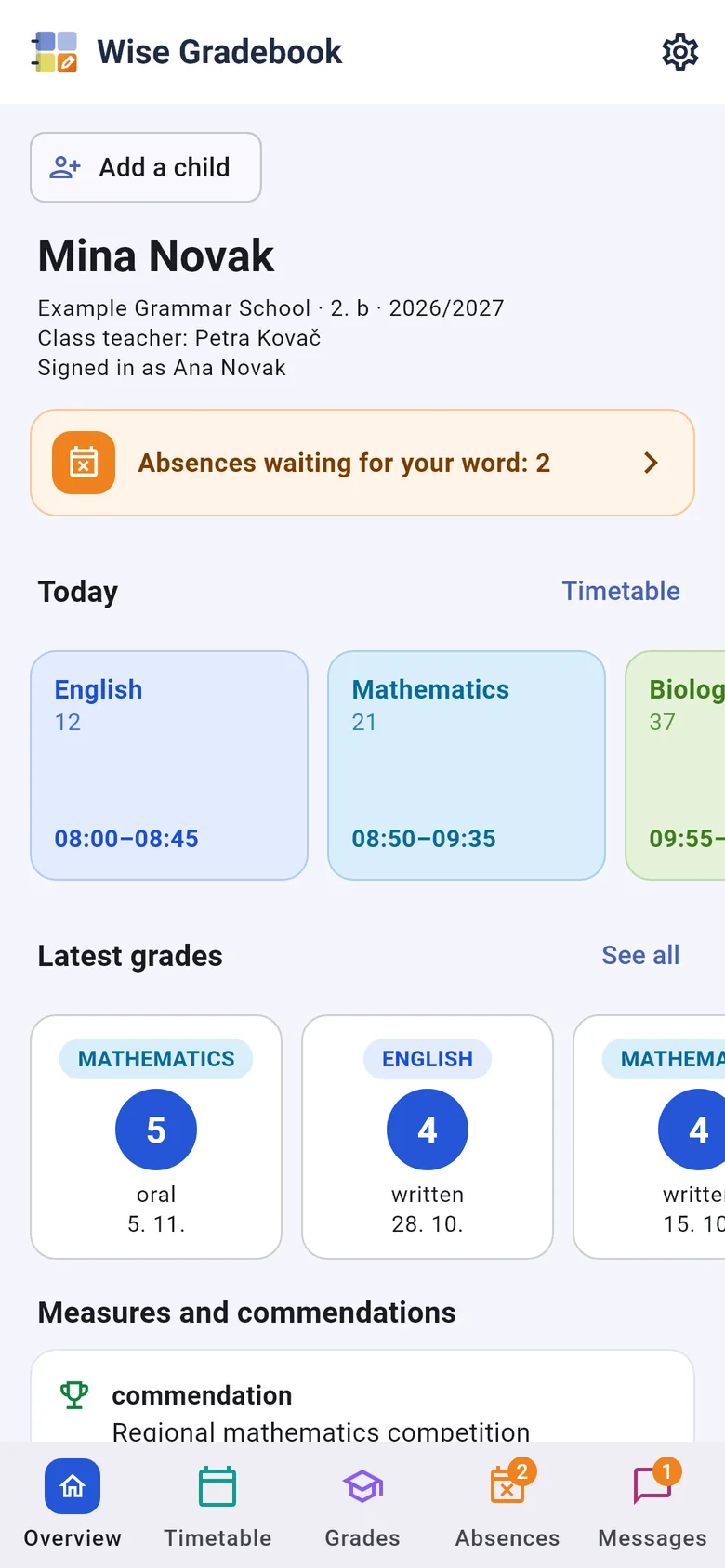
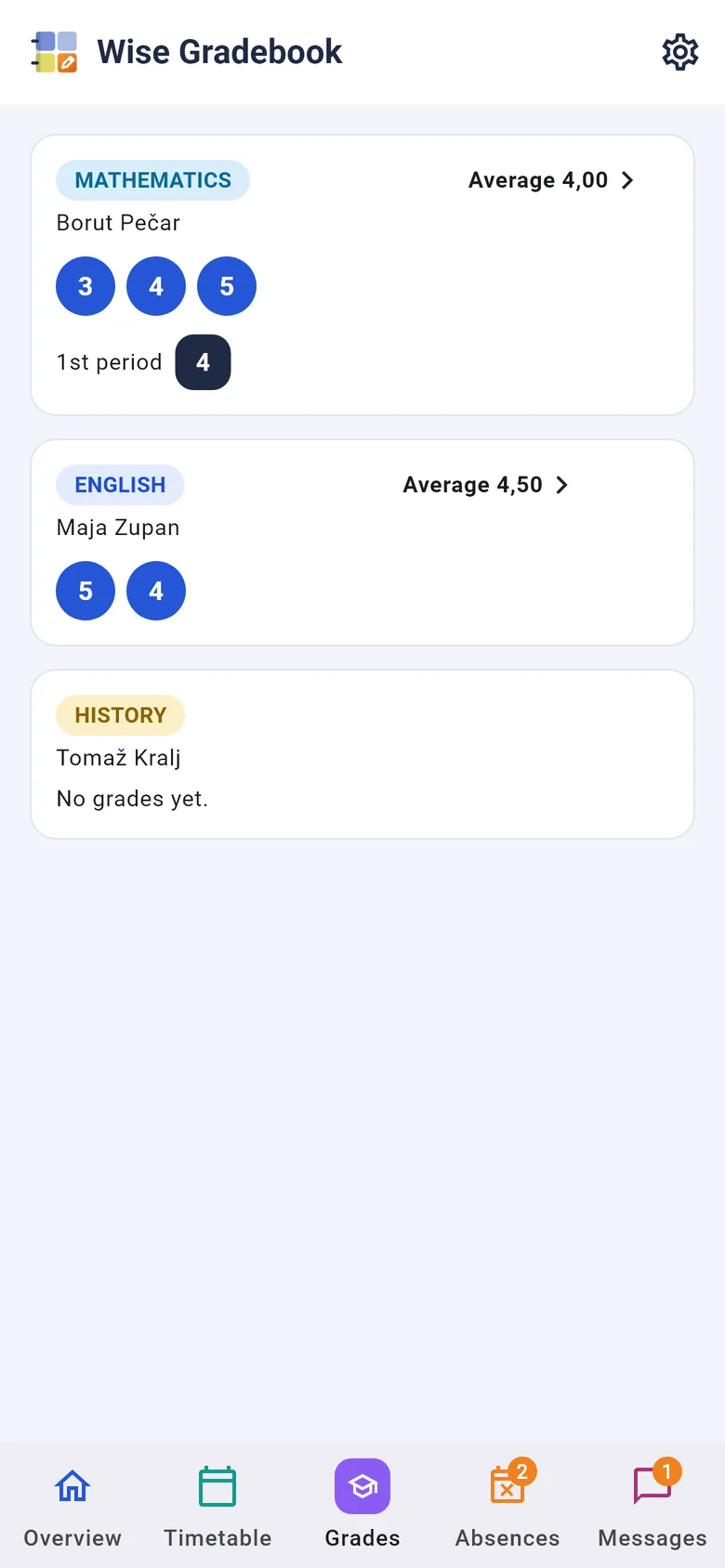
Wise Gradebook for Android and iPhone opens with the same paper code: one tap for each child of the family. The app is being prepared for the stores.
📱 On the phone
Wise Gradebook for Android and iPhone opens with the same paper code: one tap for each child of the family. The app is being prepared for the stores.
For families
The class teacher prints an access code for the pupil and for each parent. Typed once, it shows the grades, absences, measures, and the topics and homework of the last two weeks – on any phone, with nothing to install. A parent can ask for an absence to be excused; the class teacher decides. A new code replaces the old one and signs out every device that used it.
How a school starts
Each timetable group becomes a class with its pupils, subjects and teachers. No import files.
One select per class. Until then only the office can excuse absences and issue papers there.
The starting code lists add what is missing and never overwrite. Teachers sign in with the accounts they already have.
The same guide the application shows on its Guide screen, as a PDF.
We set it up on a copy of your timetable and walk through a week of a real class with you.