Class register
Diary
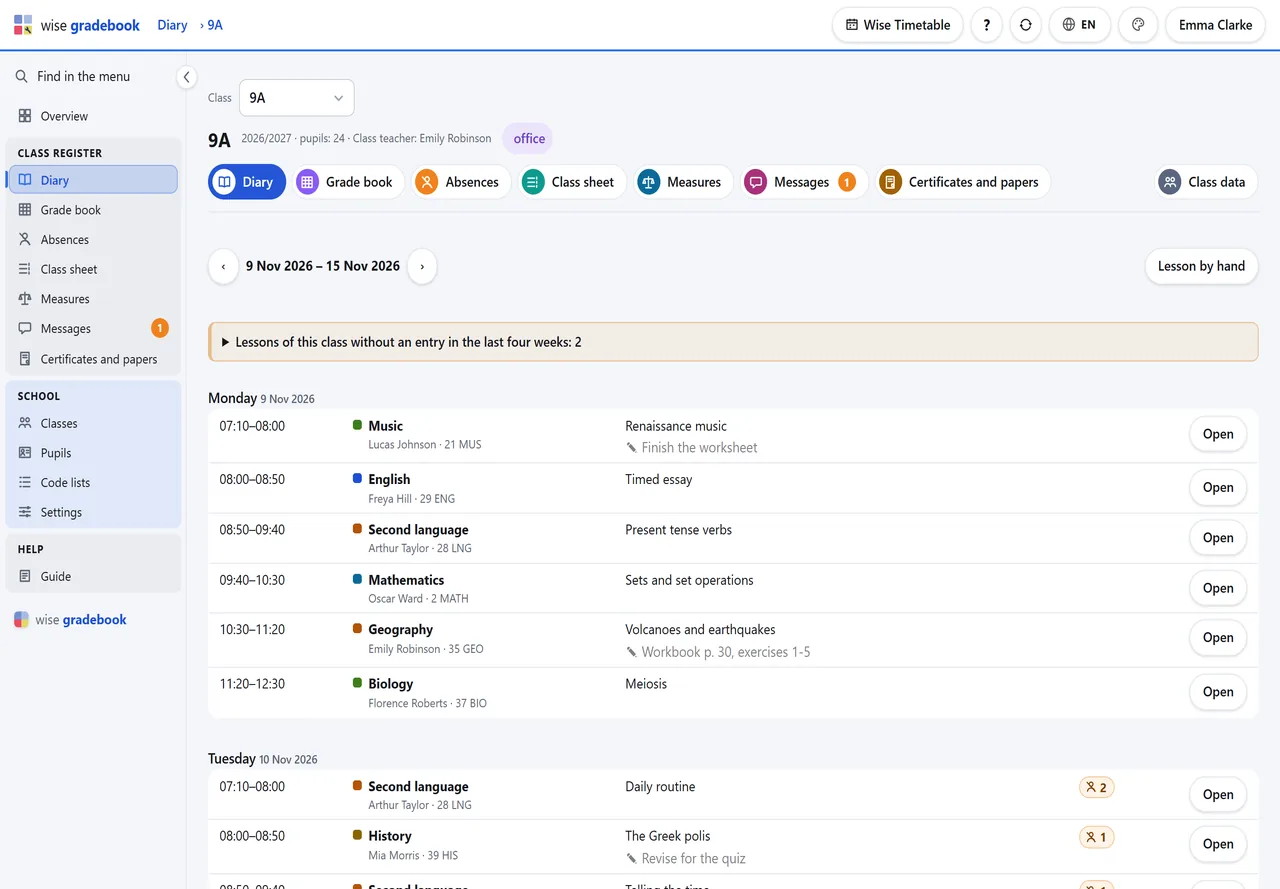
The week of a class, lesson by lesson, taken from its timetable. Each lesson waits for its entry.
What it does
- Diary. The week of a class, lesson by lesson, straight from its timetable. Open a lesson: the cursor is already in the topic, everybody is present, and a click marks who is missing.
- Nothing is forgotten. A lesson that was on the timetable and has no entry stays on the list of lessons without a diary entry until somebody writes it or marks it cancelled.
How it goes
Open Diary and choose the class (with one class there is nothing to choose).
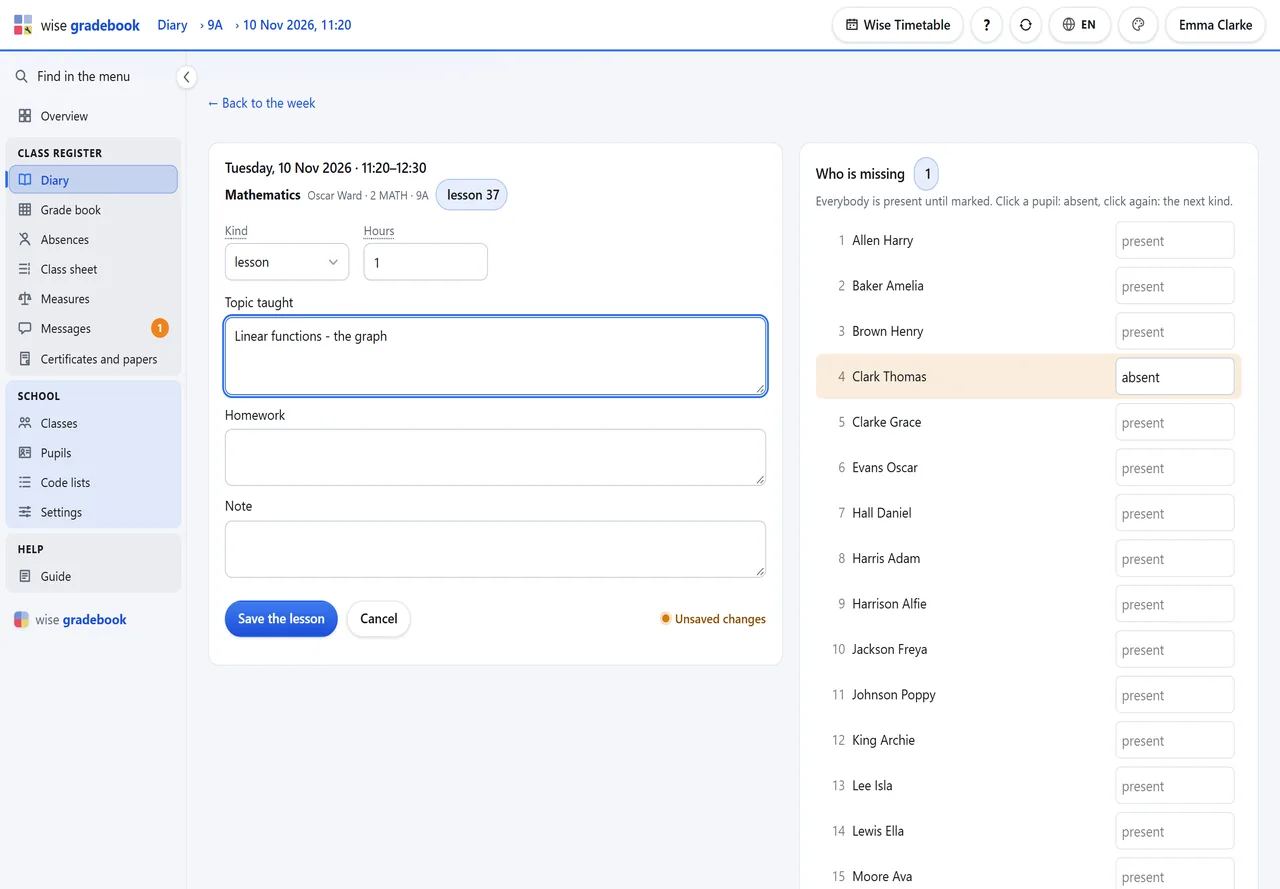
Write on a lesson opens it. The cursor is already in Topic taught.
On the right is the class list. Everybody is present; click a pupil to mark them absent, click again for the next kind (late, left early ...).
Save the lesson. The row in the week now shows the topic and how many were missing.
A lesson the timetable does not know - a swap, an extra lesson - is written with Lesson by hand: its own day, time and subject.
Good to know
- A cancelled lesson is not deleted: set Kind to cancelled. It stays in the diary, marked, and does not count as held.
- You write the lessons of your own subjects. The class teacher and the office can write any lesson of the class.
More modules
See it with your own classes
We set it up on a copy of your timetable and walk through a week of a real class with you.