Class register
Grade book
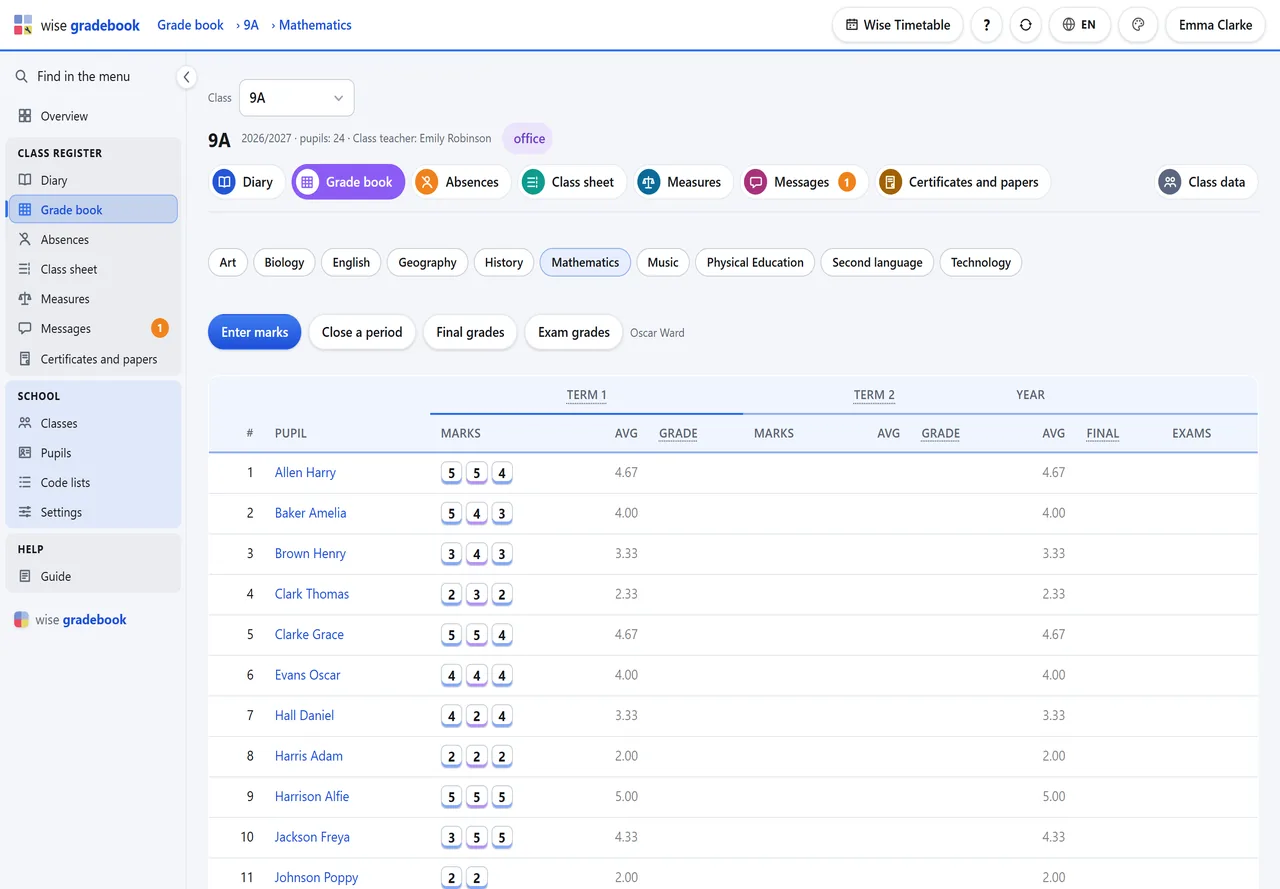
One subject of one class as a grid: the marks of each assessment period, their average, the closing grade.
What it does
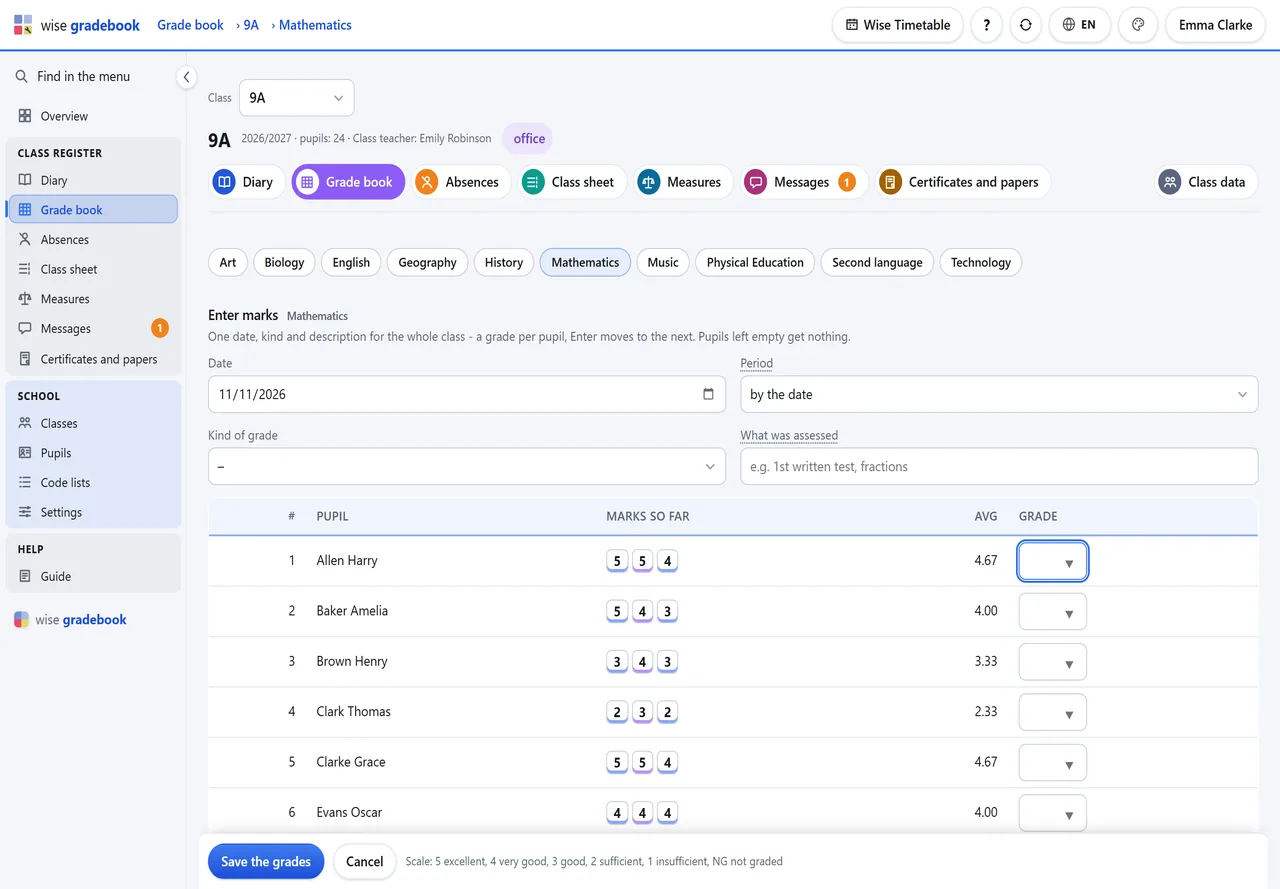
- Grade book. One date, kind and description for the whole class, then a grade per pupil with Enter. Period and final grades show each pupil’s average beside the field.
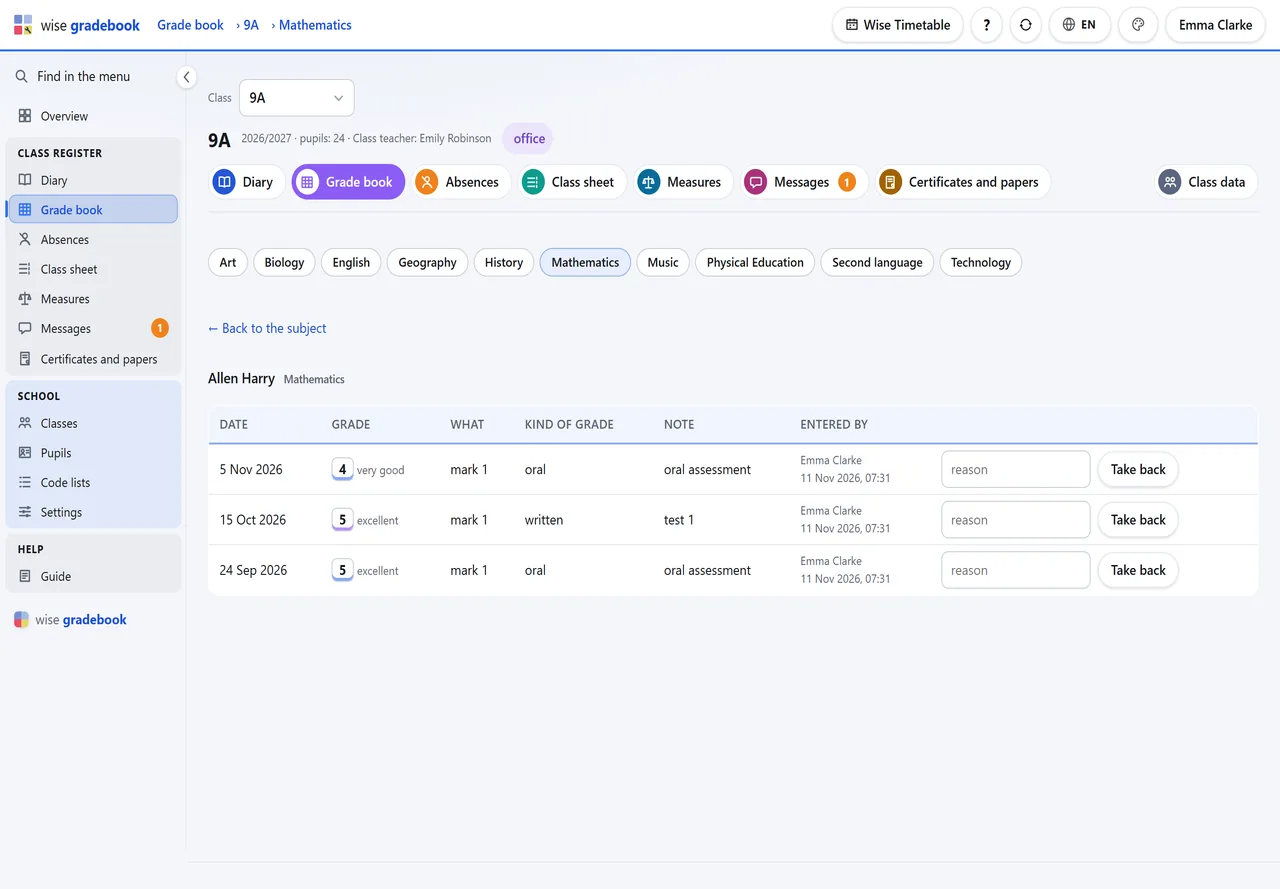
- History that stays. A grade is taken back with a reason, never overwritten; a changed closing grade keeps the old one, with who changed it and why. A voided paper keeps its number.
How it goes
Open Grade book. Your own subject is already chosen; the others are the chips above the grid.
Enter marks: one date, kind and description for the whole class, then a grade per pupil. Enter moves to the next pupil. Save the grades once.
Close a period and Final grades work the same way and show each pupil's average beside the field.
A pupil's name opens every grade they have in the subject, with its history. Take back removes a grade from the count - with a reason, kept for good.
Good to know
- A grade is never overwritten. A changed closing grade keeps the old one in the history, with who changed it and why.
- The grades you can type are your school's own scale (Code lists - Grade scale).
See it with your own classes
We set it up on a copy of your timetable and walk through a week of a real class with you.