Class register
Absences
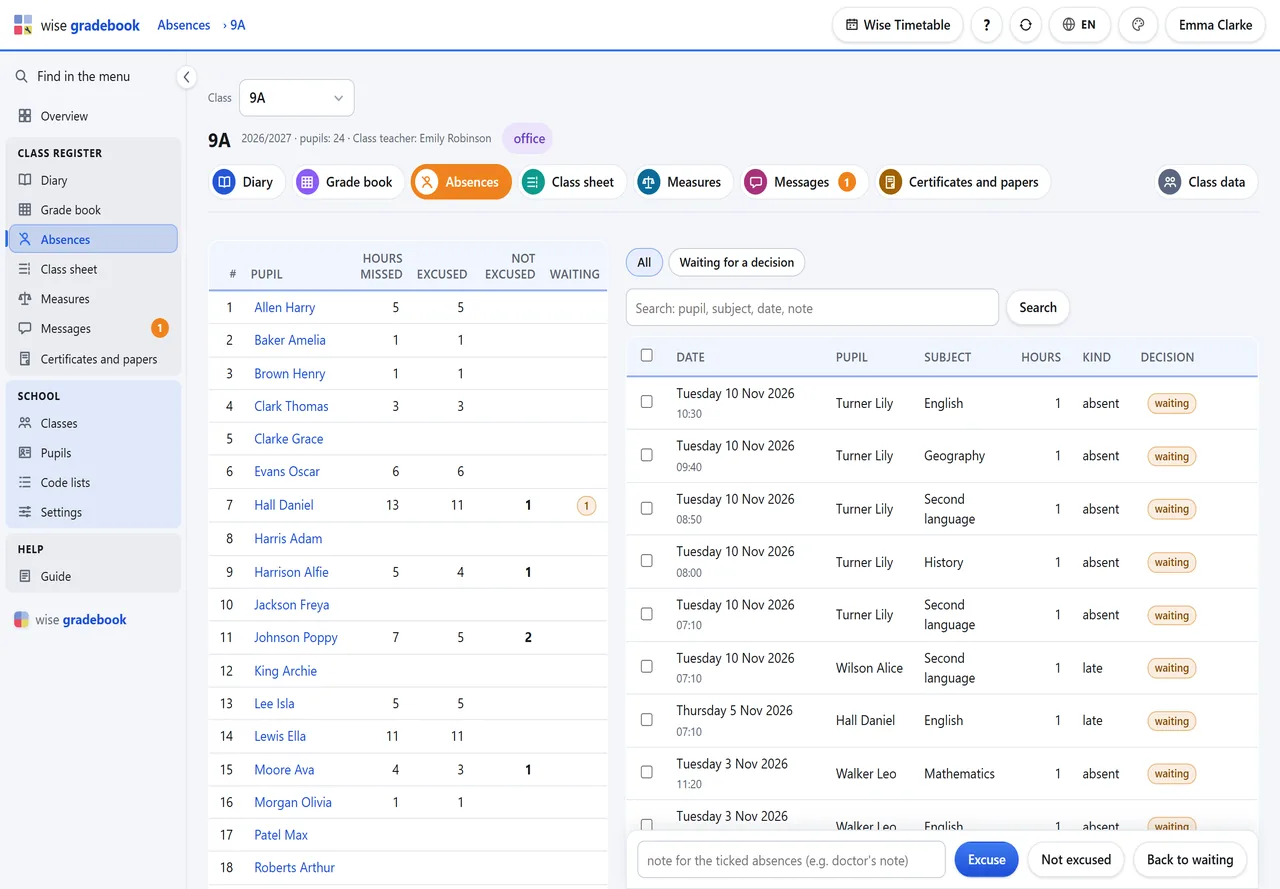
Who missed how much, and the class teacher's decision on each absence.
What it does
- Absences and excuses. Totals per pupil beside the hours themselves. The class teacher ticks a sick week and excuses it in one go; a parent’s request stands beside the absence it asks about.
How it goes
Open Absences. On the left the totals per pupil; a name narrows the rows to that pupil.
Waiting for a decision shows only what is still open.
Tick the rows (a pupil's sick week in one go), write a note, then Excuse or Not excused.
A parent's request from the family portal stands beside the absence it asks about. It decides nothing - you do.
Good to know
- Hours reported by phone, with no lesson in the diary, are written in at the bottom: Write in hours without a lesson.
See it with your own classes
We set it up on a copy of your timetable and walk through a week of a real class with you.