Families
Messages
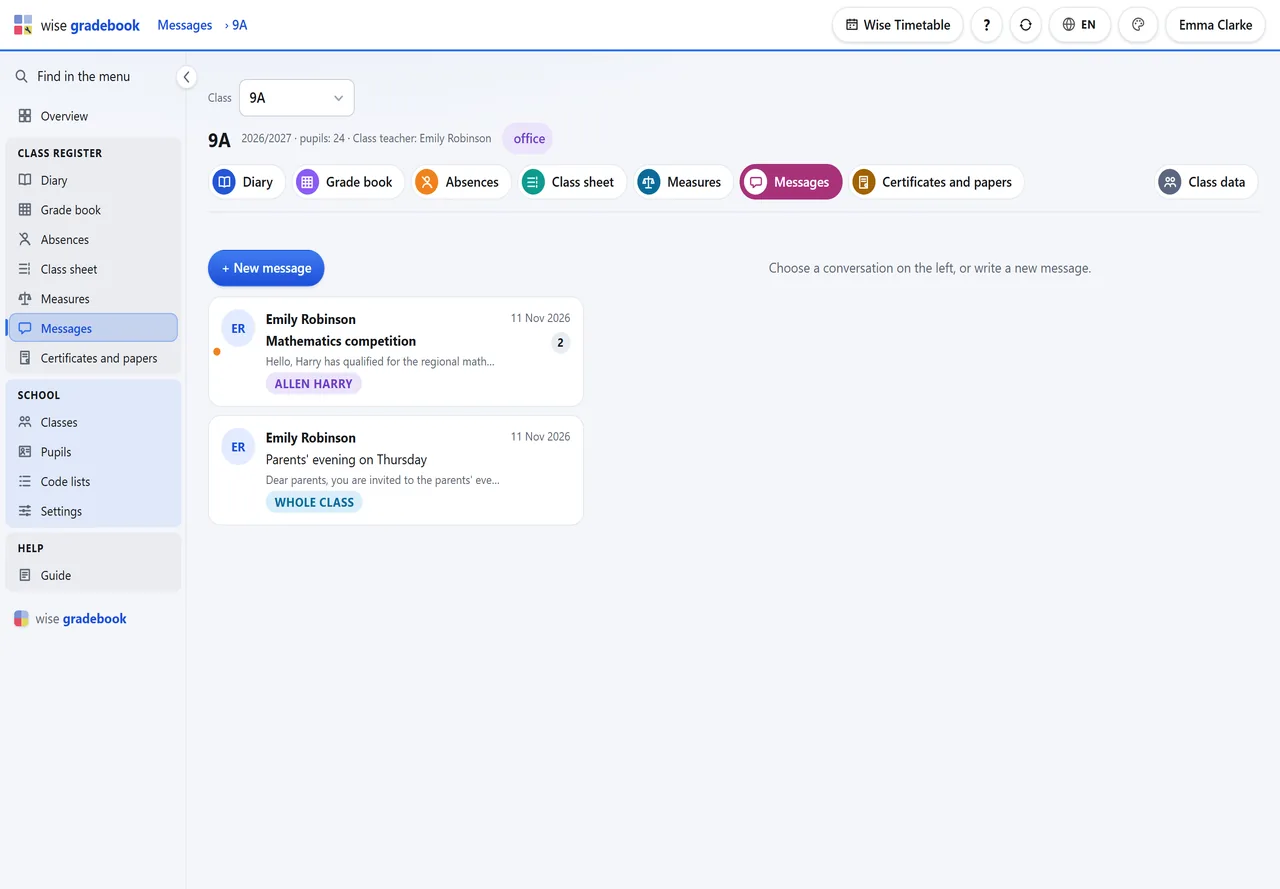
The class and its families write to each other: an announcement to every family of the class, or a conversation about one pupil.
What it does
- Messages with families. The class teacher writes to every family of the class or to one; a parent answers from the portal or the phone. Nothing is edited afterwards, and the number of conversations that wait is on every screen.
How it goes
Open Messages in the class. New message: under To choose All families of the class or one pupil's family, write the subject and the message, Send.
A message to the whole class is an announcement: every family of the class reads it, nobody answers it to all.
A message about one pupil is a conversation: the parent answers from the family portal or the phone, and the answer arrives in the same conversation.
An orange dot marks a conversation in which a family has written since you last looked. The number beside Messages - in the menu, on the tab, on the start screen - counts them.
Good to know
- What is sent is not edited or deleted afterwards: what a school wrote to a parent is a record.
- A parent writes; a pupil signed in with their own code reads.
See it with your own classes
We set it up on a copy of your timetable and walk through a week of a real class with you.