Records and admission
Student records · Enquiries and campaigns · Admission and enrolment · Campuses · Data in and out · Timetable sync
Student information system
From the first enquiry to the diploma and the alumni years — admission, exams and grades, attendance, fees, requests, theses, lecturers’ work, and portals for students and parents — in one application for the student office, from the makers of Wise Timetable.
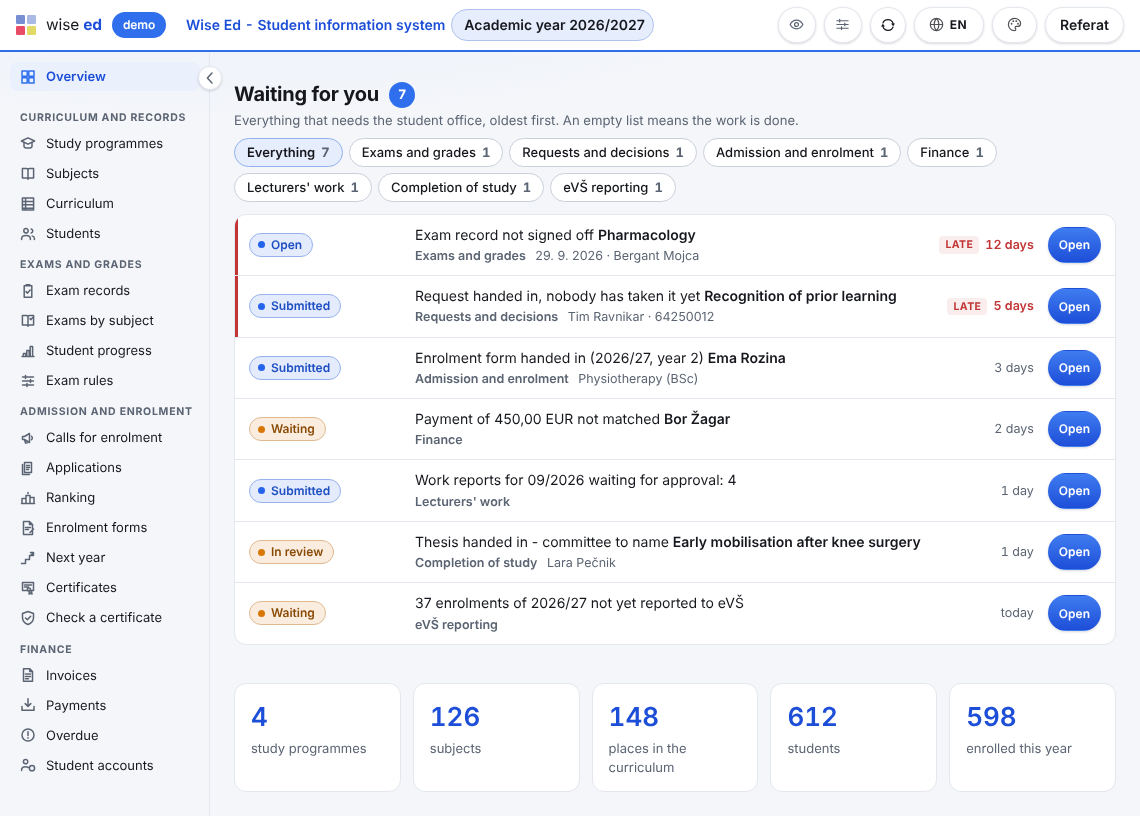
Every module adds what is waiting for the office, oldest first, with one button to the screen that settles it. How Wise Ed works.
A school switches on what it uses, and off again without losing anything. Each module has its own page; all modules are on one page too.
Student records · Enquiries and campaigns · Admission and enrolment · Campuses · Data in and out · Timetable sync
Exams and grades · Assessment · Degree audit · Attendance · Course materials · Completion of study
Student portal · Requests and decisions · Accommodations · Student file
One application for the office, and the pages each other reader needs: lecturers on the web timetable they already use, students and parents on their phones, IT where the keys are.
A work queue, statuses that say whose move it is, and nothing typed twice.
Grades, assessment, materials, absences and the monthly report, on one web page.
Their whole study on a phone, signed in with a code by e-mail.
What the student shares, and the invoices a payer pays.
Roles, sign-in, integrations, logs and an export that needs nobody.
Programmes, subjects, the curriculum, the students and their groups come from the timetable the school already has, so nothing is typed twice and lecturers’ work is counted from the real lessons. Why it matters.
New: enquiries and campaigns, roll-call attendance and an overview for the management. All the news on the news page.
Book an online presentation. We will walk through how your student office works today and show you the same job in Wise Ed — with your programmes, not a demonstration dataset.