Attendance
Who actually came? Attendance by QR code
For a summer school, a training course or a workshop series that question matters as much as the room. WBS is prepared for the Wise attendance module: it runs on the same people, the same sign-in and the same rooms, and it is switched on for an institution when the institution wants it.
How WBS is prepared for it
- The people are already there. The organisers and participants who book and are booked in WBS are the people the module records. Nothing is imported twice.
- The sign-in is already there. An organiser starts attendance with the same account - WBS password or Microsoft 365 - that books the room.
- The screens are already there. The QR code goes up on the room's projector, a television or a room panel, and the participants use their own phones.
- The way out is already there. Attendance has its own reports in the application and its own feed in the REST API, so the institution's information system receives the records without anybody retyping them.
A code that changes every few seconds
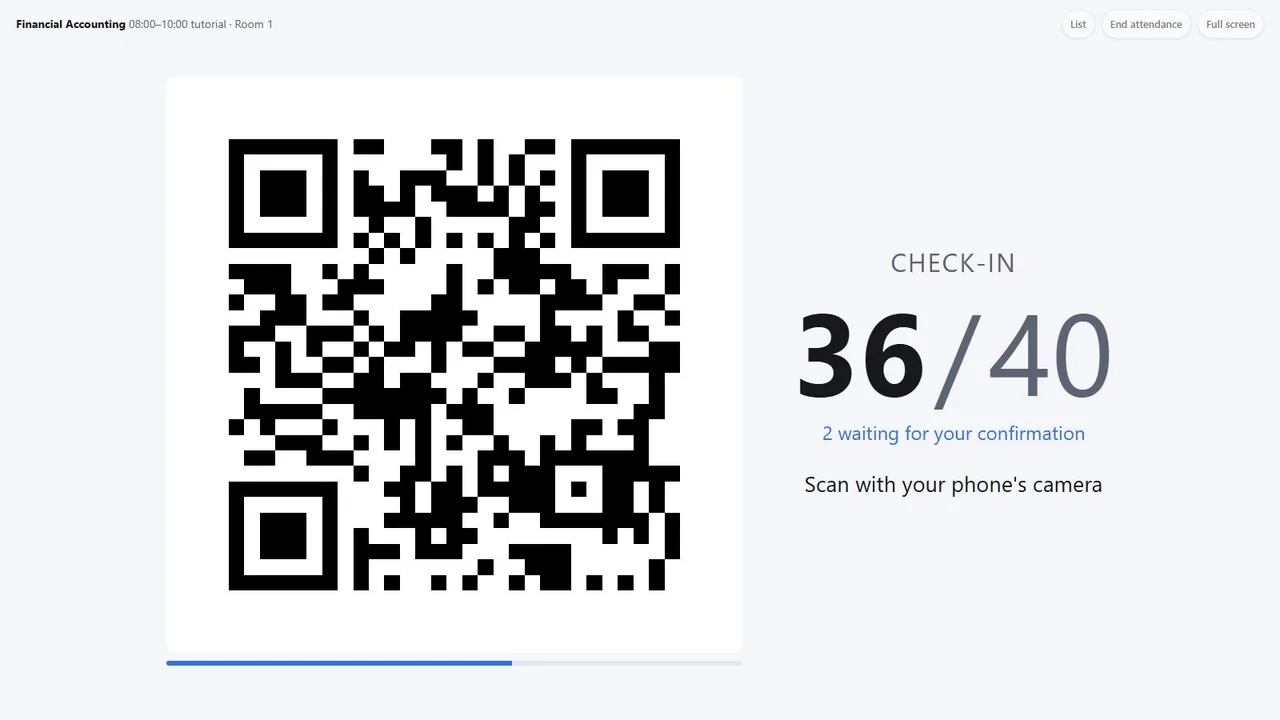
The organiser opens the session - a course meeting, a seminar, a workshop - and puts the QR code on the screen. It changes every 10 seconds by default (5 to 30, per institution), so a photo of it sent to a group chat is useless a moment later. The live count rises as participants check in.
How a check-in goes
Scan with the phone
Participants scan with the ordinary phone camera; the page opens in the browser and nothing has to be installed. In the Wise app, the scanner reads only Wise attendance codes and nothing else.
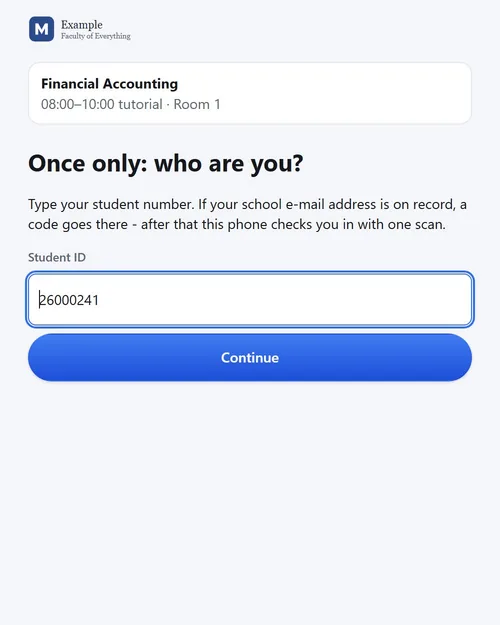
Prove who you are, once
The first time on a phone: the student number and a 6-digit code sent to the address on their own record - or Sign in with Microsoft, where the institution has it. The scan counts from the moment it was made.
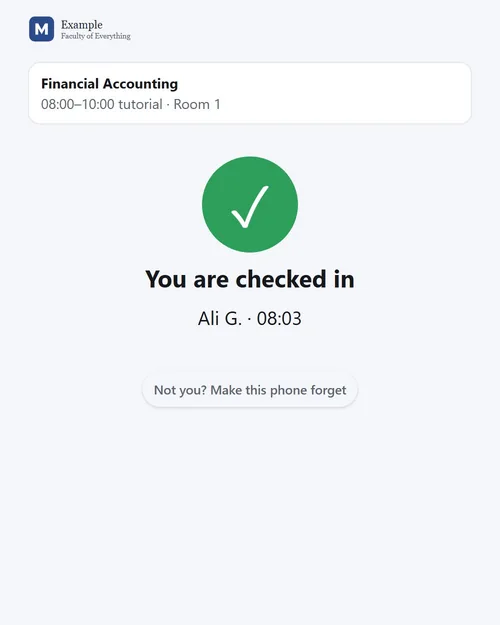
One scan from then on
A large green tick, the session's name and the time.
The organiser ends the session
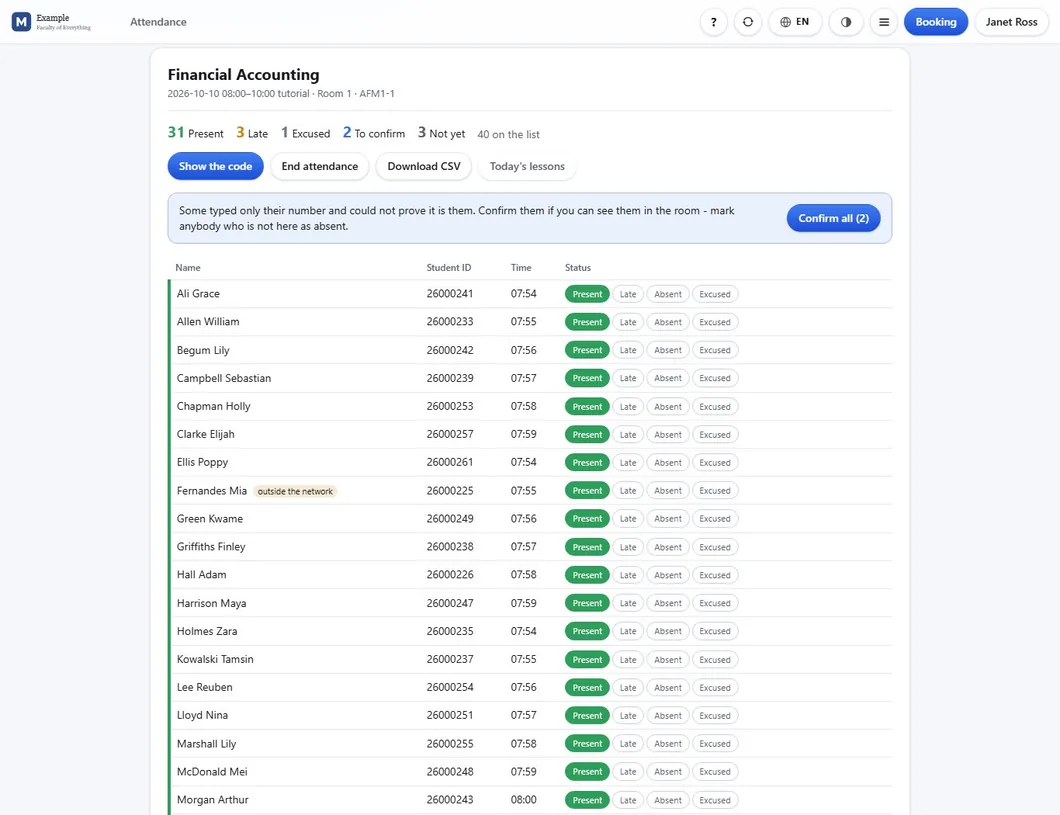
The list shows present, late, absent, excused and left early - and anybody who scanned but is not on the list, recorded rather than refused, for the organiser to decide.
The organiser's list
Corrections are one tap: a participant who arrived late, left early or was excused, or somebody whose phone had no battery - marked by hand, and the record says it was by hand. Reopening a session continues the same list; it never makes a second one. Check-out is an option per institution: a second scan at the end, so a participant counts as present only if they were there at both ends.
Reports, and a feed for the information system
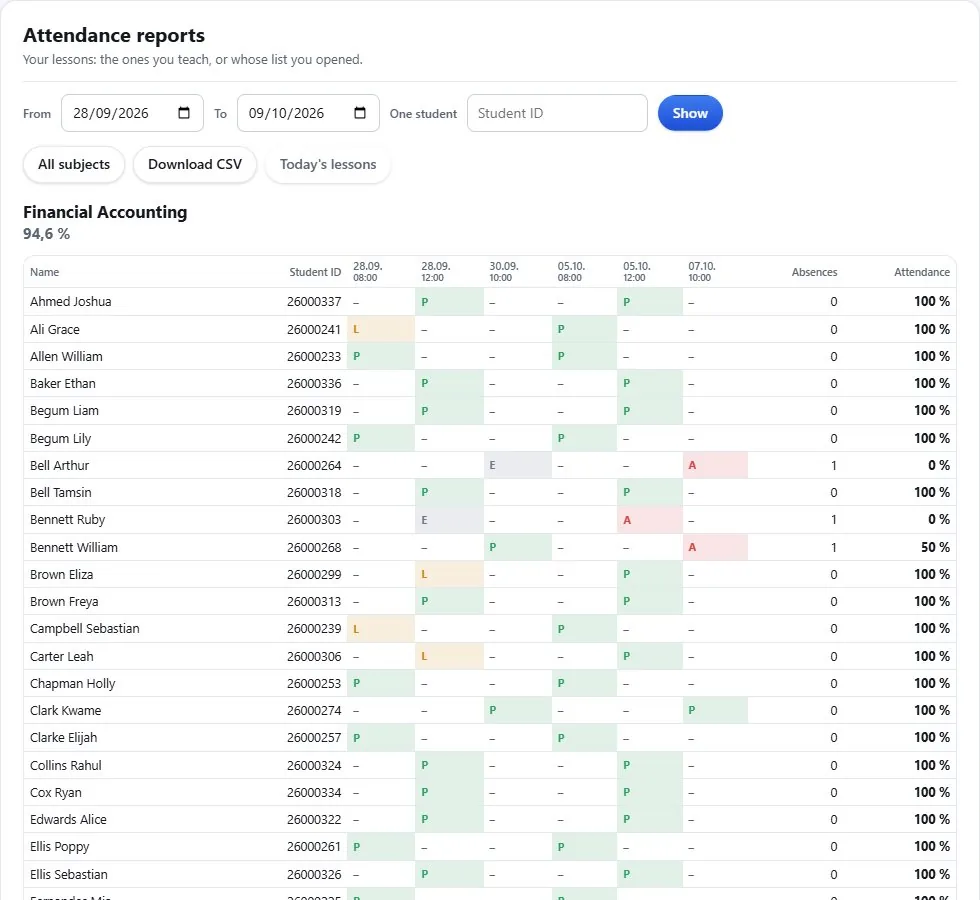
The attendance report shows the sessions of a period, one series of sessions as a grid of participants against dates, or one participant across everything, each as CSV. The rate is simple and stated: present and late, out of present, late, left early and absent - excused sessions do not count against anyone. For the institution's information system the REST API offers whole lists as they were closed, with a cursor that brings only what changed; access is granted per API account, never to the public apps.
What a QR code can and cannot prove
A rotating code defeats the screenshot sent to the group chat and yesterday's code copied into today. It does not stop a participant in the room streaming the screen to a friend outside who scans within seconds. What stops that is cheap and effective: the organiser sees 41 on the screen and counts thirty heads. Check-out doubles the effort of cheating, and an optional campus-network check marks - without refusing - scans that did not come from the institution's networks.
The module keeps no location and nothing biometric; IP addresses are kept for 30 days. The institution is the controller of its attendance data and Wise processes it on its behalf. Request a demo to see it with your own rooms.
See WBS with your own rooms
Book an online presentation. We set up your rooms and your booking rules, and a new institution is usually live within a few days.