Microsoft 365 sign-in
Sign in with the Microsoft 365 account staff already have
No separate password, and Microsoft's own security - multi-factor authentication, conditional access - applies as it does for Outlook.
One tab in the administration
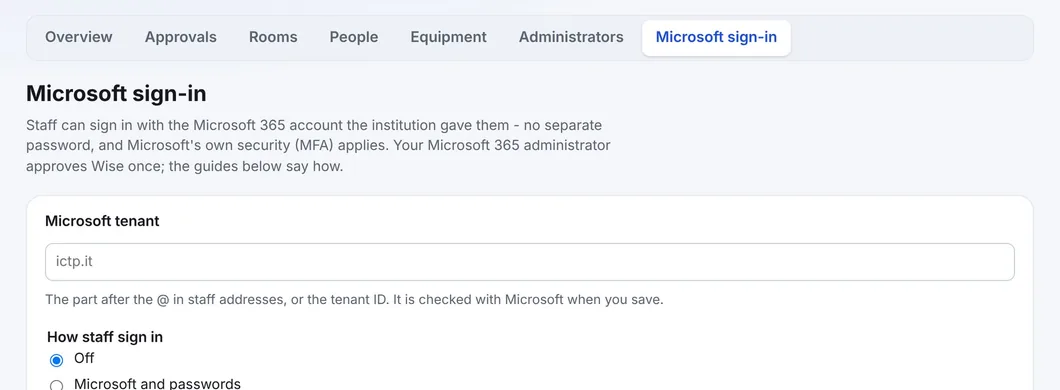
Type the institution's Microsoft tenant - the part after the @ in staff addresses, or the tenant ID - and choose how staff sign in: Off, Microsoft and passwords, or Microsoft only. The tenant is checked with Microsoft when you save.
Setting it up
Microsoft 365 administrator
Grants consent to the Wise application once. Wise registers the application; the institution registers nothing.
Booking office
Types the tenant and chooses the sign-in mode in the administration.
People
Each person's e-mail in WBS is their Microsoft sign-in name.
How it decides
- Only accounts of the institution's own tenant are let in; personal and guest accounts are refused
- Permissions are only openid, profile and email - WBS reads no mail, calendars, files or directory data
- Rights always come from WBS - the Administrator tick, the room list - never from Microsoft
- Microsoft only can be saved only by somebody signed in with Microsoft at that moment, so nobody locks the institution out
- A sign-in lasts up to eight hours; OpenID Connect with PKCE, and WBS never sees a Microsoft password
See WBS with your own rooms
Book an online presentation. We set up your rooms and your booking rules, and a new institution is usually live within a few days.