Digital signage
Digital signage from the same bookings
A signage display is a web page for a television in a lobby or a corridor: large enough to read across a hall, refreshing itself all day, showing today's bookings for the rooms you choose - and your own posters for events and announcements.
Two kinds of display
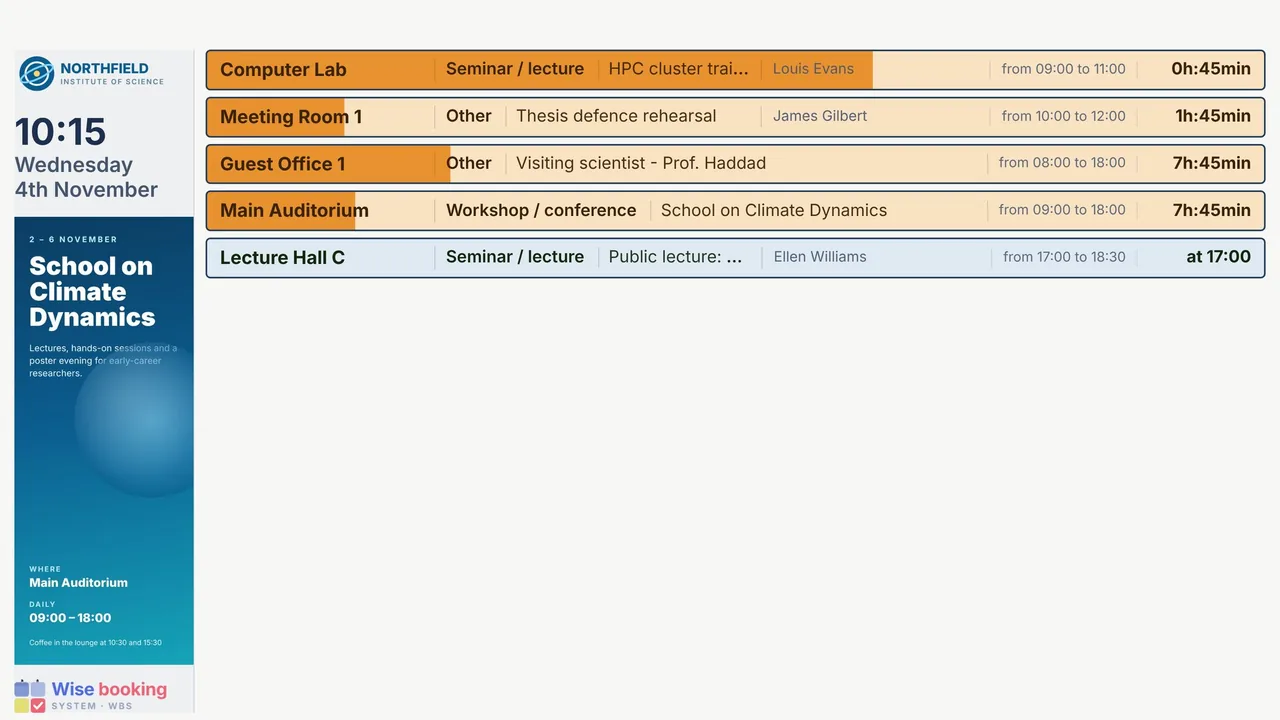
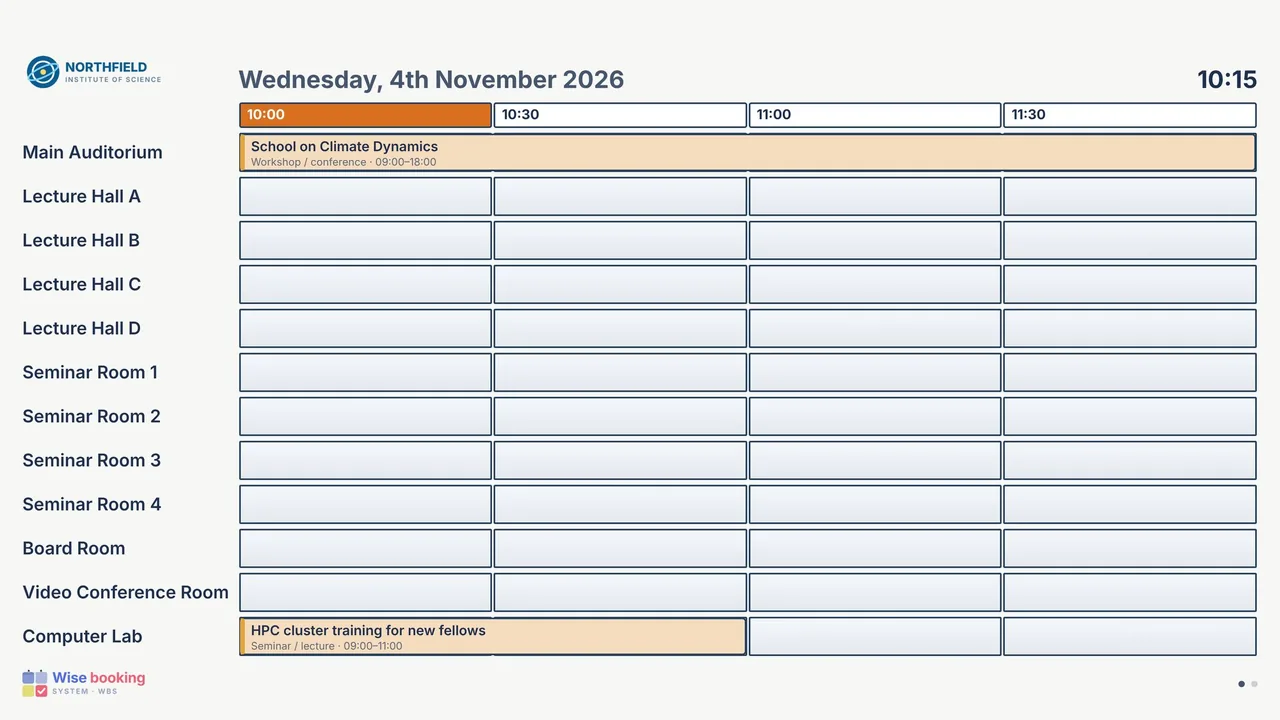
A flow of what is on now and what is next, with a bar that fills as time passes - or a grid of rooms against the coming half-hours, paging through the rooms by itself. A third kind puts the day's bookings into the institution's own website.
Posters, events and announcements
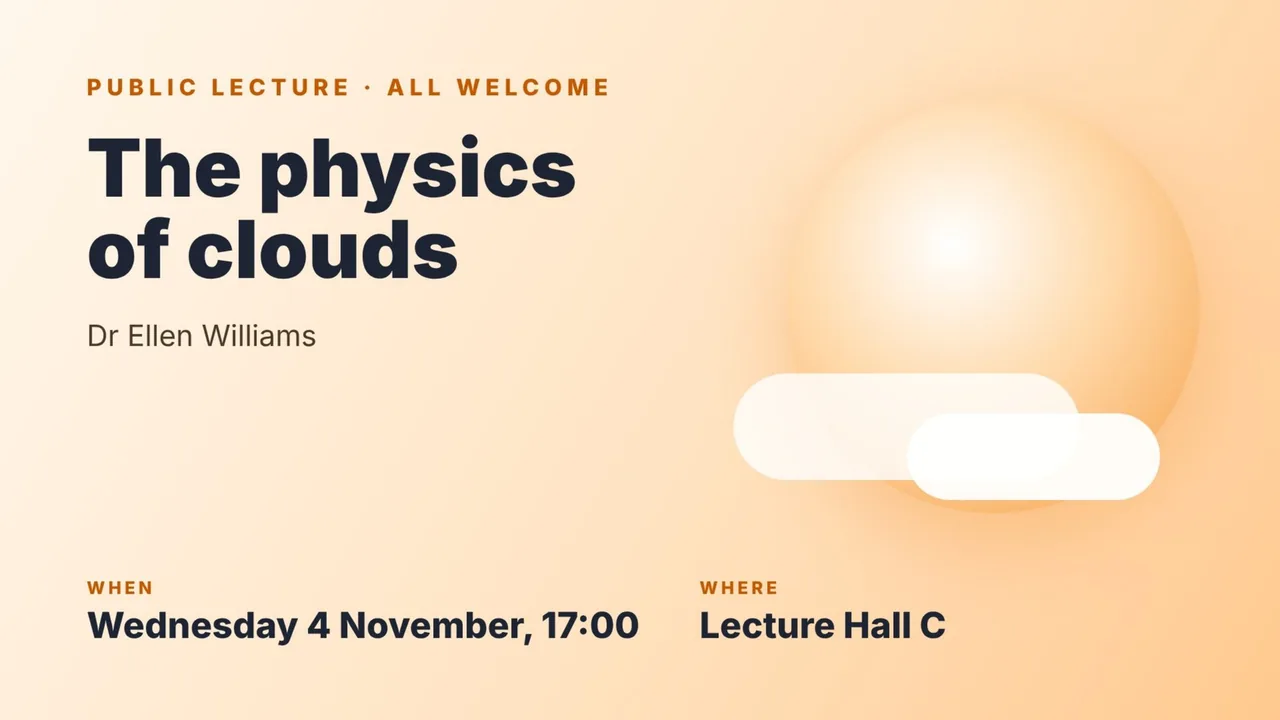
A display is also the institution's notice board. Three pictures can be added to each display, and each answers a different need - so a conference, a summer school or a public lecture is announced on the screens people already look at.
| Picture | Where it appears | Typical use |
|---|---|---|
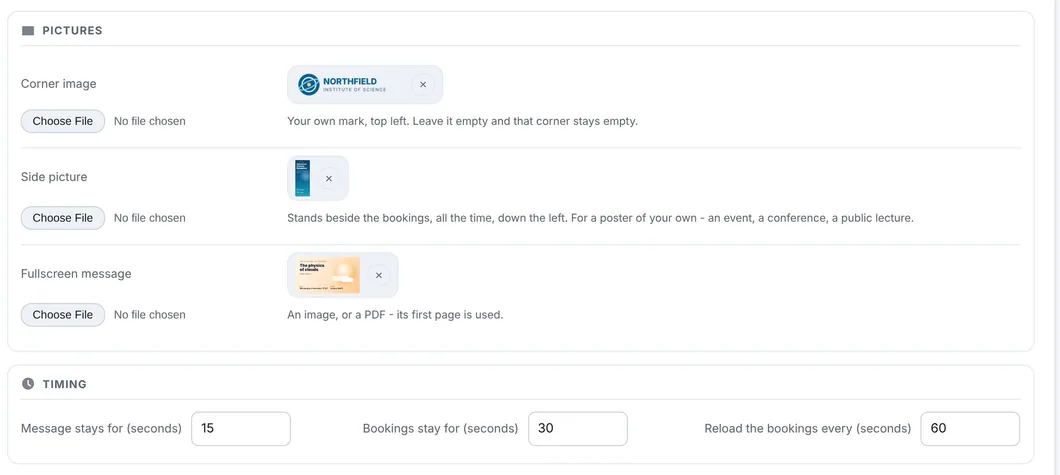
| Corner image | Top left, always - on every kind of television display. | The institution's own mark or logo. |
| Side picture | A tall picture down the left side, beside the bookings, all the time. The bookings and the poster are on screen together. | A conference, a summer school, a public lecture, an exhibition - anything that should stay in view for days. |
| Fullscreen message | The whole screen, in turn with the bookings: the bookings for a number of seconds, then the message, and round again. | An announcement that deserves the whole screen: an event tonight, a closure, a call for papers. |
The bookings and the poster, in turn
Set how long the message stays and how long the bookings stay - for example 15 and 30 seconds. Any image works; for the fullscreen message a PDF works too, its first page used, so the poster the events team already made can go straight up. A picture shows exactly when one is uploaded, there is no switch to forget, and the small x on its thumbnail takes it down again. Each display has its own pictures, so the screen by the auditorium can advertise the conference held there while the entrance shows the public lecture.
Setting up a display
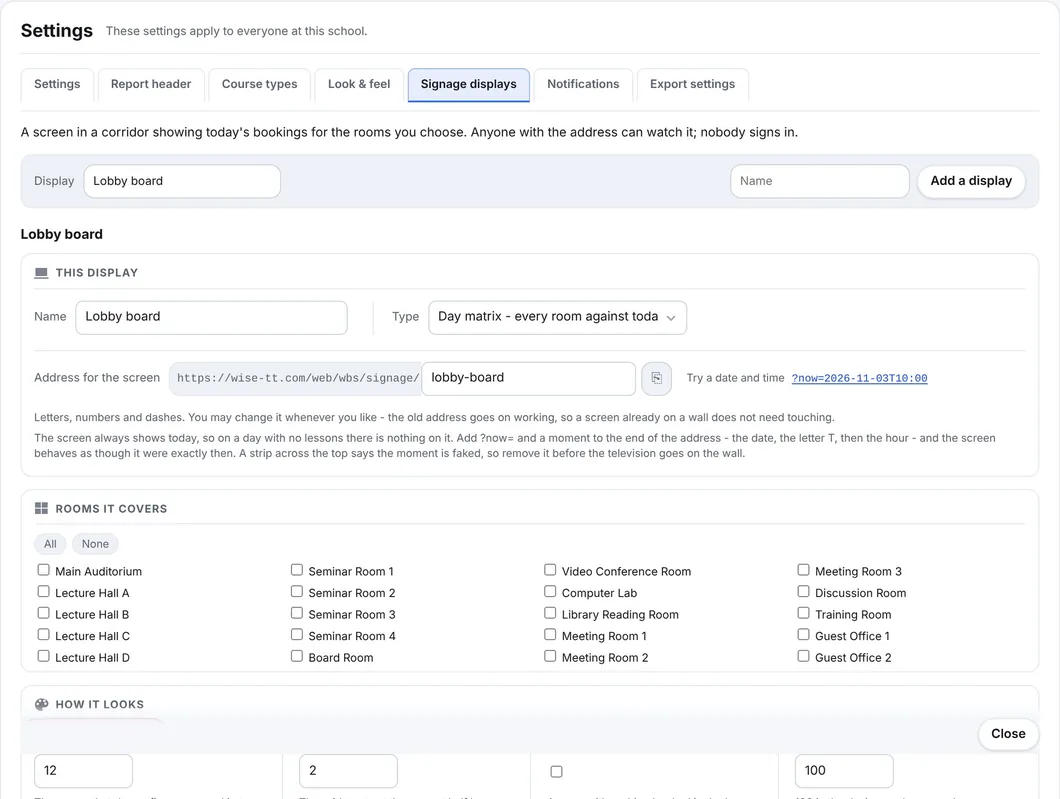
Settings, Signage displays: add a display, choose its kind and the rooms it covers, the text size, light or dark, and its pictures. Then open its address on the television - any smart TV, stick or small PC with a browser - in full screen. Nothing to install, nothing that expires.
Made to hang on a wall for years
- A renamed display keeps answering at its old address, so nobody has to fetch a ladder
- If the network drops, the screen keeps its shape and says it could not refresh
- Only public bookings are shown
- QR codes for every door can be printed at once, each opening that room's day
See WBS with your own rooms
Book an online presentation. We set up your rooms and your booking rules, and a new institution is usually live within a few days.