Every room, one screen
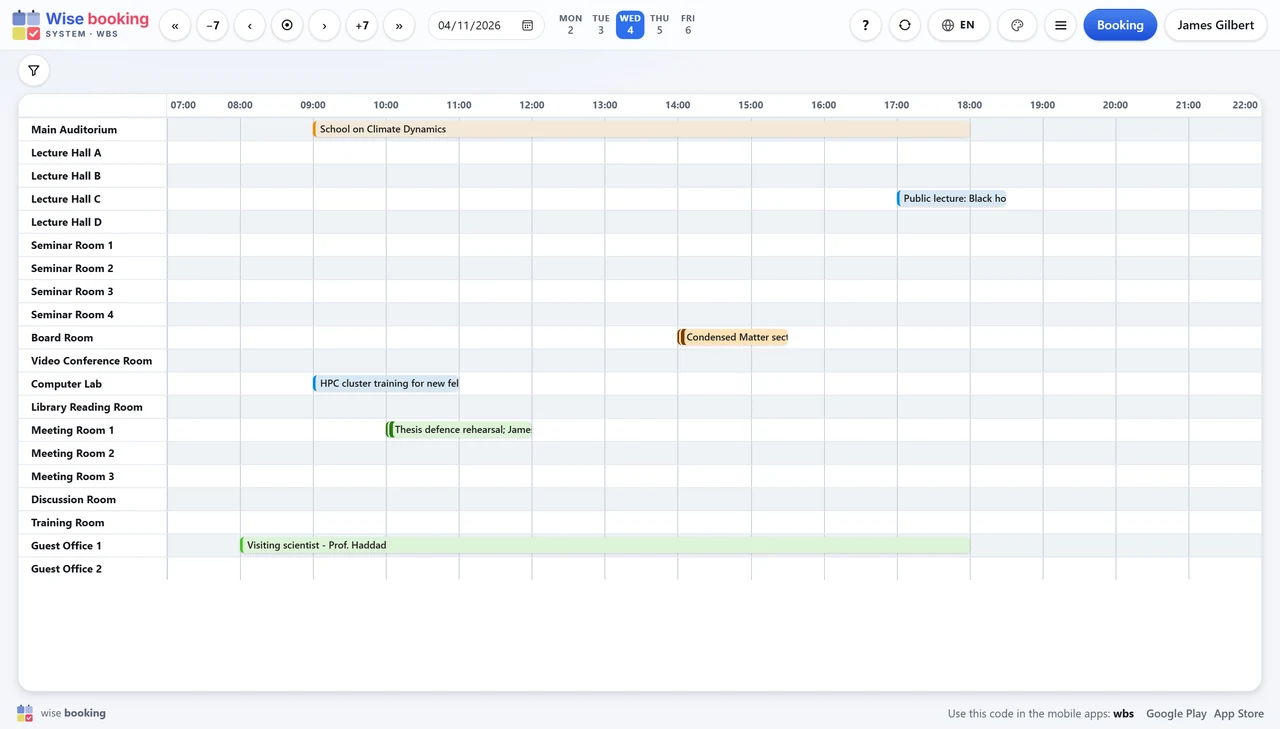
The whole day or week for every room, with filters for seats and equipment. Rooms are listed by section and building, with a Building filter.
Try it in the demoFind a free room, book it, get it approved – and watch it appear in calendars, on phones, on lobby screens and on the panel beside the door. In the browser, with nothing to install.
✨ All in one web application
One place for the people who book, the booking office that decides, and the screens that show it. Nothing to install, nothing that expires.
The whole day or week for every room, with filters for seats and equipment. Rooms are listed by section and building, with a Building filter.
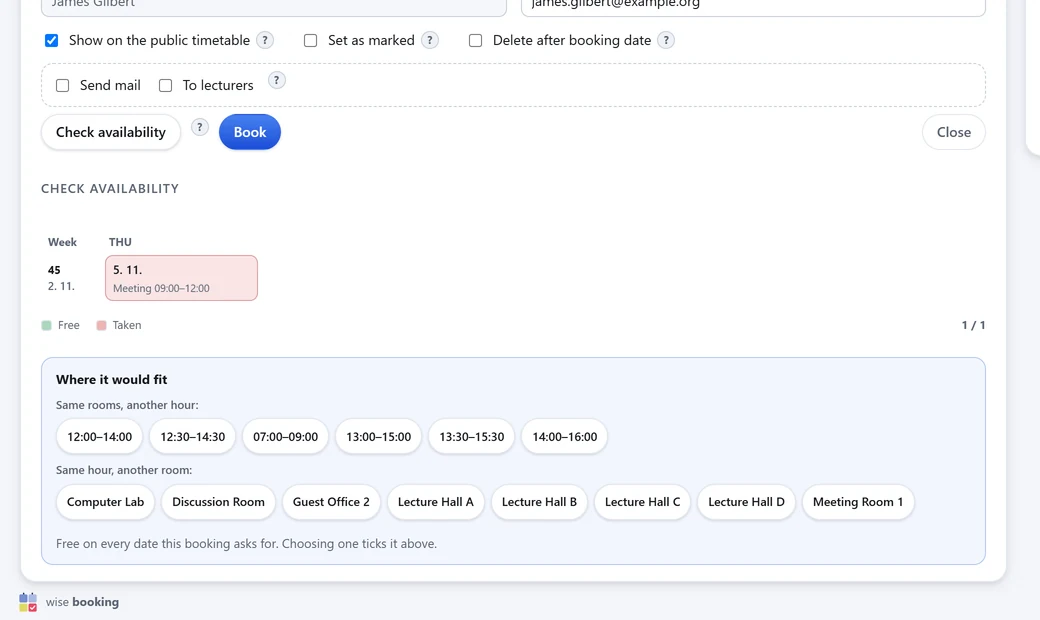
Try it in the demoEvery date is checked before saving; a clash comes with free hours and free rooms instead. Bookings can repeat, and every date is shown first.
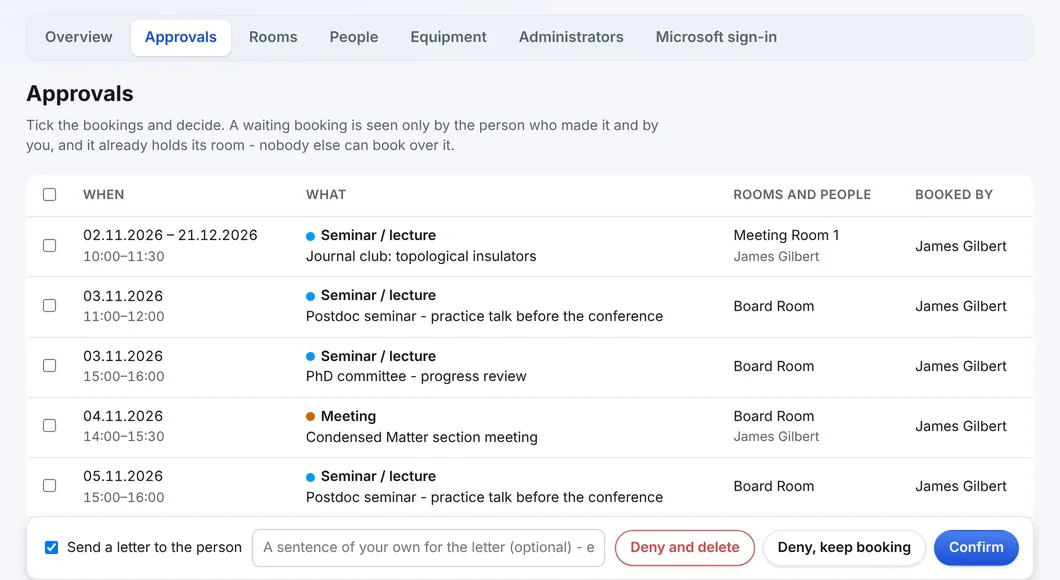
How a booking goesNew bookings wait for the booking office, already holding the room. The decision letter is in the institution's own words.
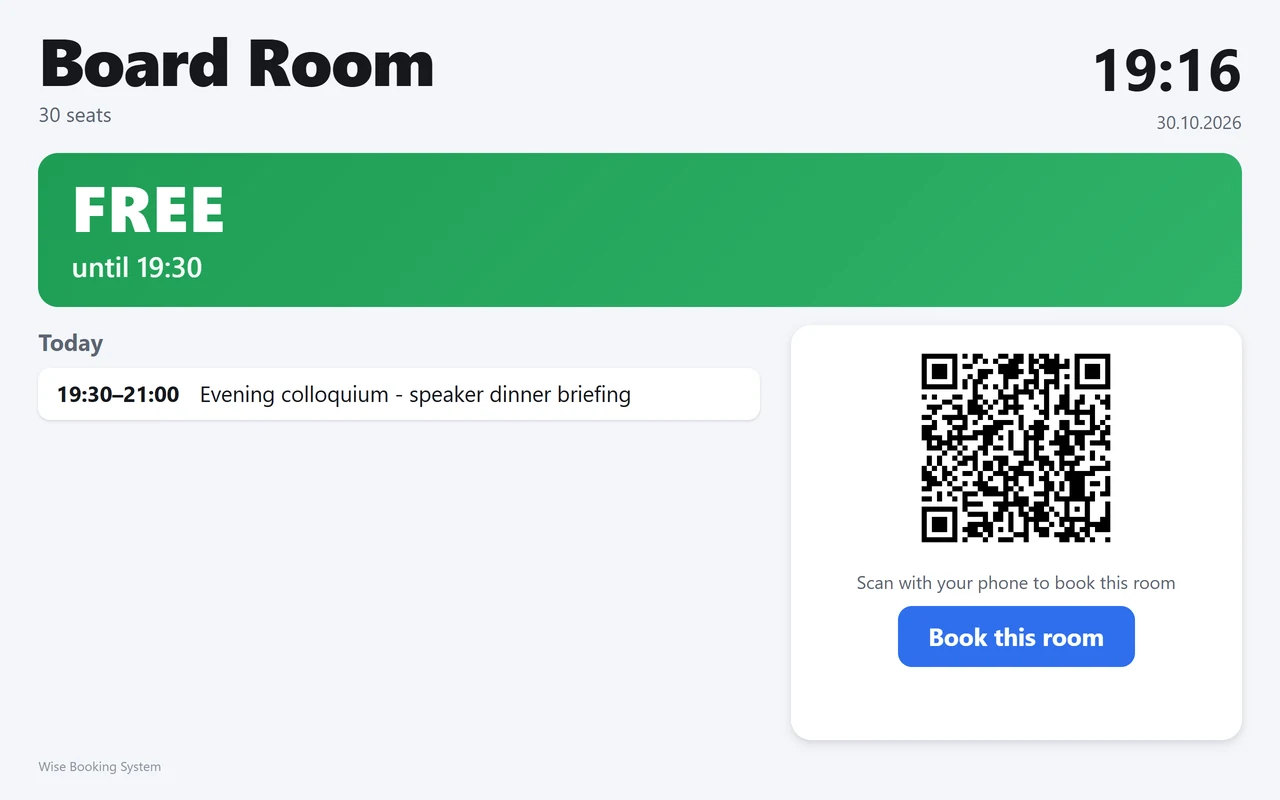
About approvalsA tablet by the door shows one room, free or in use, and books it on the spot - on the screen or with a phone and its QR code.
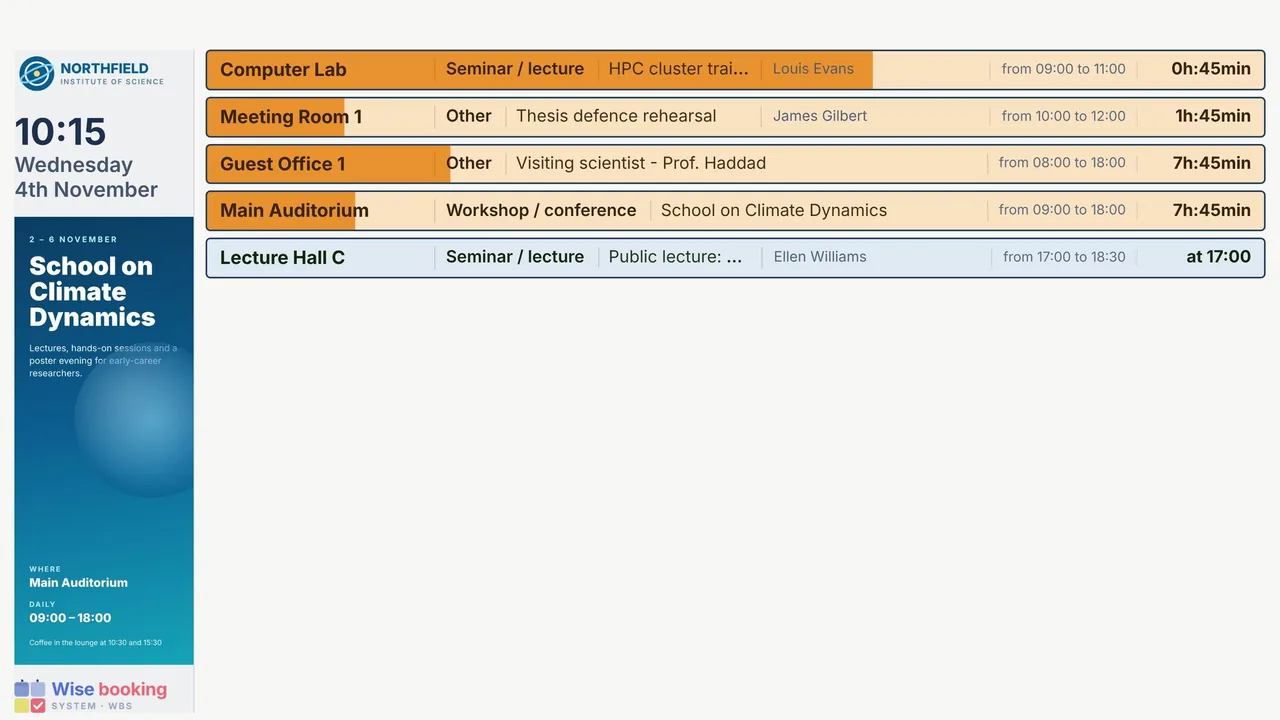
About room panelsToday's bookings on any screen in the building, plus a message canvas of pictures, YouTube, PDF, HTML or text on the displays and on a room's door screen.
About signageWhere the administrator allows it, a visitor books a room as a guest from its door screen. The booking always waits for approval.
About guest bookingRooms belong to buildings with a short code, and to sections; the room overview lists them that way.
About buildingsStaff use the account they already have. Only your own tenant is let in, and WBS reads no mail or files.
About sign-inFollow any room or person in Outlook, Google or Apple Calendar; the subscription updates itself. Free Wise apps for iPhone and Android.
About calendarsRooms, free and busy, bookings and approvals for the institution's other systems, under the same rules as the booking form.
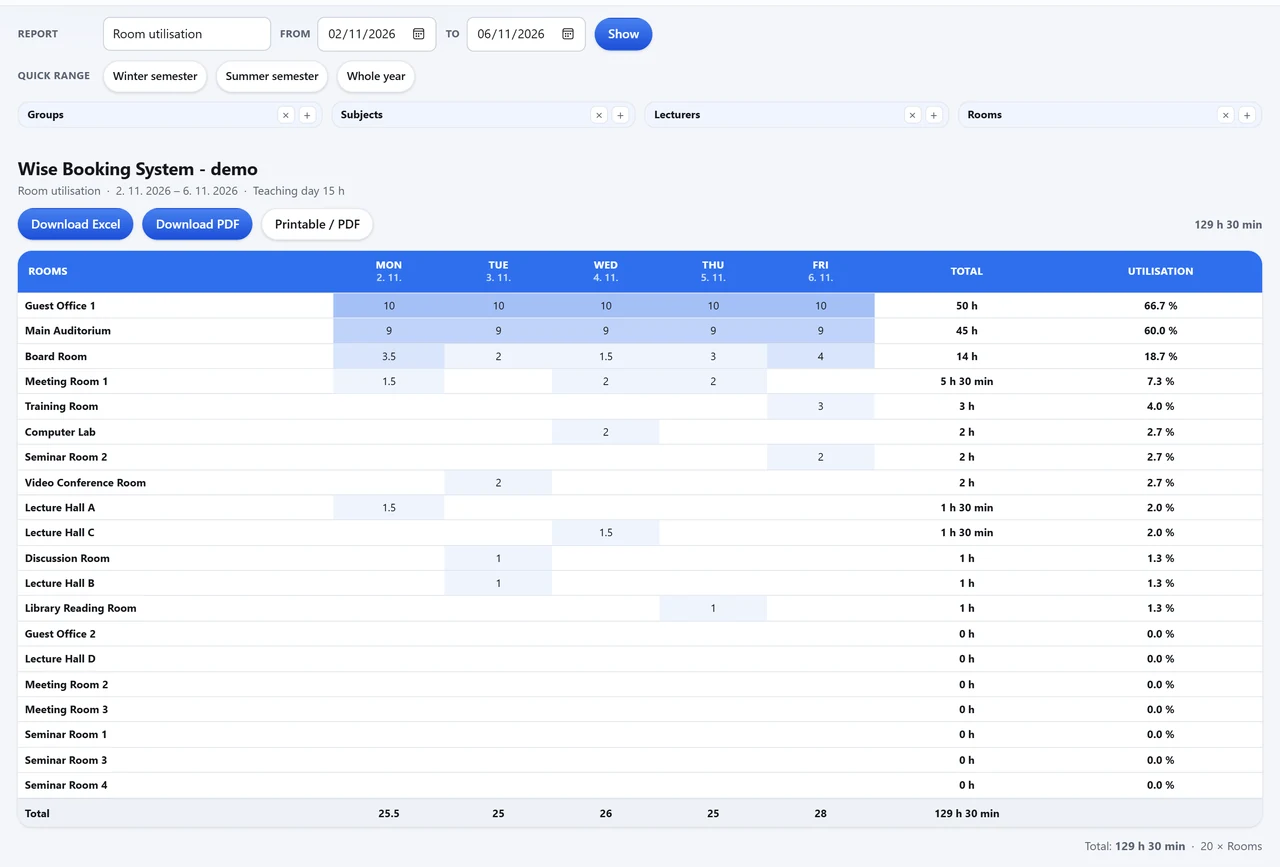
About the APIRoom utilisation, unused rooms included, and every booking by date - to Excel, PDF or print.
About reportsOne frame with eight tabs behind the dashboard icon: Overview, Approvals, Rooms, Users, Room setup, Booking types, Access and Settings. Nothing else to install.
About administration🚀 Quick as a click
Two of them are yours. The third happens by itself.
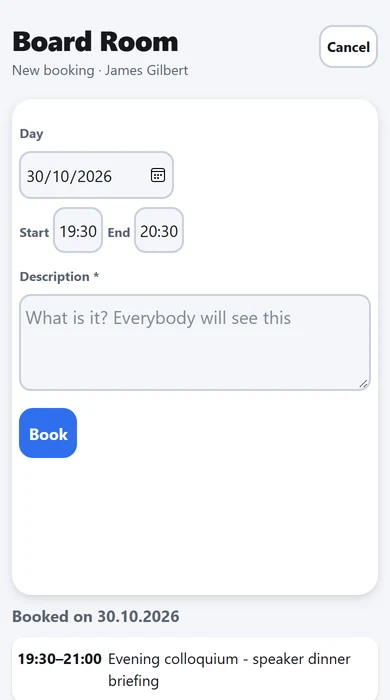
Pick a free room on the overview, then the day and the hours. Every date is checked before anything is saved, so nobody books over you.
Where approval is on, the booking waits - already holding its room - and the person gets a letter with the decision.
At once on the room overview, in calendar subscriptions, on phones, on the signage screens and on the panel beside the door.
📷 Real screens
Screens of the live demo - an invented institution with twenty rooms. Swipe, or use the arrows.

What IT usually asks first. The REST API and integrations.
| Topic | In WBS |
|---|---|
| REST API | Everything WBS shows is available through a documented REST API (JSON over HTTPS): rooms, booking types, free and busy, bookings, approvals. Writes follow the same rules as the booking form. |
| Microsoft 365 | Staff sign in with their Microsoft 365 account (OpenID Connect with PKCE). Only the institution's own tenant is let in; WBS asks for openid, profile and email and reads no mail, files or directory data. |
| Calendars | Subscriptions for Outlook, Google Calendar and Apple Calendar, and .ics downloads. |
| Your website | The room overview embeds in the institution's own website. |
| Hosting | A cloud service run by Wise Technologies, with updates and daily backups; where policy requires it, it can also be installed in the institution's own network. |
| Security and privacy | Wise Technologies holds ISO/IEC 27001:2022. All traffic is HTTPS. The institution is the controller, Wise the processor; a data processing agreement is available. Security and privacy. |
A new institution is usually live within a few days. Wise does the setting up; the booking office decides.
Wise creates the institution's WBS address and code, with its language, time zone and logo.
Sent as a spreadsheet and imported by Wise - or entered in the administration.
Booking types and colours, who may book which rooms, whether bookings need approval.
Passwords or Microsoft 365; the displays and door panels; an online session for the booking office.
Every part of WBS has a page of its own, and the full manual is free to read.
No. WBS runs in any current browser on a computer, tablet or phone; signage displays and room panels are web pages too. The mobile apps are optional.
No. Every date is checked before saving, and a booking waiting for approval already counts as taken.
Yes: the live demonstration is open, with twenty invented rooms. For your own rooms, request a demo.
They are on the questions page.
Book an online presentation. We set up your rooms and your booking rules, and a new institution is usually live within a few days.