Accommodations
The adjustment, never the diagnosis: extra time, a separate room, reaching the examiner.
Student services
A student asks for something — to enrol without every obligation met, to pause a year, to have an exam passed elsewhere recognised — and the school answers with a decision. The request is handed in online with its attachments, and the numbered decision comes back as a PDF.
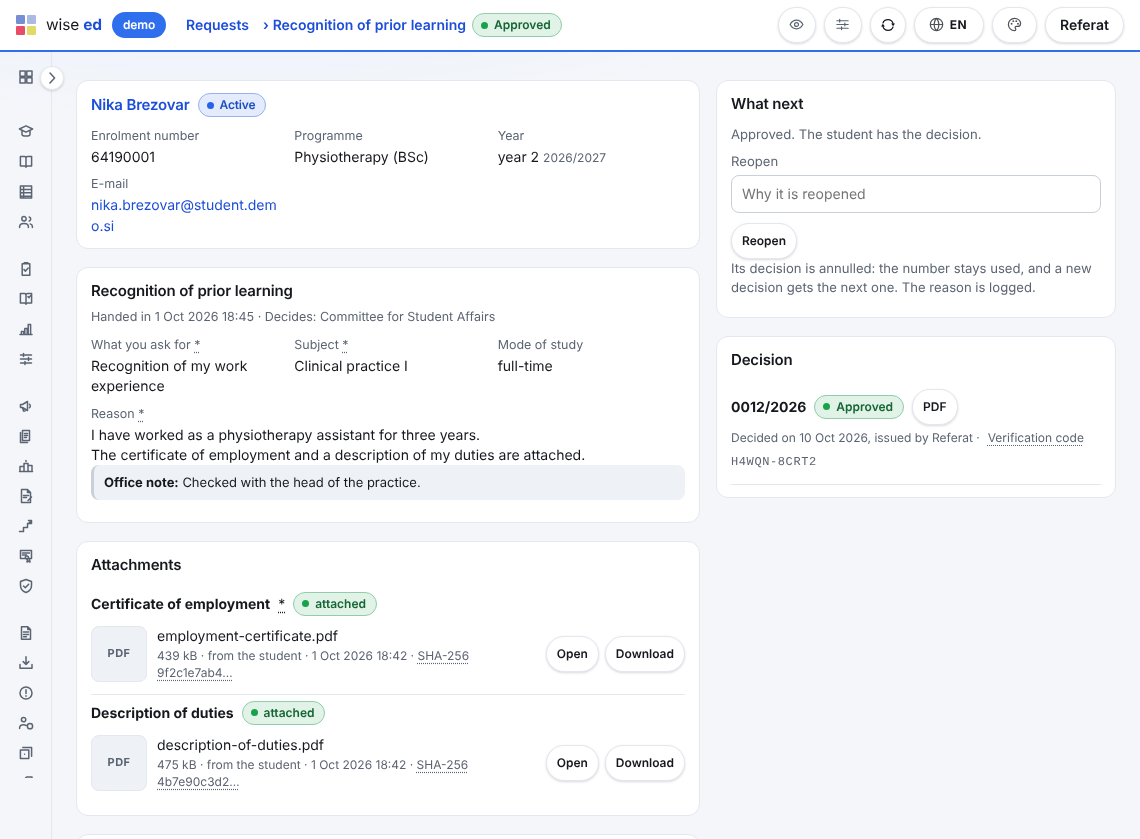
On the student portal, from the school’s types grouped the way students look for them. A required field left empty or an attachment missing is pointed out, not refused.
From then on the student can no longer change it. The list puts the oldest first, with the days waited against the type’s target, and a late request is marked in the work queue.
The request then waits for the student, who reads the office’s question, adds what was asked and hands it back. It returns to the queue by itself.
Approved or rejected, from the type’s template, in the language chosen for the request among the school’s document languages. A part of the template still to be filled in, or a date in the future, is asked about before the number is taken.
An approved recognition request appears in the student’s degree audit, where the office writes the recognised subject in with the decision’s number. An approved accommodation request lets the office add the accommodation linked to it.
The office decides; nothing is lost or quietly rewritten on the way.
Members of a commission do not decide on a page of their own yet. The office enters the commission’s decision, and the decision carries the commission’s name.
Yes. The office enters it on the student’s behalf as the same kind of request, dated the day the paper arrived, and attaches the scanned papers to it. From there it goes like any other.
The office reopens the request with a reason. The decision is annulled — it stays on record as annulled, with who and why — its number is never used again, and the new decision takes the next one.
No. They are a starting list. Every type, with its fields, attachments, fee, target and templates, is the school’s to change, and the school adds its own.
Each module works on its own. These are the ones it does more with.
The adjustment, never the diagnosis: extra time, a separate room, reaching the examiner.
Price list, instalments, invoices with a payment QR code, payments, aid and payouts.
Each student against what the degree asks for, with a what-if and a checkable report.
“My study” on a phone: what is next, progress, invoices, documents, requests.
Book an online presentation. We will walk through how your student office works today and show you the same job in Wise Ed — with your programmes, not a demonstration dataset.