Assessment
The subject holder’s own scheme: components, points, weights and grade bands.
Study and exams
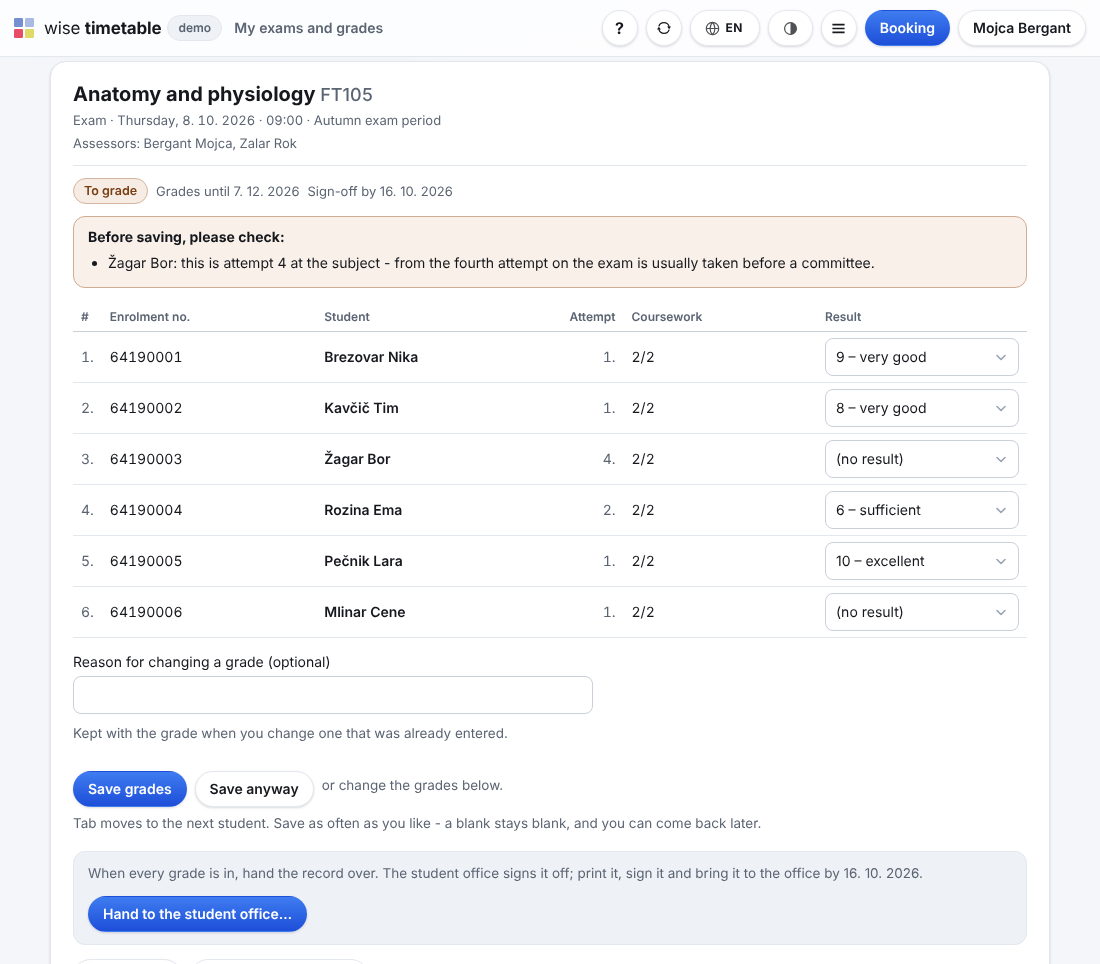
One page per exam record: its date, rooms and assessors from the timetable, its students with the attempt each is on, the grade grid, the statistics and the history. Lecturers enter the grades online; the record is signed off once, and a grade is never overwritten.
Wise Timetable’s exam module plans the periods and dates and books the rooms. Wise Ed opens the record for the date, with the subject, the assessors and the campus it is held at.
Registration happens in the timetable, and it asks Wise Ed’s rules: a student the school’s rules would stop is told why, and until when.
Students with extra time, a separate room or step-free access are listed on the record for that date, with the free rooms for the longer time and a button to book one.
From the points of the subject’s assessment scheme, or typed straight in. The school’s rules ask before an unusual grade is saved.
By the lecturer or by the office. A signed-off record is reopened only with a reason, and every grade on it is final until a correction is entered.
When registration closes, how long to wait after a failed attempt, from which attempt an exam is paid or taken before a committee: each is a setting with a default, and every reason names its rule and the date it lifts.
Yes, on their own page of the web timetable: the records where they are an assessor, the grade grid, coursework, and a PDF of the record to sign. The school decides whether a lecturer signs the record off or hands it to the office, and how long after the exam grades may still be entered.
A correction is entered as a new grade with its reason. The old one stays in the record’s history, with who entered it and when, so nothing disappears.
In Wise Timetable’s exam module, which also books the rooms and takes the registrations. Wise Ed keeps the records and the grades, and its rules decide who may register.
Yes. Historical grades come in through the import wizard, with a dry run before anything is written and an undo afterwards. See data in and out.
Each module works on its own. These are the ones it does more with.
The subject holder’s own scheme: components, points, weights and grade bands.
Each student against what the degree asks for, with a what-if and a checkable report.
The adjustment, never the diagnosis: extra time, a separate room, reaching the examiner.
Why a student office on the timetable’s own data does what others cannot.
The thesis from topic to defence, the diploma and the Diploma Supplement.
Book an online presentation. We will walk through how your student office works today and show you the same job in Wise Ed — with your programmes, not a demonstration dataset.