Exams and grades
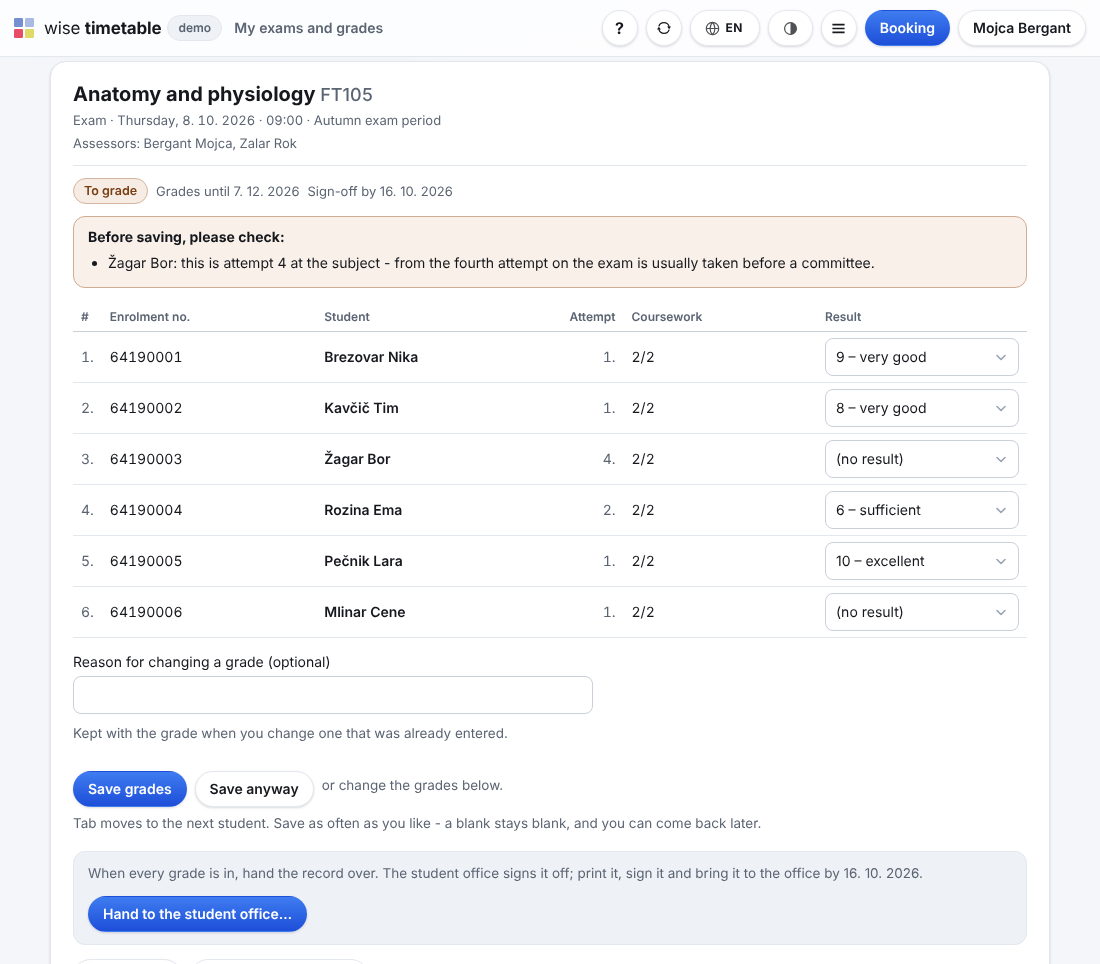
Exam records, online grade entry, rules that say why, sign-off and the transcript.
Who it is for
Lecturers do their part of the student office’s work on the school’s timetable site, signed in as they are for booking a room. Their overview says what is waiting for them; grades, the scheme a subject is graded by, materials, absences and the month’s report are each one page away. Nothing new to install, and nothing to send by e-mail.
Each is switched on by the school; a lecturer sees the pages of the modules it uses.
Exam records, online grade entry, rules that say why, sign-off and the transcript.
The subject holder’s own scheme: components, points, weights and grade bands.
Roll call by the lecturer, QR attendance from the timetable, and alerts before it is too late.
Lecturers’ files and links per subject, for the students who take it.
Each lecturer’s month taken from the timetable, checked, approved and paid.
Absences and their cover, availability and contact details, by the lecturers.
No. The pages are on the school’s timetable site, and you sign in as you do for booking a room — with the school’s Microsoft account where the school signs in that way.
Your own: the exam records where you are an assessor, the subjects you teach, your month, your absences and your messages. Students’ other grades and records stay with the office.
Before the record is signed off you change it, and the change keeps its reason. After sign-off a correction goes through the student office, as a new entry; nothing is overwritten.
The school: the subject holder, every assessor, or the student office. Whoever may not change the scheme still reads it and enters the points.
Book an online presentation. We will walk through how your student office works today and show you the same job in Wise Ed — with your programmes, not a demonstration dataset.