Lecturer self-service
Absences and their cover, availability and contact details, by the lecturers.
Money and staff
A lecturer’s month is the timetable plus a confirmation. Wise Ed takes over the lessons the live timetable says they taught; the lecturer checks them on their own web page and hands the month in; the office approves it, and the agreed amount goes to payroll.
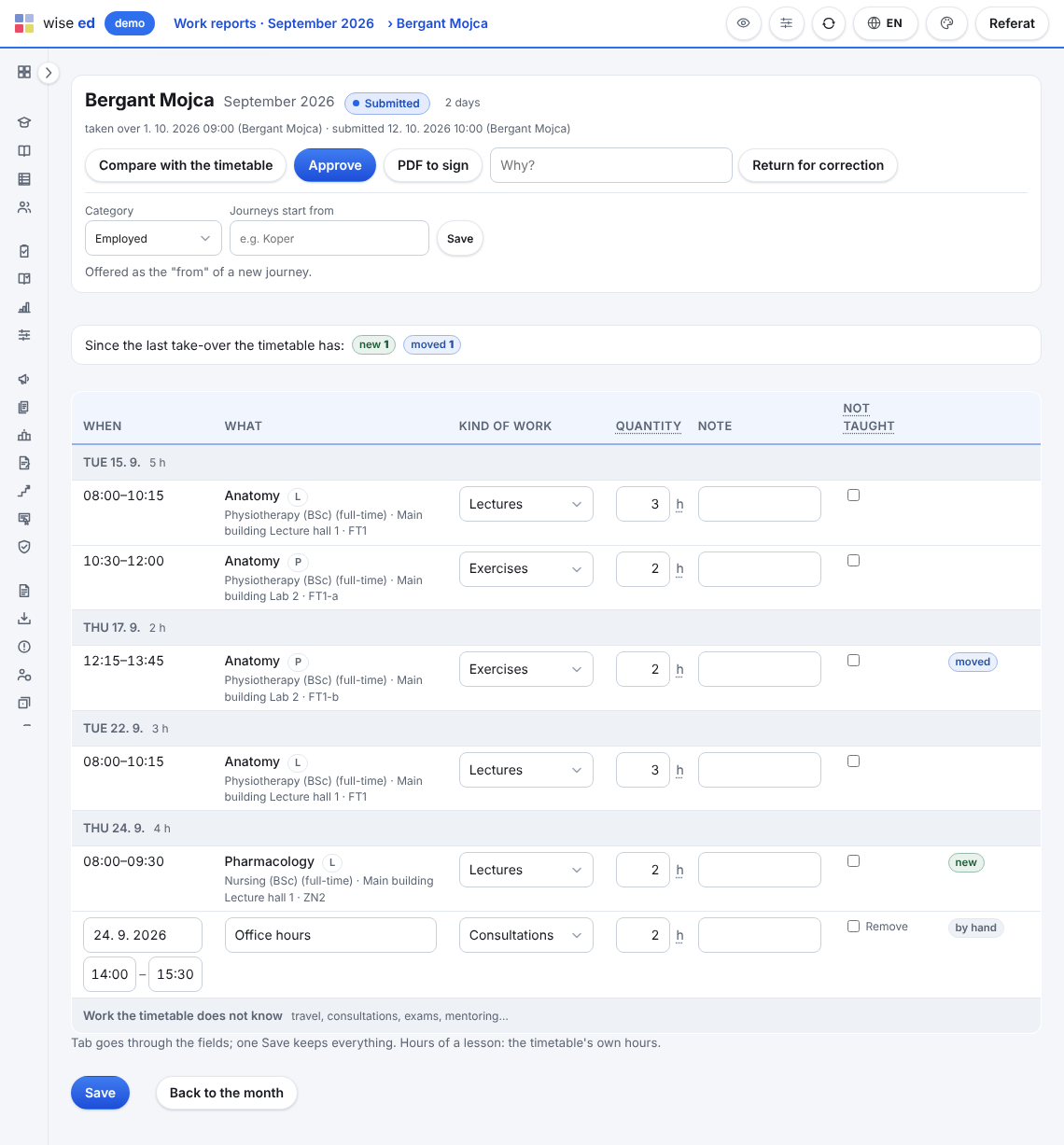
By the office for every lecturer who taught, or by the lecturer on their own page. The timetable’s lessons become lines day by day, each with its kind of work.
On their own page of the web timetable: a tick for a lesson that was not held, a note where something is wrong, their own lines for the work the timetable does not know. Then they hand it in.
Questions come first where something looks unusual: a day longer than the school’s maximum, two lines at the same time, work without a rate. On approval the amount is agreed and frozen.
Each month prints as a PDF to sign: the lines day by day, the calculation and two signature lines. The payroll file, Excel or CSV, takes the approved and paid months, one row per lecturer and kind of work, with quantity, rate and amount.
Because they were taught. Hiding a lesson from the web pages keeps the students’ timetable tidy; it does not mean the lesson did not happen.
Taking it over again compares instead of overwriting: the lessons the lecturer confirmed or corrected stay, and the month lists what the timetable added, removed, moved or changed since. Once handed in, the month changes only when the office reopens it.
Only if the school says so. By default they see the hours per kind of work; the school can let them see the rates and amounts as well.
Today it is an Excel or CSV file, one row per lecturer and kind of work, taken from the frozen calculation of each approved month. A payroll program’s own import format is not built.
Each module works on its own. These are the ones it does more with.
Absences and their cover, availability and contact details, by the lecturers.
Why a student office on the timetable’s own data does what others cannot.
Price list, instalments, invoices with a payment QR code, payments, aid and payouts.
Book an online presentation. We will walk through how your student office works today and show you the same job in Wise Ed — with your programmes, not a demonstration dataset.