
Integration
Timetabling alongside Callista
Australian institutions separate enrolling in a unit from choosing which classes you attend. Almost every scheduling mistake made by someone who learned the trade in Britain comes from treating those as one step.
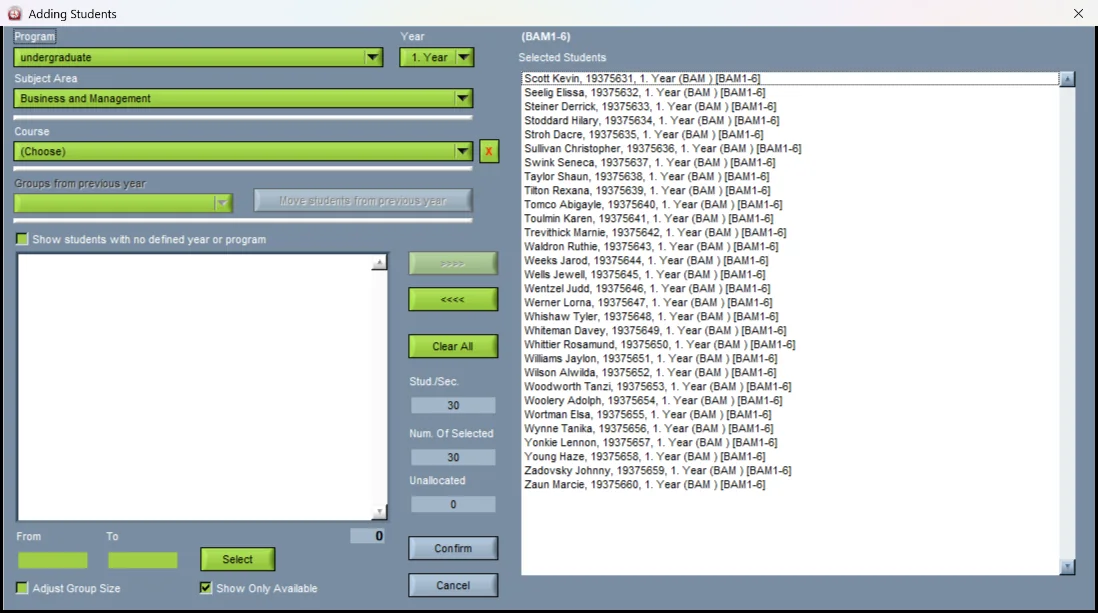
Two steps, not one
Step one is enrolment: the student chooses their units for the teaching period, in Callista and its student portal. Step two is class registration — also called class allocation or class selection: the student chooses which lecture and which tutorial they will actually attend, out of the times the timetable has published.
The timetable has to exist between those two steps. That is a harder deadline than the British one, where a student is usually assigned to a group rather than choosing a time, and it is the single most important thing to get on the plan. The annual timetable cycle is where the rest of the year goes.
Callista to Wise Timetable
| Callista | What it holds | What the timetable does with it |
|---|---|---|
| Course | The qualification the student is admitted to | The programme. British readers: this is a degree, not a module. |
| Unit, and unit code | One subject the student studies | Becomes the course here. A British module, an American course. |
| Unit set | Majors, minors, specialisations and sub-majors | The structure groups are built from. |
| Teaching period | The period the unit runs in | The week range. |
| Academic period | The year and its divisions | The academic year. |
| Class list | Who is enrolled in the unit, per teaching period | Group membership, and therefore every clash. |
| Enrolment status — UNCONFIRM | Admitted to the unit but not yet enrolled in it | The reason planned sizes and actual sizes disagree early in the period. Timetable against the planned figure and reconcile later. |
| Attendance mode | On campus, off campus, online | Whether a room is needed at all. See online meeting links. |
| The student portal | Where the student enrols and sees their timetable | What your published timetable has to arrive in. Calendar subscriptions and the student portal are the two routes. |
Which direction each thing travels
Into the timetable: units and their offerings for the teaching period, expected enrolments, the unit sets, and the class lists once enrolment settles.
Out of the timetable: the published activity times and rooms — which is what the student will choose from at class registration — and then the allocations themselves, once made.
Census date is the other date to write down. Enrolment is not stable until it passes, so any room decision taken on numbers before census is a decision taken on an estimate. That is fine, as long as everyone knows it is one.
The general form of this argument is in integrating your timetable with your SIS.
What we do not have, said plainly
There is no Callista connector in this product, and no integration with the student allocation tools Australian institutions run alongside it. If your requirement is that students self-allocate to classes inside your existing portal, ask us what that would take before you shortlist us rather than after.
What there is: Excel, CSV, XML and a documented REST API, in importing data and SIS integration, and a timetable per student once the allocations exist.
GET https://wise-tt.com/api/v2/meta answers without a token — see the REST API.
Want to see this working?
Book a 45-minute online presentation and we will walk through it against your institution's own scheduling problem.