
Building the timetable
Automatic timetable generator
Teams of experienced staff often need months to build a university timetable by hand. Wise Timetable's generator builds it from your courses, lecturers, rooms and student groups, usually in minutes — and lists exactly what it could not place.
- Usually built in minutes
- Lock what must not move
- Every unplaced lesson listed
What the generator does
You describe the teaching; the generator decides when and where each lesson happens.
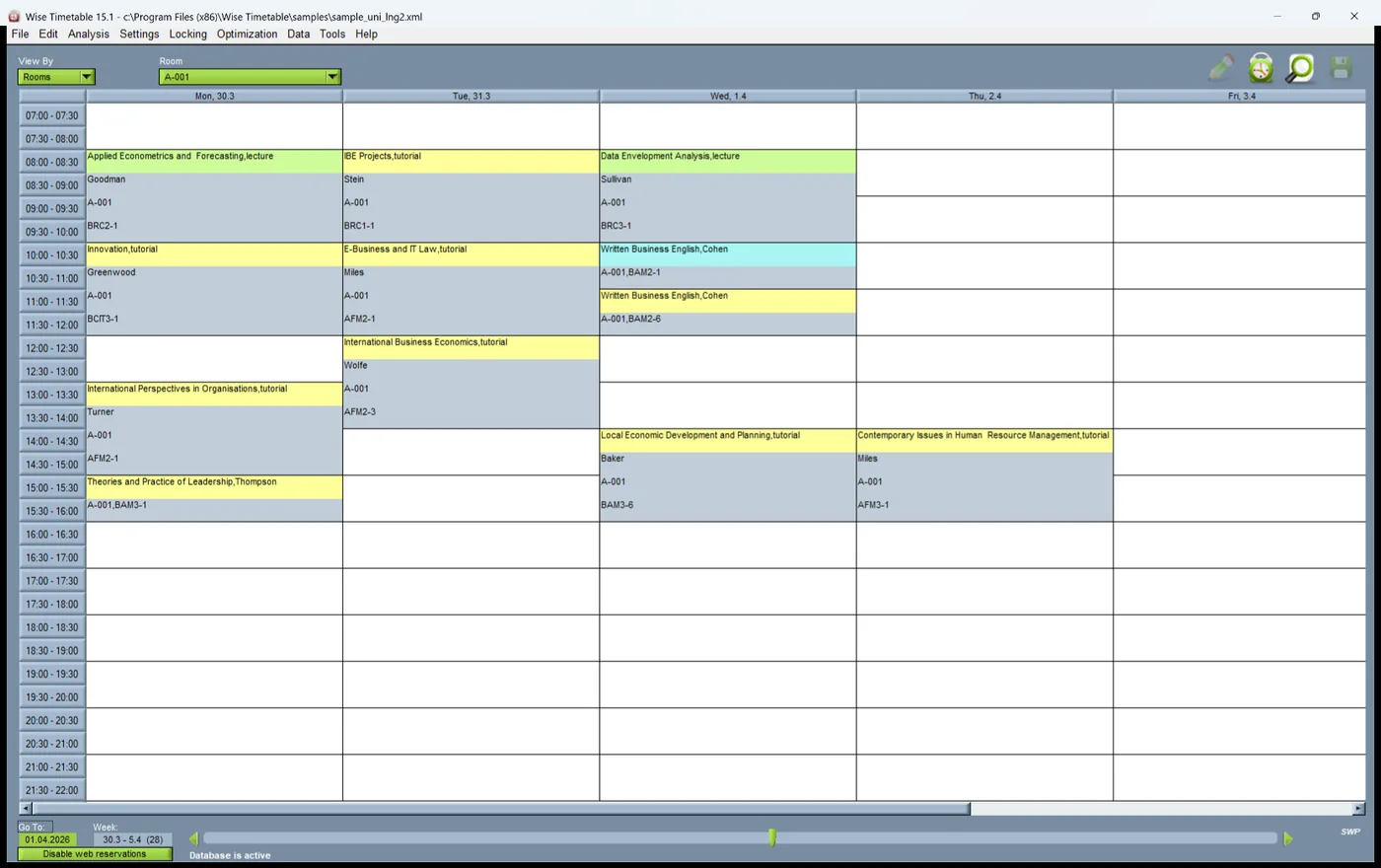
From the courses, lecturers, rooms, programmes and student groups you have entered or imported, automatic generation places every lesson of the academic year on a day, an hour and a room. It works week by week, so a course that runs for six weeks, every other week or in a block at the start of term is placed as it is actually taught.
It never puts a lesson where a lecturer or a group is blocked, or into a room that is reserved. It tries the course's preferred room first and any suitable room after that; a suitable room has enough seats for the group and at least the equipment the course needs (equipment marked as optional excepted), and a room marked for exclusive use takes only courses that need exactly its equipment.
Each run makes several attempts — iterations — and keeps the best result it finds: first the fewest unplaced lessons, then the fewest gaps in groups' and lecturers' days, weighed together. Automatic generation is part of every licence.

The rules it works to
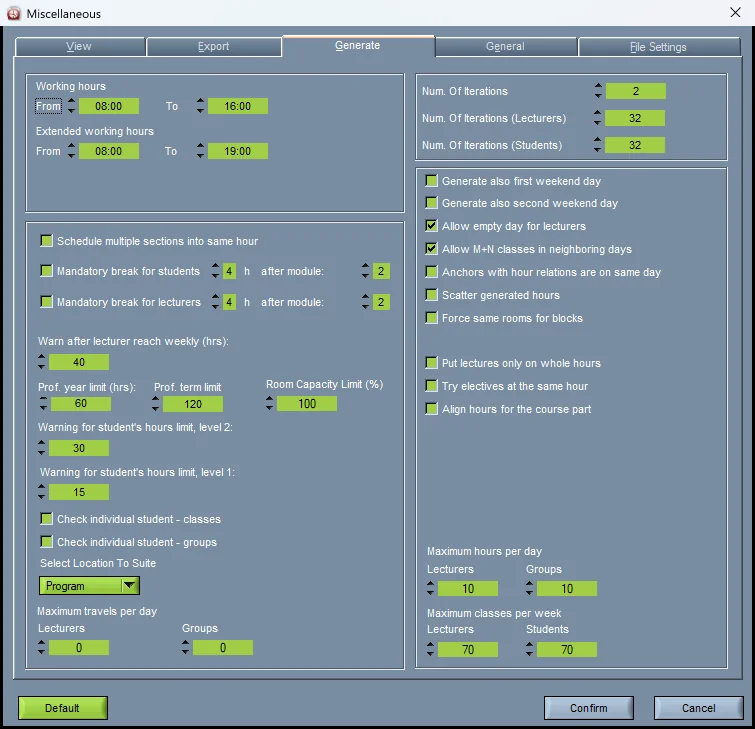
School-wide rules live on one settings tab; each course row carries its own. Everything below is a rule the generator keeps, not a preference it weighs.
How each rule is set is on timetable constraints; the one most worth getting right is lecturer availability.
- Working hours, with extended hours used only for what does not fit inside them
- Maximum hours per day and per week, for lecturers and for groups — with individual daily limits where needed
- Lecturer and group availability, including the hours lecturers book for themselves on the web, where your institution allows it
- Room reservations, holidays and non-working days
- A fixed start hour for a course, or a start no earlier or no later than a given hour
- Hours split across days: 2+2 means two hours on one day and two on another
- The days a course may be taught, and the same hour on every day if you ask for it
- A mandatory break for students, and for lecturers, after a set number of hours
- Travel between locations, and a maximum number of journeys per day
- Weekend days only where you allow them
When a lesson cannot be placed
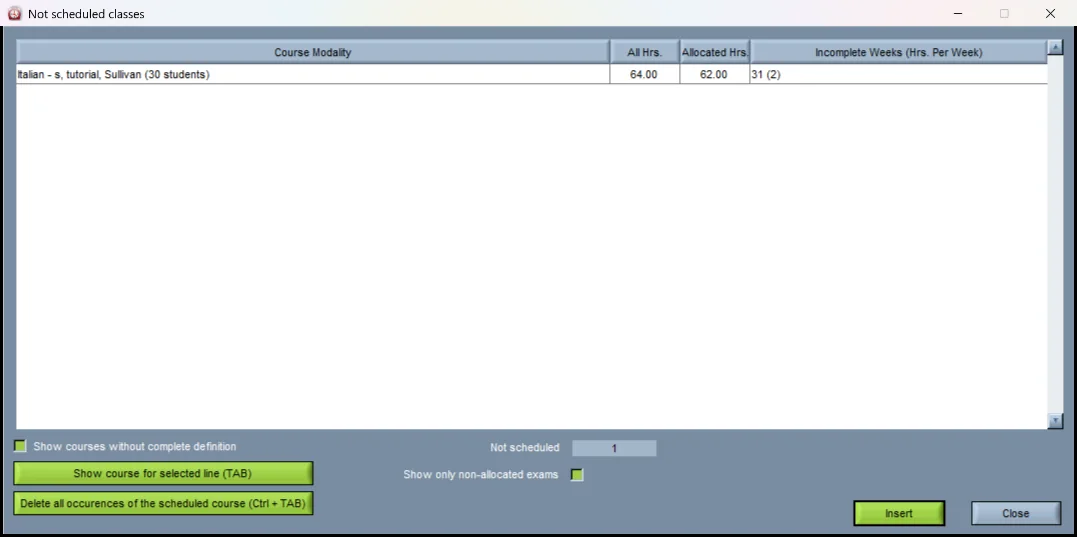
A timetable generator that quietly bends a rule to finish looks good until the first Monday of term. Wise Timetable does not force a lesson into a slot a rule forbids. Whatever it cannot place stays unplaced and is listed, ready to place by hand.
In the desktop application a run makes one more attempt at whatever is left before it ends, and for each lesson still unplaced the progress screen says what held it, counted over the start times it could have had: the teacher already teaches then, the group already has a lesson then, no suitable room is free then, group over the maximum hours per day, the teacher is not available then, collides with another week or a reservation. That turns "it did not fit" into a decision — relax one rule, free one room, or place the lesson yourself.
From your data to a generated timetable
The order most timetabling offices work in. The first three steps are kept current from year to year; the run itself takes minutes.
Enter or import the data
Courses with their hours, lecturers, rooms with seats and equipment, programmes, years and groups — typed in, imported from Excel or CSV, or brought in from your student information system.
Collect availability
Block the hours lecturers and groups cannot teach or attend, reserve the rooms that are spoken for — or let lecturers book their own free hours on the web.
Set the rules
Working hours, daily and weekly maxima, breaks and travel for the whole school; start hours, days and splits for each course.
Place and lock what must not move
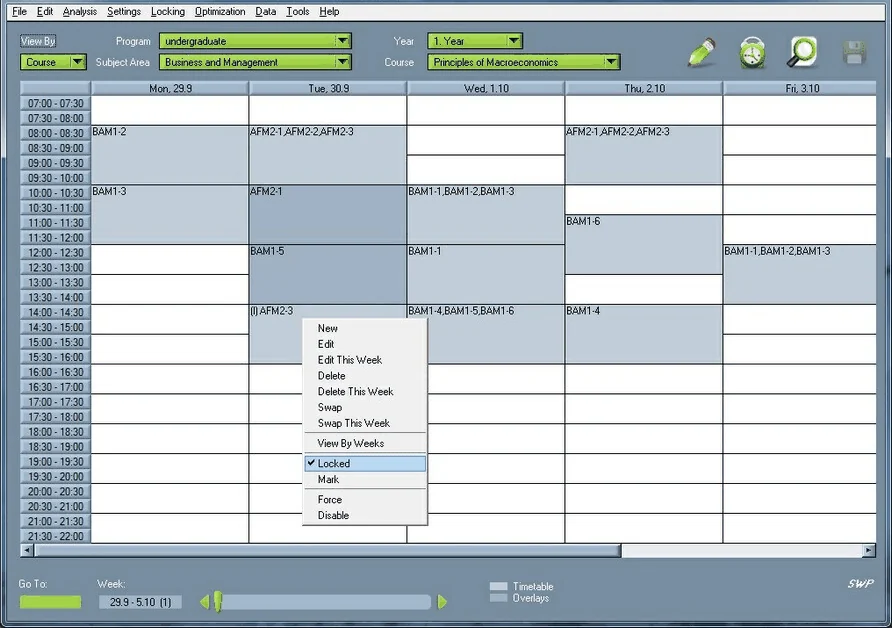
A shared lecture, a professor's fixed commitment, a laboratory tied to a technician. Lock one session from its right-click menu or everything built so far; a key marks each one.
Choose what to generate
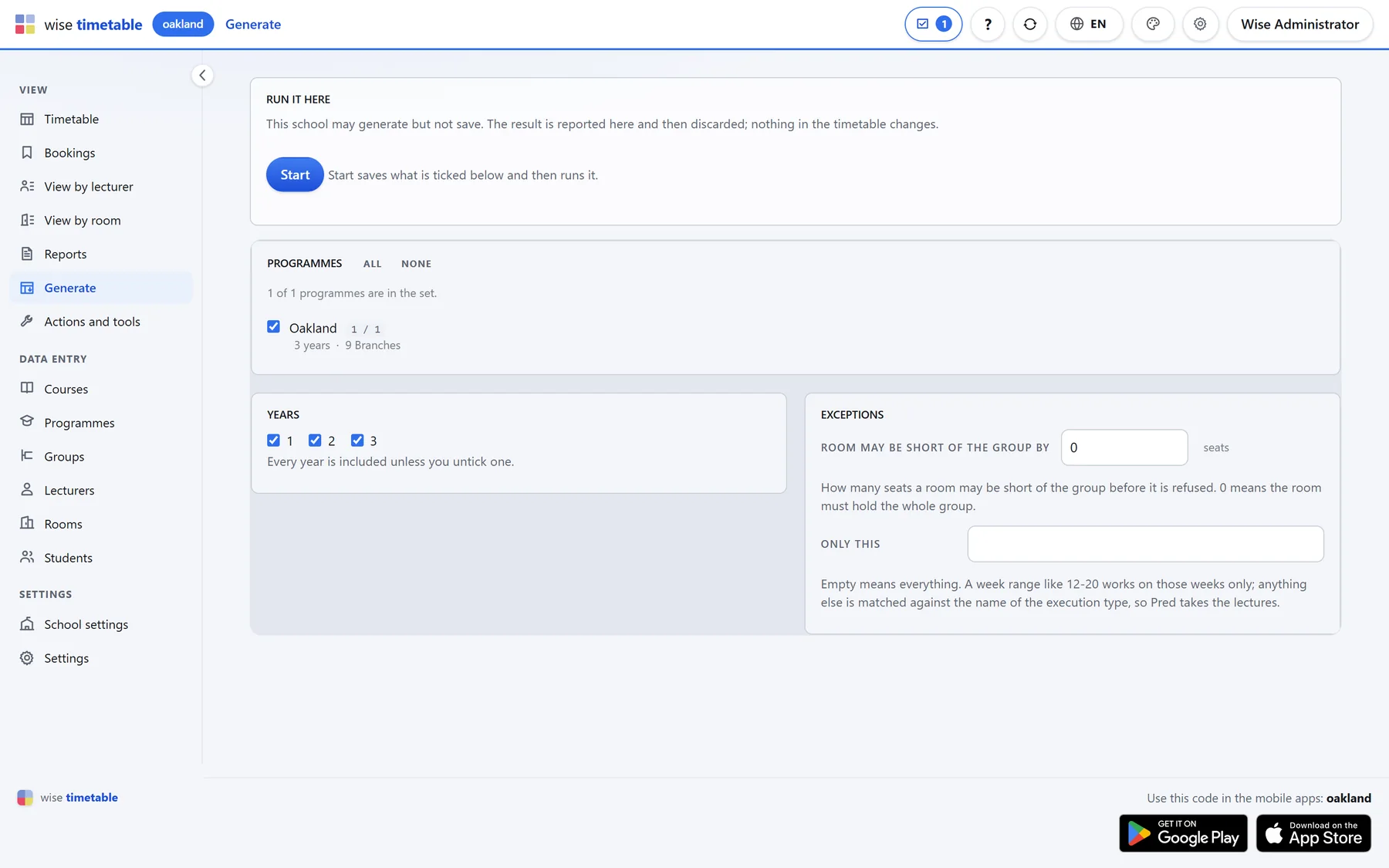
All programmes and years, or only some. You can let a room be a few seats short of a group, and limit a run to certain weeks or one kind of class.
Generate, read the report, adjust
Watch the run week by week, read what stayed unplaced and why, change what needs changing and run again. Then reduce the gaps in students' and lecturers' days from the Optimization menu.
Automatic and manual, mixed freely
Most institutions do not hand the whole timetable to a machine, and they do not have to. Place by hand what you care about, lock it, and let generation build the rest around it without touching it. Generate one programme or one year at a time, check it, lock it, then go on to the next.
Institutions often tell us their case is unusually specific. It usually is — and the generator has handled such requirements again and again, provided the rules were entered properly. That proviso matters, and we would rather say it plainly than promise magic.
Where students choose electives or repeat a course, generation can check each student's own list of courses instead of the group's alone, so an elective does not land on top of a compulsory lecture.
Timetable generator questions
Does it generate the whole timetable automatically?
Yes — every lesson of every programme and year you include, for the whole academic year, week by week. You can also generate only part of it and place the rest by hand; locked sessions are never moved.
How long does generation take?
Usually minutes rather than weeks. The time depends on the size of the timetable and on how many iterations you ask for — more iterations take longer and find a better result. One measured example: the first server-side run, on a working copy of a school's database, placed 878 lessons in 34 seconds.
What happens to lessons that cannot be placed?
They stay unplaced and are listed; nothing is forced into a slot a rule forbids. In the desktop application each one also comes with the rule that held it at its possible start times — a busy teacher, a busy group, no free room of the right size, a daily maximum.
Can we generate only part of the timetable?
Yes. Choose the programmes and years for a run, or limit it to certain weeks or to one kind of class, such as lectures. Whatever is already placed and locked stays where it is.
Does it take students' electives into account?
It can. With Check individual student – classes ticked, generation checks each student's own list of courses — electives and repeated courses included — and not only the courses of the student's group.
Does it run in the browser or on the desktop?
Both have it, built on the same engine: the desktop application runs it on the planner's computer, and the browser administration runs it on the server and shows the result in the browser. A school works in one of the two.
See Wise Timetable on your own data
Book a 45-minute online presentation. We will walk through your institution's scheduling problem, show how Wise Timetable handles it, and answer anything your team wants to test.