
Apps people use daily
The lecturer portal
Everything the student portal does, plus the half a student never sees: signing in, booking rooms directly into the live timetable, and getting reports out.
- Book from an empty slot
- Repeat across a term
- Eight-hour session
Signing in changes the page rather than replacing it
A lecturer signs in with the email address the timetabling office holds, or the short staff code — either works. Sessions last eight hours, and if one expires mid-form the system says so plainly rather than losing the form silently.
Once signed in, the empty stretches of the week become clickable. Hover over one and the cursor becomes a hand with a plus. The same happens on the room overview, for every free stretch of every room.
Where the school has switched on Microsoft sign-in, the page offers Sign in with Microsoft first, and a lecturer uses the Microsoft 365 account the institution already gave them — signing in with Microsoft shows every step.
Where an institution authenticates staff through another central login, that is used instead — Shibboleth and comparable federated identity systems are supported, so there are no separate credentials to issue.
Booking a room, the fast way
The quickest route is not the booking form at all. Find the empty slot you want on the timetable or the room overview and click it.
The form opens with that date, that hour and that room already filled in, and closing it returns you to the screen and the day you came from. Two clicks, from seeing a gap to holding it.
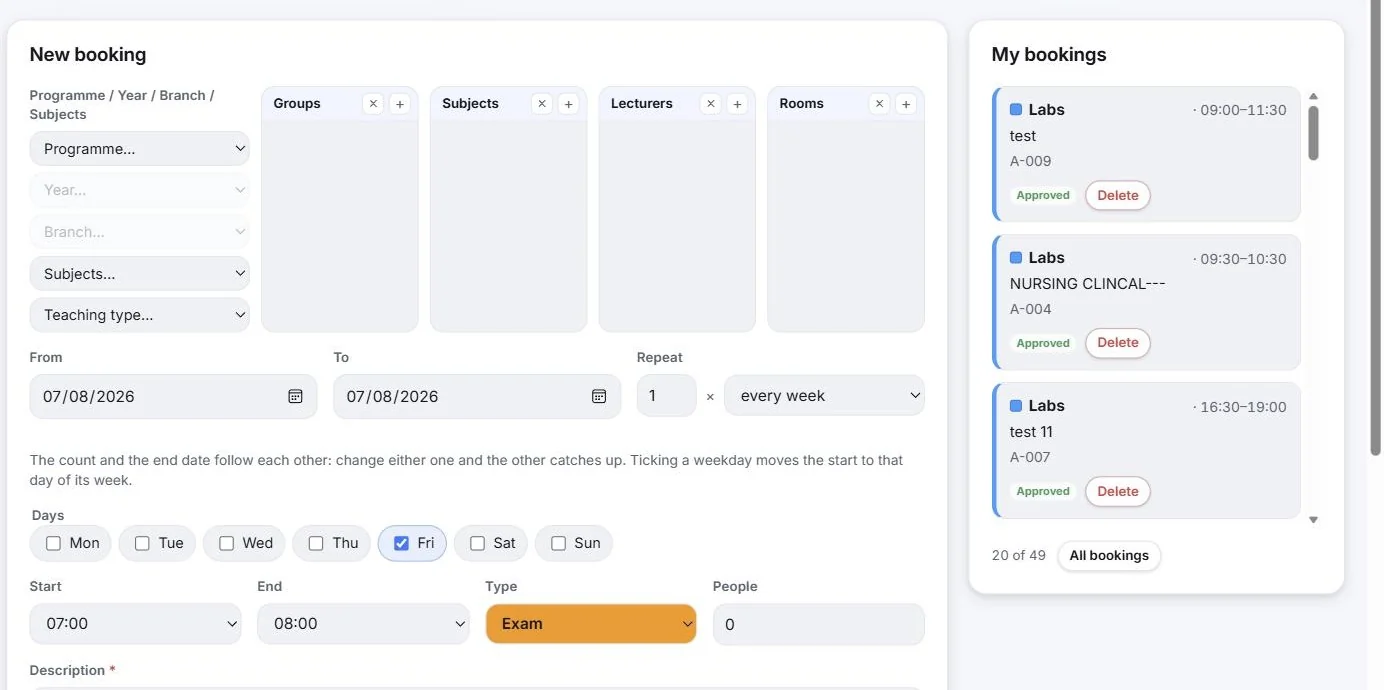
Times are offered as your faculty's bell lines rather than as free text, so a booking cannot land between two teaching hours. A booking needs at least one of a room, a lecturer or a group — one attached to nothing would block nothing and mean nothing.
- Groups, Subjects, Lecturers and Rooms picked the same way as on the timetable
- Description is required, and it is what everyone else sees. “Meeting” tells a colleague nothing; “Thesis defence — Novak” tells them everything
- An internal note that is never published, for whatever you need and nobody else does
- Reservation type taken from your faculty's own list, tinting the field in that type's colour
- Availability checked before you commit, so you are not booking over somebody
Repeating across a term
Repeat takes a number of times and a pattern. The count and the end date follow each other: set the repeat to twelve and the end date moves twelve weeks out; drag the end date to the end of term and the count becomes however many that is.
Ticking a weekday moves the start date to that day of its week, which is almost always what was meant. Small behaviours like this are the difference between a booking screen people use and one they avoid.
Your bookings, and reports
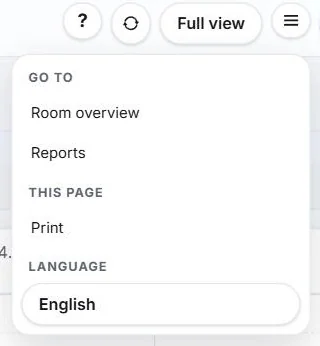
Everything already booked sits beside the form, with approval status where the institution has enabled the approval workflow, and a delete on each. Reports and the room overview live in the same menu.
What a lecturer can book is governed by the rights the administration sets — each lecturer sees and reserves only the rooms assigned to them. More on booking rights and approval.
Related capabilities
See Wise Timetable on your own data
Book a 45-minute online presentation. We will walk through your institution's scheduling problem, show how Wise Timetable handles it, and answer anything your team wants to test.