
Booking
Room booking inside the timetable
Most vendors sell room booking as a separate product that synchronises with the timetable overnight and double-books occasionally. Ours is the same system, so a reservation and a lecture cannot collide — whether it is a teaching space booked for the whole term or an ad hoc room reservation for Thursday afternoon.
- Included in every licence
- Single sign-on supported
- Optional approval workflow
Lecturers book for themselves
Lecturers sign in with a username and password — which can be generated automatically — and reserve their own slots for meetings, consultations, laboratory sessions or anything else. The administration team can equally make bookings centrally.
Where your institution uses single sign-on, no separate login is required at all. Wise Timetable works with Microsoft 365, Shibboleth and comparable federated identity systems, which are widely adopted across higher education.
All bookings are transparent and integrated with the central timetable, so no reservation can overlap a scheduled class and no class can be placed on top of a reservation.
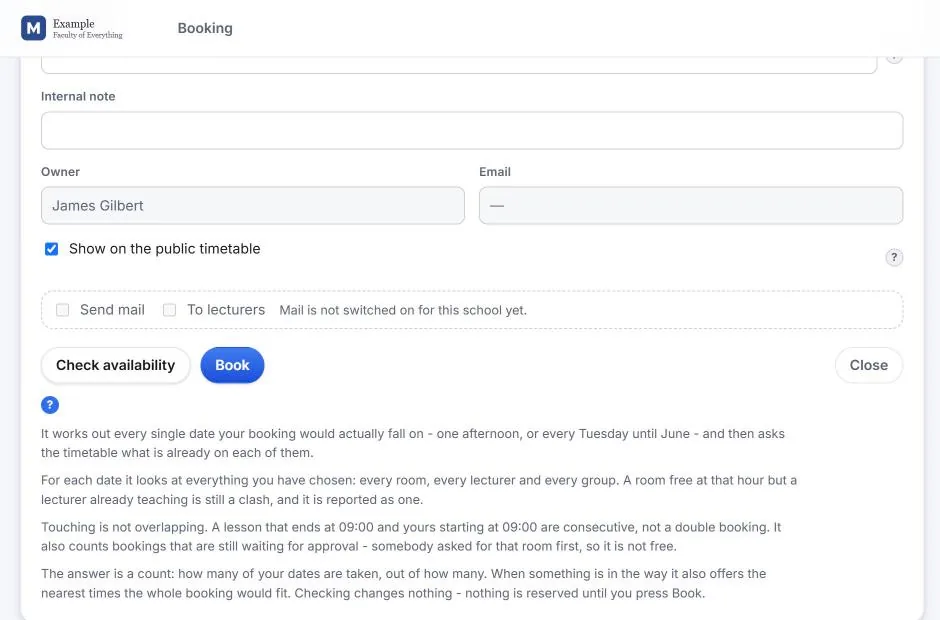
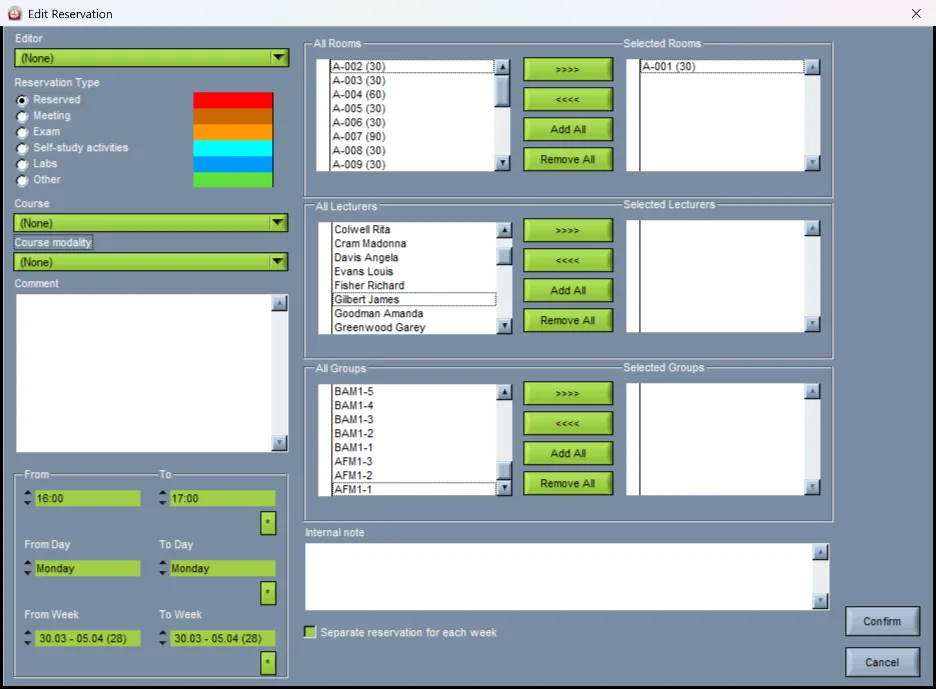
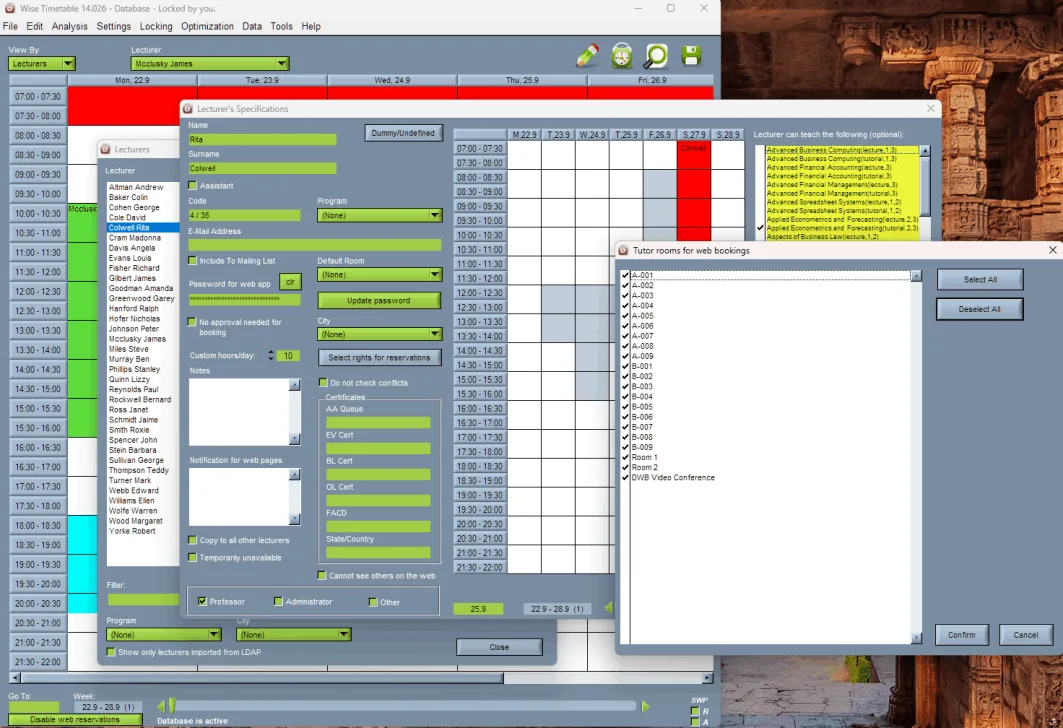
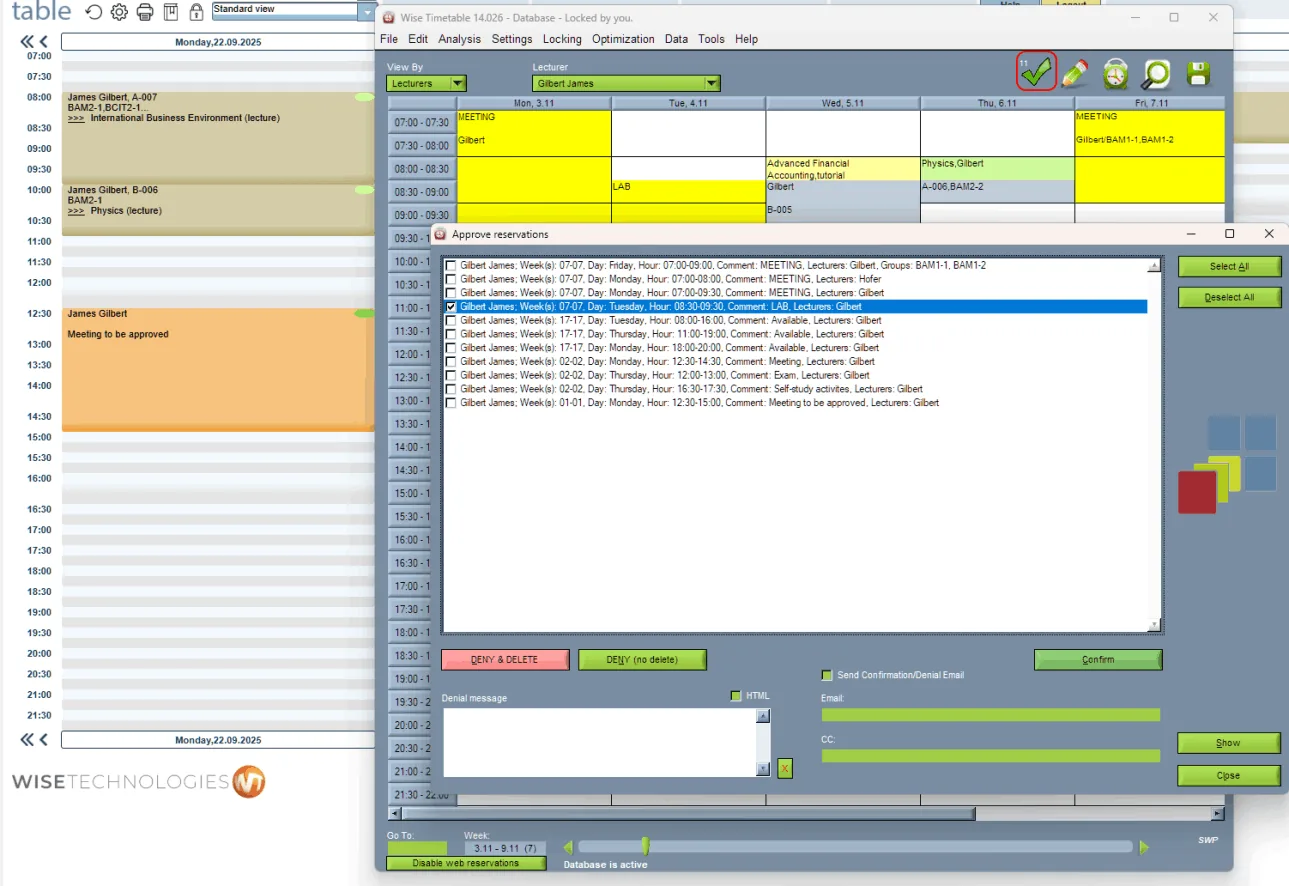
What can be reserved, and how
- Programmes, years and study areas
- Student groups
- Lecturers
- Rooms, laboratories and facilities
- Event types fully customisable — lectures, labs, exams, meetings, self-study and any category your institution defines
- One-off, weekly, or any recurring pattern across a semester or year
- Notes and internal comments recorded against each booking
- Automatic confirmation emails to every participant
Booking rights, so it does not become a free-for-all
You assign specific booking rights to each lecturer, restricting them to their designated laboratories or meeting rooms. Each lecturer sees and can reserve only the rooms assigned to them.
This is what makes self-service booking workable at scale. Without it, opening reservation to several hundred staff produces exactly the overbooking and territorial disputes that the system was meant to prevent.
Optional approval workflow
Where central control matters more than speed, enable the approval system. A reservation created online is not immediately visible in the timetable. It appears first in the central administration interface, where an authorised administrator reviews, approves or denies it.
Only after approval does the booking become active and visible to everyone. Confirmation or denial emails go to the requester automatically, so nobody is left wondering. The result is full control over room usage with a clean, reliable official timetable.
The same system collects lecturer availability
The booking system is also how lecturers tell you when they are free to teach. Open it to your teaching staff before the timetabling cycle, let them book their available hours, and run automatic generation directly against what they submitted.
One product, two jobs, and no thousands of phone calls. See how that works.
Related capabilities
- The web booking moduleThe browser application this happens in: what it is, what it costs, and what your institution controls.
- Wise Booking SystemThe same booking as a product of its own, for an institution that needs room booking only.
- Room panels at the doorOne room on a screen beside its door, booked on the spot: part of the Wise Booking System.
- Lecturer availabilityThe booking system used for scheduling input.
- Single sign-on and integrationShibboleth and federated identity.
- Conflict detectionWhy a booking can never collide with a class.
- Recurring room bookingsWhy one repeating booking can become several, and what fortnightly really means.
- Room booking, in screenshotsThe booking form, the availability check, approvals and booking rights.
- Master rooms, and changing a lesson’s roomA hall that divides, a clinic with consulting rooms.
- Marking bookings, and clearing them outTwo ticks on every booking, and when to use each.
See Wise Timetable on your own data
Book a 45-minute online presentation. We will walk through your institution's scheduling problem, show how Wise Timetable handles it, and answer anything your team wants to test.