
Solutions
Timetabling software for medical schools
Medical education breaks most timetabling software because it is not really one timetable. It is lectures, small-group teaching, laboratory sessions, clinical placements and hospital rotations, each with different rules, running simultaneously.
Why medical schools are different
A conventional timetable schedules a cohort into rooms for fixed weekly sessions. A medical curriculum schedules small groups into rotations that last weeks, across sites the university does not own, supervised by clinicians whose availability is governed by a hospital rota rather than an academic calendar.
Meanwhile the same students attend conventional lectures, laboratory sessions with hard capacity limits, and small-group teaching that requires the group to be split differently again. All of it has to be clash-free for each individual student, not merely for each group.
- Clinical rotations and placements spanning weeks rather than hours
- Teaching sites the institution does not control, with their own calendars
- Clinician availability governed by clinical duty, not teaching load
- Small-group teaching with different group divisions per activity type
- Laboratory sessions with hard capacity and equipment limits
- Individual-student clash checking across every combination
How Wise Timetable handles it
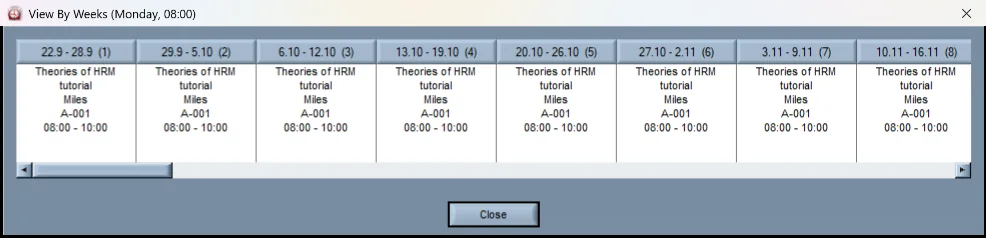
The entity model does not assume a session is a weekly hour in a room. Reservations can be one-off, weekly, or follow any recurring pattern across a semester or year, which is what a rotation actually is. Event types are fully customisable, so your institution defines categories that reflect clinical teaching rather than forcing everything into lecture, seminar and lab.
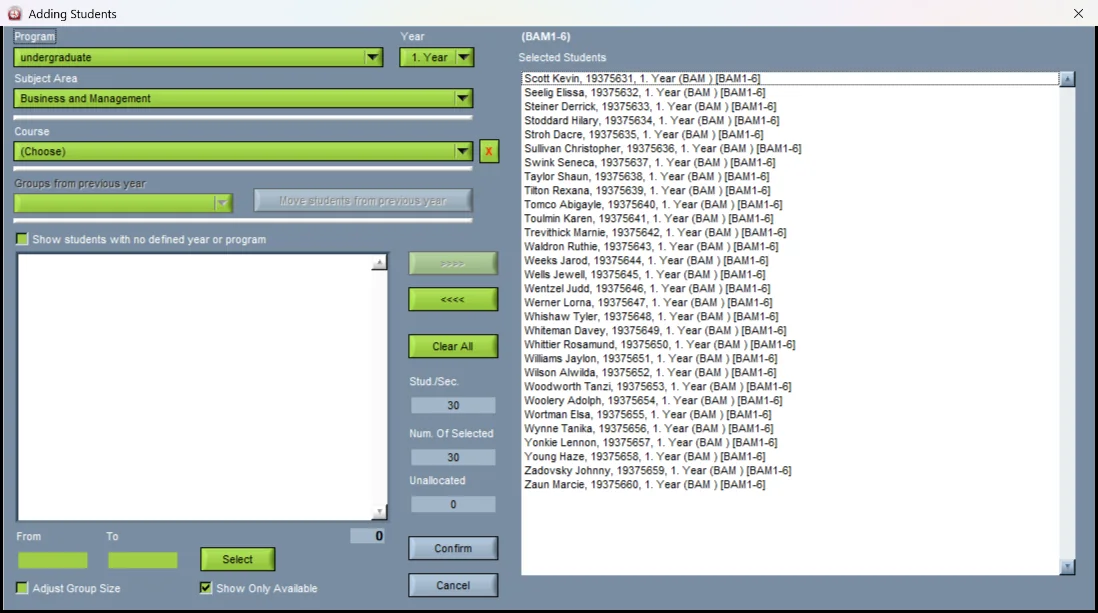
Student groups can be combined and subdivided freely, with the system calculating total attendance across combined cohorts and suggesting appropriately sized rooms — adjustable by hand where you know only part of a group will attend.
For clinician availability, the answer is the same one that works everywhere else: open the web booking system to them and let them book the hours they can teach. Chasing hospital consultants by email is a losing game. See how availability collection works.
Clinical rotations, planned as rotations
Since October 2026 Wise Timetable has a module for exactly this, in the standard licence.
Specialities, the hospital sites and their departments — each department a room of the timetable, with its capacity and its mentors — and the hours each placement owes. Generate proposes where every group is, week by week: within every rule where that is possible, otherwise the least bad plan with each breach named. Every week is checked against the department’s capacity and against the lectures the same group still has, and a block that cannot be placed is said, never dropped.
When the plan is right, it is handed to the timetable as ordinary lessons, so it is in every student’s timetable on the web, in the apps and in their calendar. Each student also gets a page of their own: where they are this week, the address and a map, their mentors, and their hours so far against the hours they owe. Clinical placements, step by step.
- Departments are rooms of the timetable, at sites the institution does not own
- A rotation proposed in one click; blocks moved by hand stay put
- Capacity, lectures and hours owed checked, every breach named
- Handed to the timetable as lessons; a second hand-off changes only what changed
- The student’s own page: this week, the address, the hours
Examinations, where it matters most
Medical examinations are where group-level clash checking fails visibly. Wise Timetable's exam module checks at student level across every module combination, and handles seating plans, invigilator assignment, and limits on how many papers a student sits in a day and on consecutive days. More on exam scheduling.
Before a session, the student office plans the exam period itself in the browser: a proposal for every course’s dates, every clash written out — the same year too close, students who sit both, an examiner or a room already taken, teaching or a placement the same students still have that day — and the rooms booked in the timetable when it is published. Where students register for exams here rather than in a student information system, they do it on their phones, and the examiner prints the list to sign. Exam periods and registration.
And the rest of the student office
Electives chosen online, with each student seeing when an elective is taught and what it clashes with in their own week, and the result handed to the timetable as groups with their students — elective selection. Attendance taken by a changing QR code at lectures and seminars, for programmes whose accreditation asks for a record — student attendance, in the same licence.
Students sign in once, with their enrolment number and a code by e-mail or with Microsoft, and the same phone works for all of it. The office, the students and the examiners each have their own guide — all of them on the documentation page.
Related reading
- Clinical placementsRotations, planned and handed to the timetable.
- Exam periods and registrationThe exam calendar, every clash in words.
- Exam schedulingStudent-level clash checking.
- Room bookingHow clinicians book their own time.
- Multi-campusTeaching across hospital sites.
- How to build a university timetableA step-by-step guide for registrars.
- Planning clinical rotations for a whole yearSpecialities, capacity, the weeks left out, checks against lectures.
- Running exam registration in the timetableDeadlines, one date per course, the examiner’s list.
See Wise Timetable on your own data
Book a 45-minute online presentation. We will walk through your institution's scheduling problem, show how Wise Timetable handles it, and answer anything your team wants to test.