
Integration
Timetabling alongside SITS
SITS holds who the students are and what they are taking. A timetable decides when and where. This page is about the line between those two sentences, in the record names your SITS team actually uses.
The line, before the record names
SITS owns the people and the curriculum. The timetable owns the time and the room. Every integration argument that goes wrong goes wrong because that line was never drawn, and two systems ended up each believing they held the authoritative copy of the same fact.
The general form of the argument is in integrating your timetable with your SIS. What follows is the same thing said in SITS record codes, so that the conversation with your student records team can start from something concrete.
Which SITS record holds what
| SITS | What it holds | What the timetable does with it |
|---|---|---|
| MOD | Module | Becomes a course. The British sense of module, not the American one. |
| MAV | Module availability — the occurrence and the year, with the target number of places | This is the row that matters most. It is the offering being timetabled, and the target is the planned size a room has to hold. |
| Occurrence code | Which delivery of the module this is | Distinguishes the parallel deliveries that must not be scheduled on top of each other. |
| Period slot — YEAR, S1, S2 | How long the module runs | The week range. Academic week numbers is where the two calendars are reconciled. |
| MAB | Assessment components | Only the examined ones, and only for exam scheduling. |
| STU | Student details | The person. Usually only an identifier crosses the boundary. |
| SPR | Student programme record | Programme, and with it the year and branch a group belongs to. |
| SCE | Student course enrolment | Which year of the programme the student is in. |
| SCJ | Student course join | The student on the programme, which is what makes the cohort countable. |
| SMO | Student course taking — the module selections | Group membership, and therefore every clash. See student module options. |
| SMR | Student course result | Nothing. Results do not belong in a timetable and should not be sent to one. |
Which direction each thing travels
Into the timetable: modules and their availabilities, the planned sizes, the programme structure, and the module selections once they are settled. These are facts about the institution that the timetable should never be the source of.
Out of the timetable: the scheduled times, the rooms, the lecturer against each session, and the groups students were placed into. Whether these go back into SITS or are published alongside it is a decision your institution makes, and both are common.
The timing question that catches people: module selection is not final when the timetable is built. Most institutions timetable against planned sizes from MAV, then reconcile against actual SMO rows once registration closes. The annual timetable cycle sets out where that falls in the year.
What we do not have, said plainly
There is no SITS connector in this product, and this page will not imply one. We do not read your SITS database, we are not a Tribal partner, and nothing here is certified against SITS:Vision.
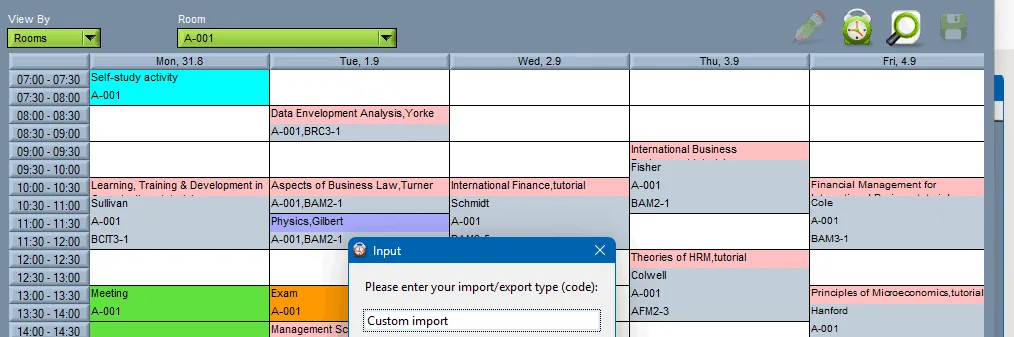
What there is: Excel, CSV, XML and a documented REST API, described in importing data — including 67 custom import codes and a 112-page import reference — and scheduled synchronisation where files are not wanted. The extract comes from your SITS team, in the shape their reporting already produces.
You can check the API exists before you talk to anyone: GET https://wise-tt.com/api/v2/meta answers with the version and the endpoint list, with no token and no account. The REST API page is the rest of it.
Want to see this working?
Book a 45-minute online presentation and we will walk through it against your institution's own scheduling problem.