Assessment
The subject holder’s own scheme: components, points, weights and grade bands.
Study and exams
A thin course layer on the timetable, not a learning platform. The lecturer sets an assignment for a subject, the students hand in a file by the deadline, and the points the lecturer gives go into the subject’s assessment — and from there to the weights, the exam condition and the grade proposal.
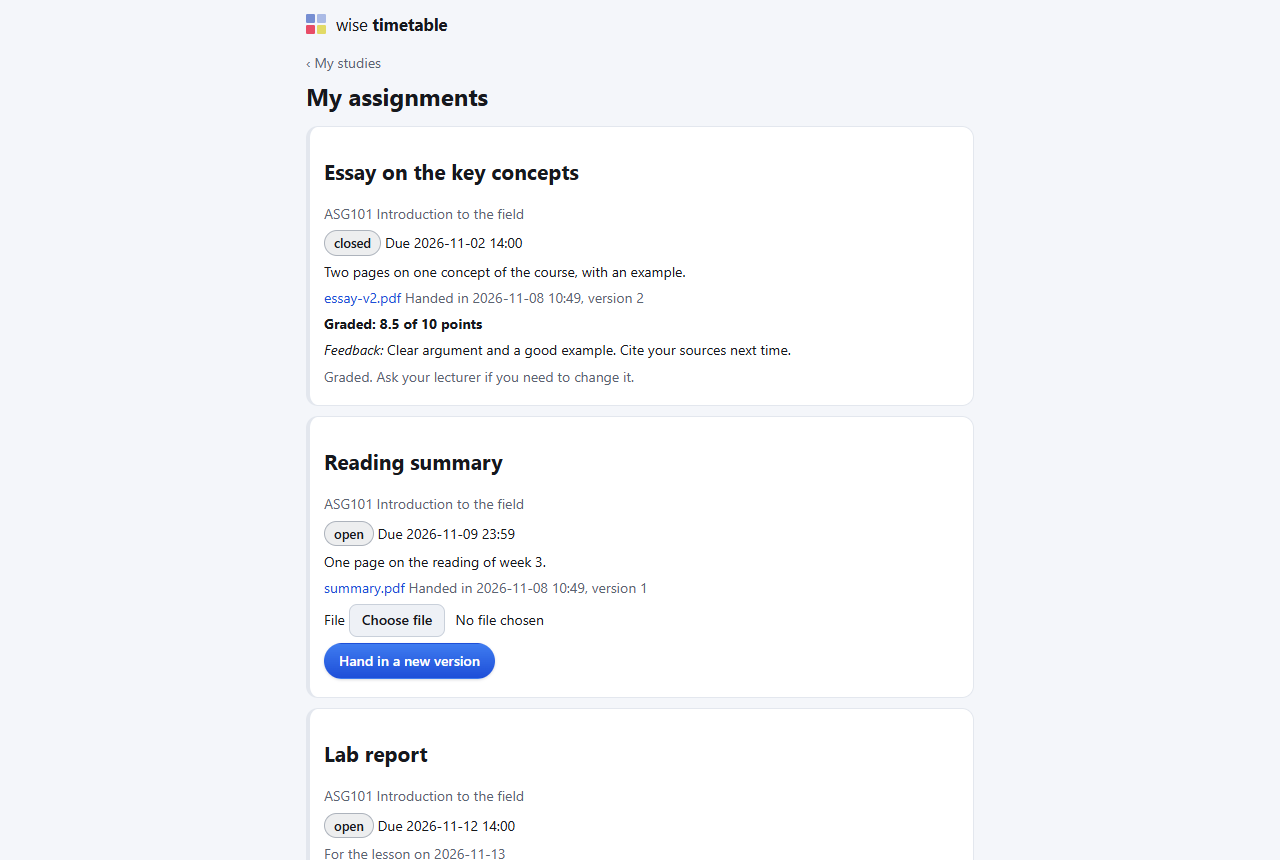
On their own page of the web timetable, under the subject they teach: what is asked, how many points it is worth, and the dates.
On the student portal, and as a small “Due 14:00 — title” mark in the heading of that day in the web timetable. The student uploads the file; it is checked and kept.
Each hand-in opens as a file with its versions. The lecturer gives points; from then on the work is locked. Clearing the grade clears the points and reopens the upload.
They count in the assessment’s weights, in the exam condition if the subject has one, and in the grade the lecturer proposes. Nobody types them in a second time.
Students do not open a course page to find out what is due; they open the timetable.
The third part of the thin layer, for schools that keep attendance with the QR lists. A school that runs Wise Ed has its own attendance rule in the student records instead.
Not if Moodle already does what you need. This is for schools without a learning platform, or with one that lecturers do not use for hand-ins, where the wish is simple: collect the work, grade it, and have the points in the assessment without typing them again.
No. A student signs in as they already do to the student pages, and the deadline mark in the timetable appears for the same sign-in.
Yes. The student subscribes once to their own calendar address from the assignments page. Anyone who has that address can read the deadlines, so it is not to be shared.
No. It is off until the school sets a minimum, and a school can set it without using any other part of this page.
Each module works on its own. These are the ones it does more with.
The subject holder’s own scheme: components, points, weights and grade bands.
Lecturers’ files and links per subject, for the students who take it.
Exam records, online grade entry, rules that say why, sign-off and the transcript.
Roll call by the lecturer, QR attendance from the timetable, and alerts before it is too late.
Grades, assessment, materials, absences and the monthly report, on one web page.
Book an online presentation. We will walk through how your student office works today and show you the same job in Wise Ed — with your programmes, not a demonstration dataset.