Wise Ed Tools
The school’s own running beside the student system, with one sign-in.
Money and staff
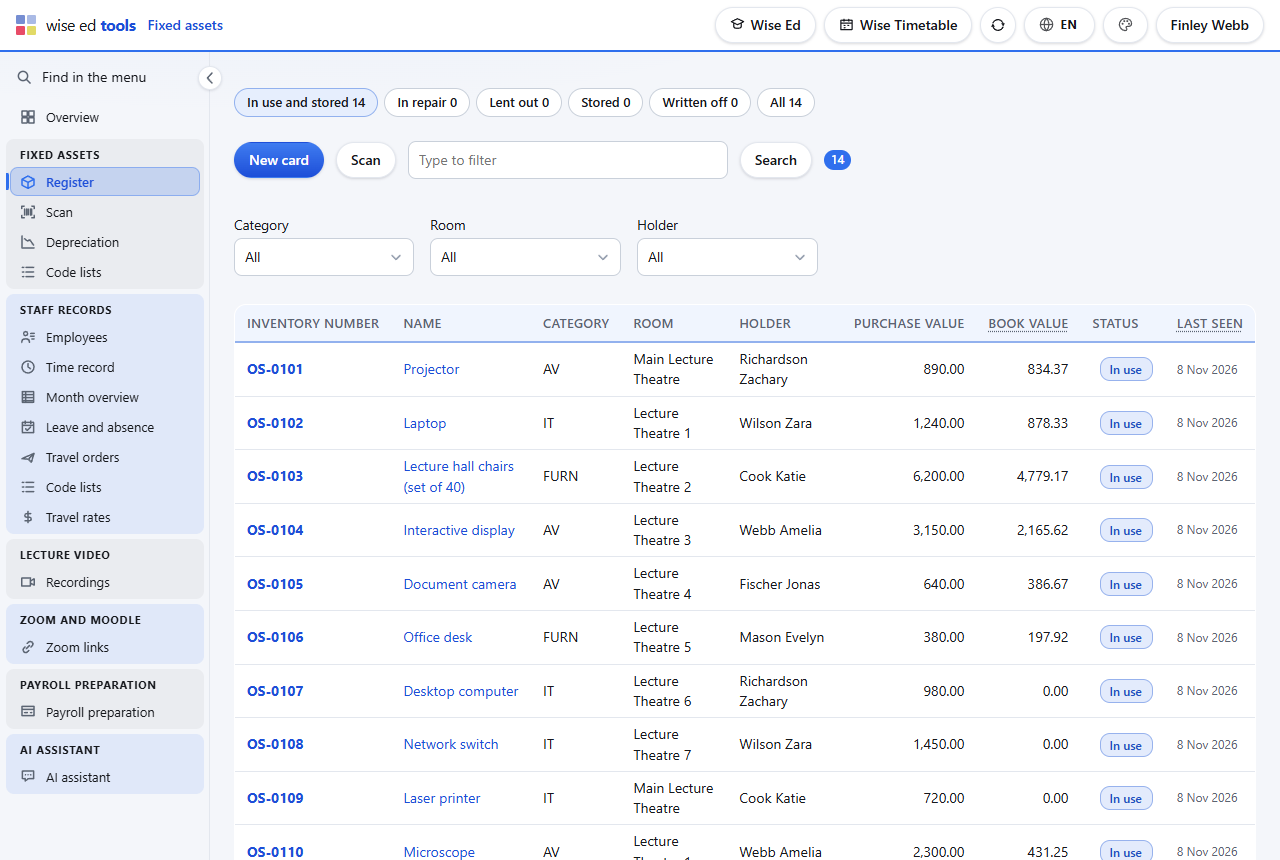
Every chair, projector and laptop the school owns, on one register: where it stands, who has it, what it cost and what it is worth today. Scan the label to open its card, or walk the rooms at stock-taking and tick everything you see. Depreciation is worked out by itself, month by month, by the group each asset belongs to.
On the scan screen, choose that scanning ticks assets as seen, and say which room you are in.
Each scan ticks the asset as seen now and lists it below; an asset from another room says so.
Change the room and carry on; the list of this round stays on the screen until you clear it.
In the register, “Last seen” shows what nobody found this year — the list for the commission.
No. Any USB barcode reader that types like a keyboard works. On a phone, the camera works where the browser can read barcodes; elsewhere, type the number.
Because assets live in rooms the timetable never uses — store rooms, offices, corridors. The list starts as a copy with one button and is then the register’s own.
Yes. Wise brings the existing register in when the module is switched on; from then on the cards are kept here.
The office: whoever the school has ticked as an administrator with the editing right, as in the timetable’s administration and in Wise Ed.
Each module works on its own. These are the ones it does more with.
The school’s own running beside the student system, with one sign-in.
Why a student office on the timetable’s own data does what others cannot.
Time, leave and absence; employees on their own page, superiors approve, the month for payroll.
Book an online presentation. We will walk through how your student office works today and show you the same job in Wise Ed — with your programmes, not a demonstration dataset.