Wise Timetable

Gallery · 8 screens

Room booking, from request to approval

Staff book rooms in a browser. Every date of a repeating booking is checked against rooms, lecturers and groups before anything is reserved, and the timetable office approves or refuses in one list.
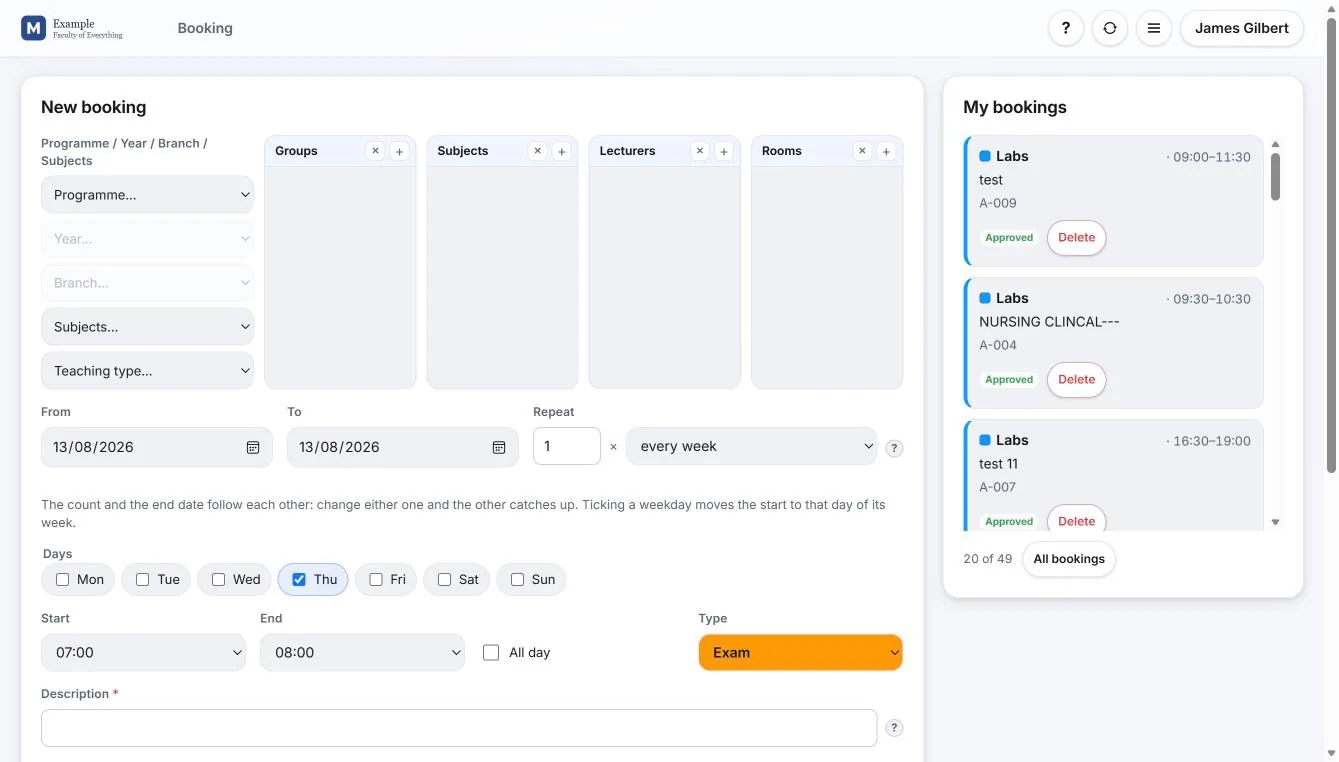
The web booking form of Wise Timetable beside the list of the user’s own bookings

Asking for a room

What a lecturer or a member of staff sees after signing in.
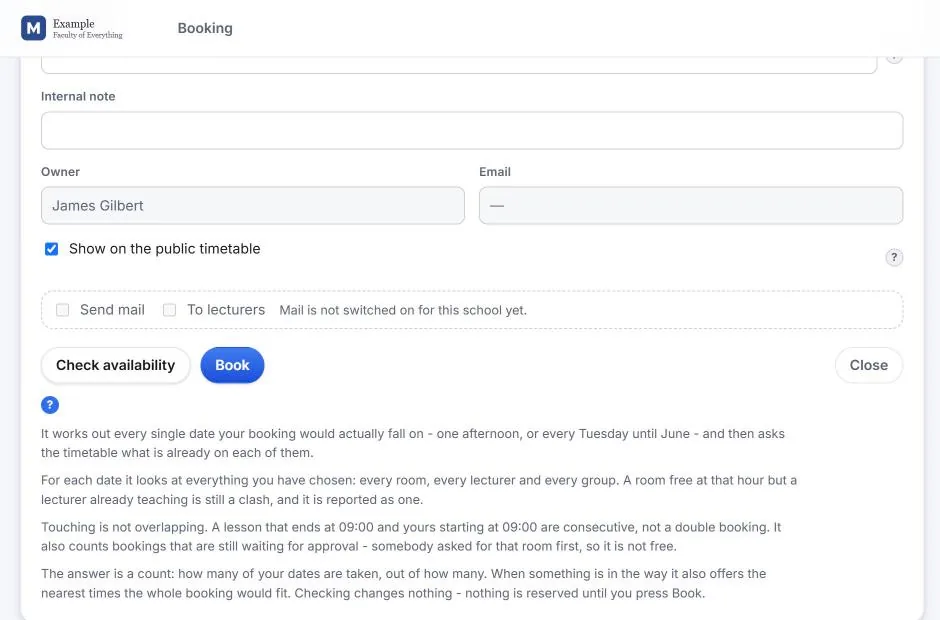
The web booking form of Wise Timetable beside the list of the user’s own bookings
The booking form Groups, subjects, lecturers and rooms on one form; dates, repetition and the kind of booking below it; everything already booked beside it.
Availability check in the Wise Timetable web booking form
Checked before it is booked Every date the booking would fall on is tested against every room, lecturer and group on it. Touching is fine; overlapping is not.
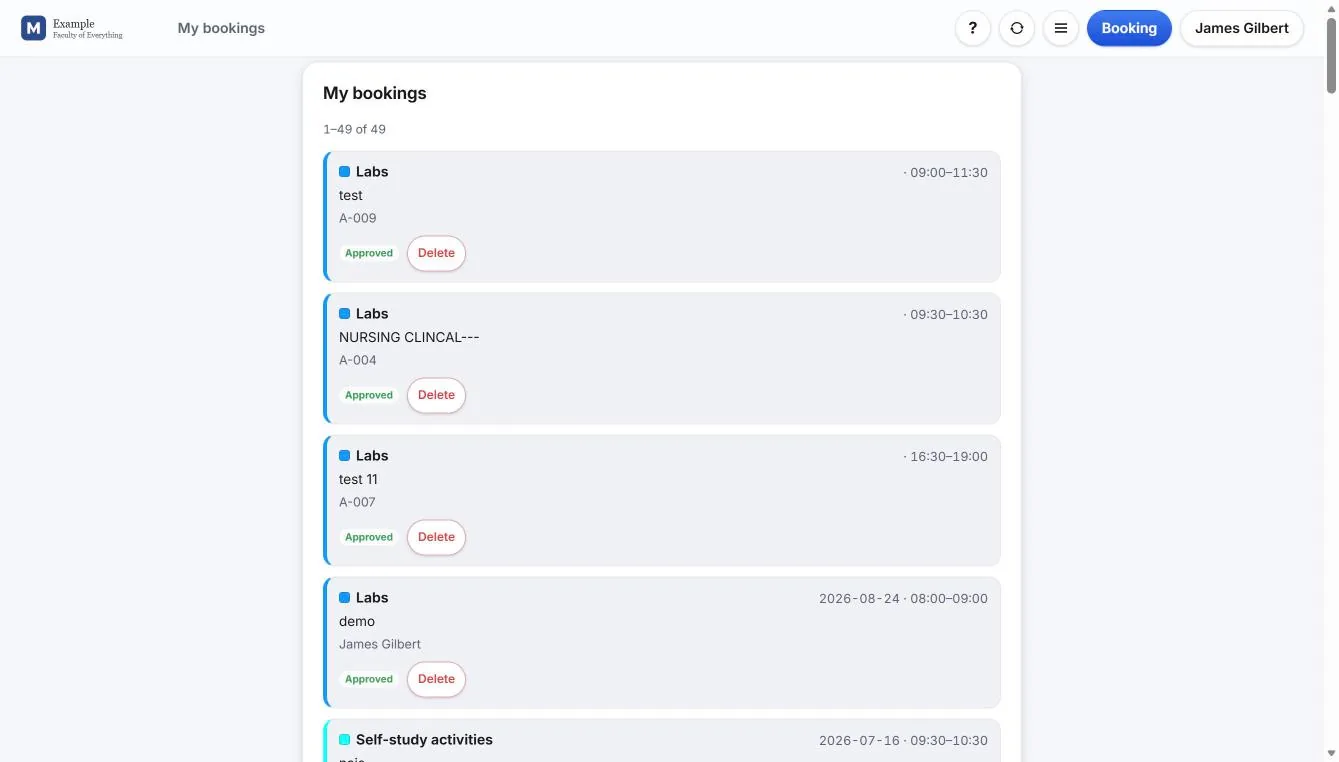
List of a user’s own bookings in the Wise Timetable web booking system
My bookings Each booking with its state — approved or waiting — and its own Delete.

In the timetable office

The same bookings, from the browser administration.
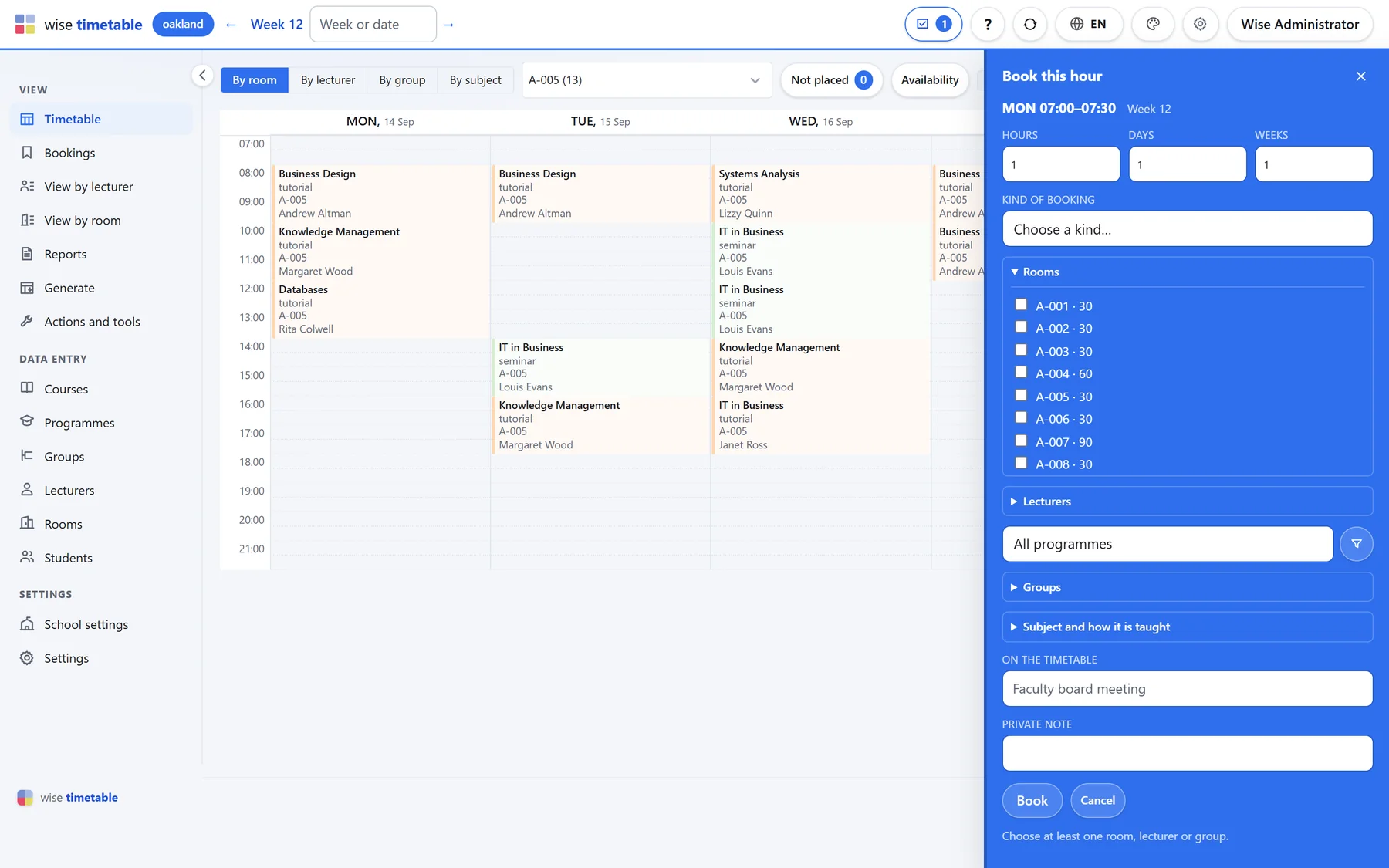
Booking an hour from the week grid of the Wise Timetable browser administration
Booking an hour from the week The key icon on an empty hour opens the booking beside the grid, so the week stays in view while the form is filled in.
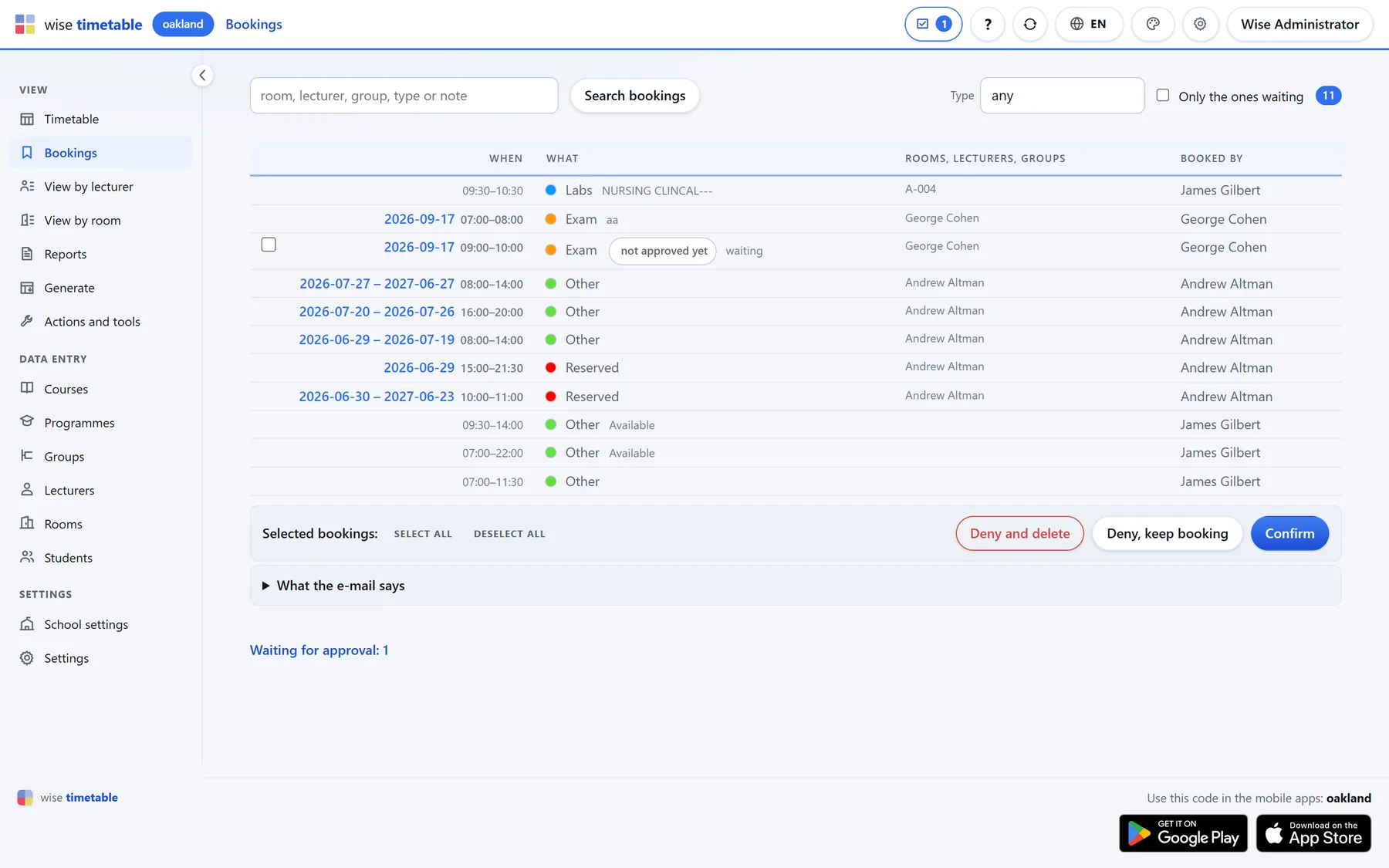
Bookings list with approval actions in the Wise Timetable browser administration
Every booking in one list What is waiting for approval is marked. Confirm, refuse, or refuse and delete everything ticked — and read the e-mail the requester will get before it goes.

In the desktop application

For schools that run their bookings from the Windows application.
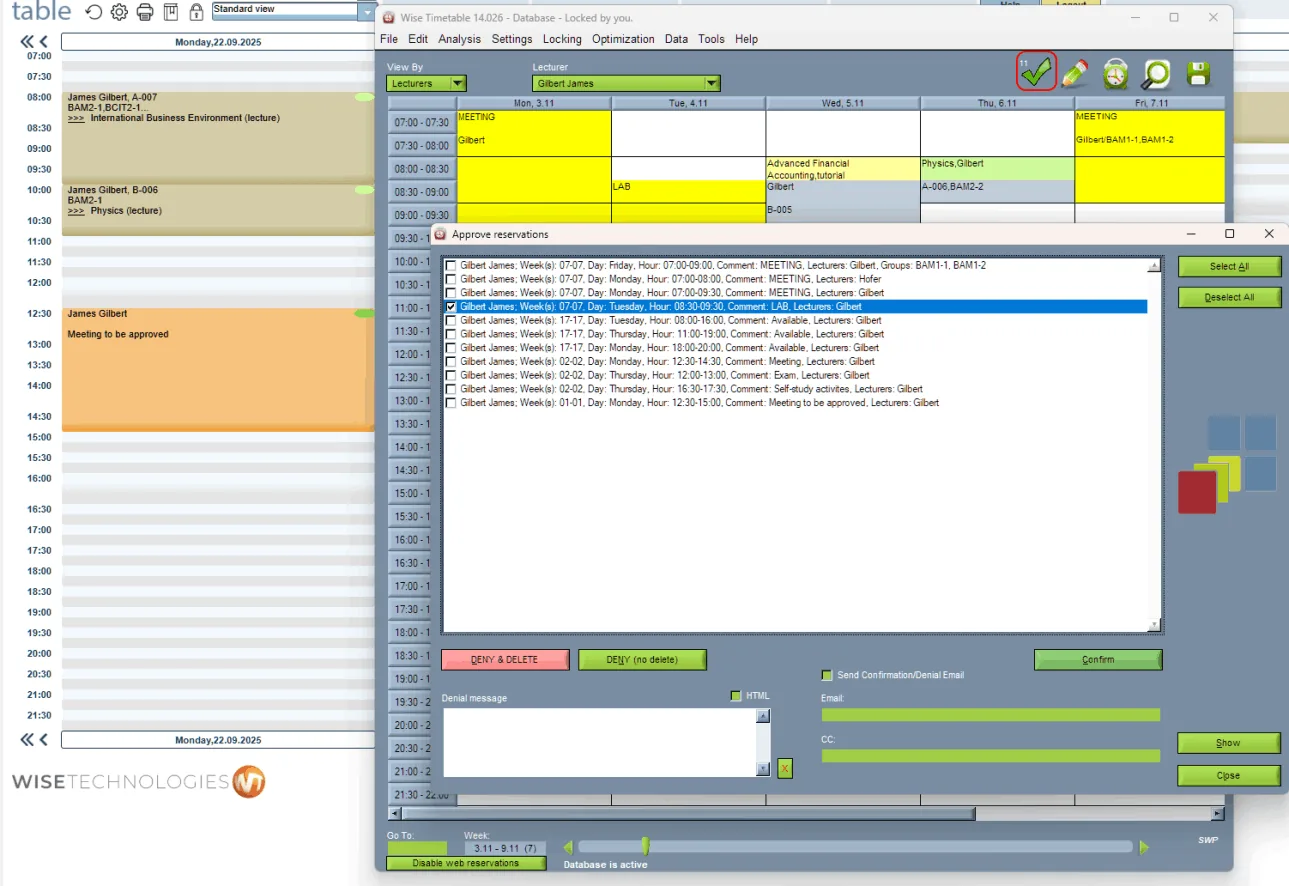
Booking approval queue in the Wise Timetable desktop application
Approving web reservations Requests from the web, listed for a decision, with a message back to whoever asked.
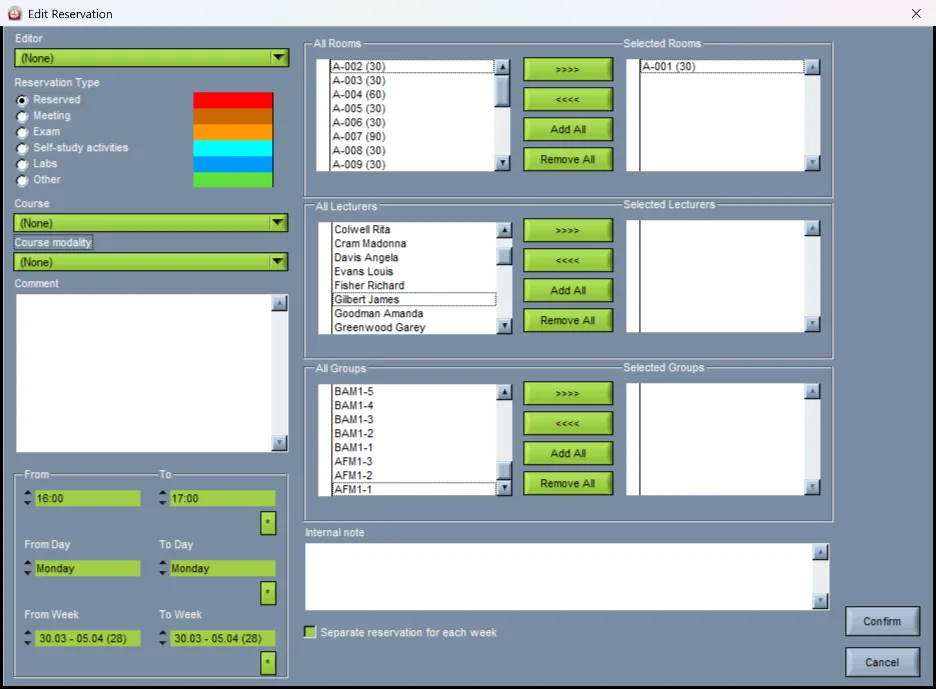
Editing a room reservation in the Wise Timetable desktop application
A reservation The kind of booking, rooms, lecturers and groups, the hours and the range of weeks.
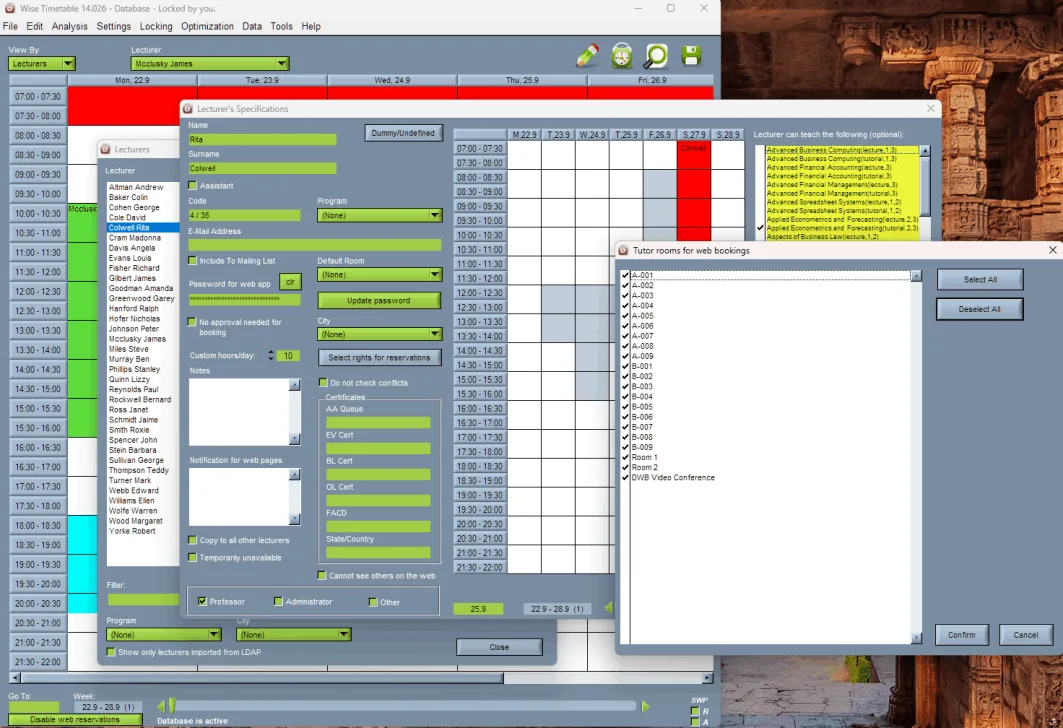
Booking rights restricting a lecturer to chosen rooms in the Wise Timetable desktop application
Booking rights Which rooms each lecturer may book — what makes self-service workable in a large faculty.

See Wise Timetable on your own data

Book a 45-minute online presentation. We will walk through your institution's scheduling problem, show how Wise Timetable handles it, and answer anything your team wants to test.