Wise Timetable

Gallery · 31 screens

The desktop application

The Windows application timetablers have built their year in for more than twenty years: automatic generation against the full constraint set, conflict checking, examinations and every report.
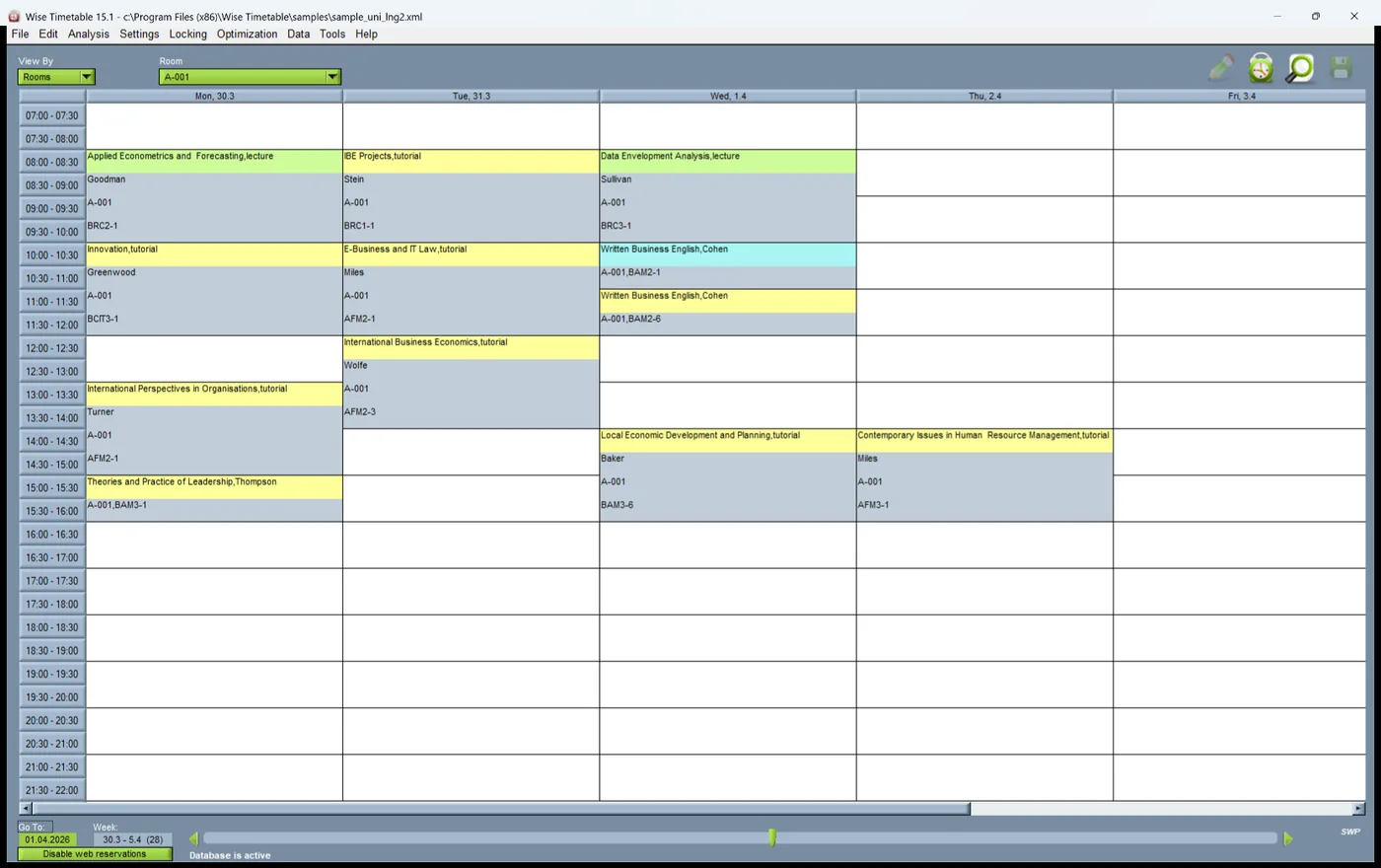
The Wise Timetable desktop application showing a generated week by room

The timetable

One timetable, seen down whichever axis the question needs.
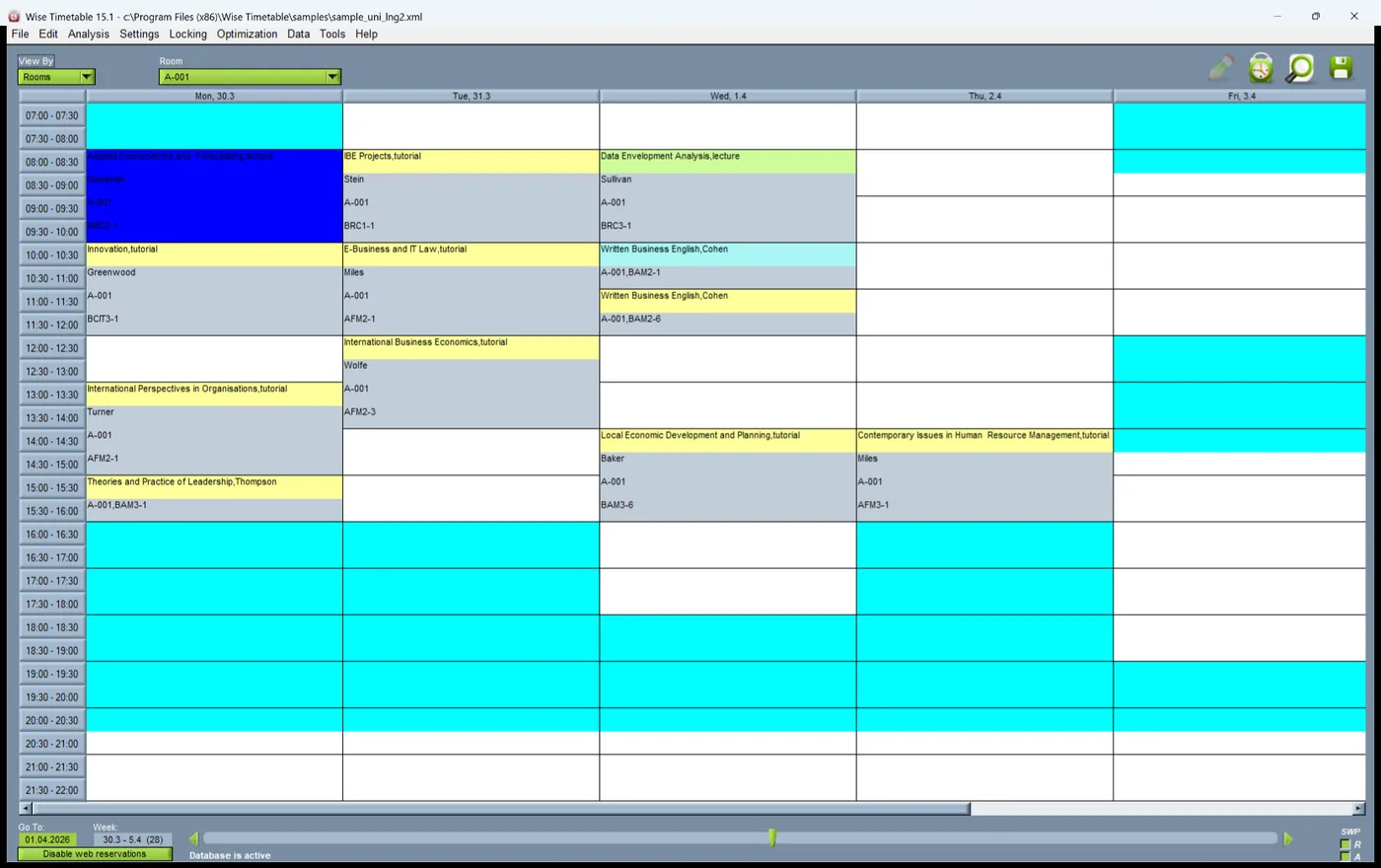
The Wise Timetable desktop application showing a generated week by room
The workspace A generated week, here seen by room.
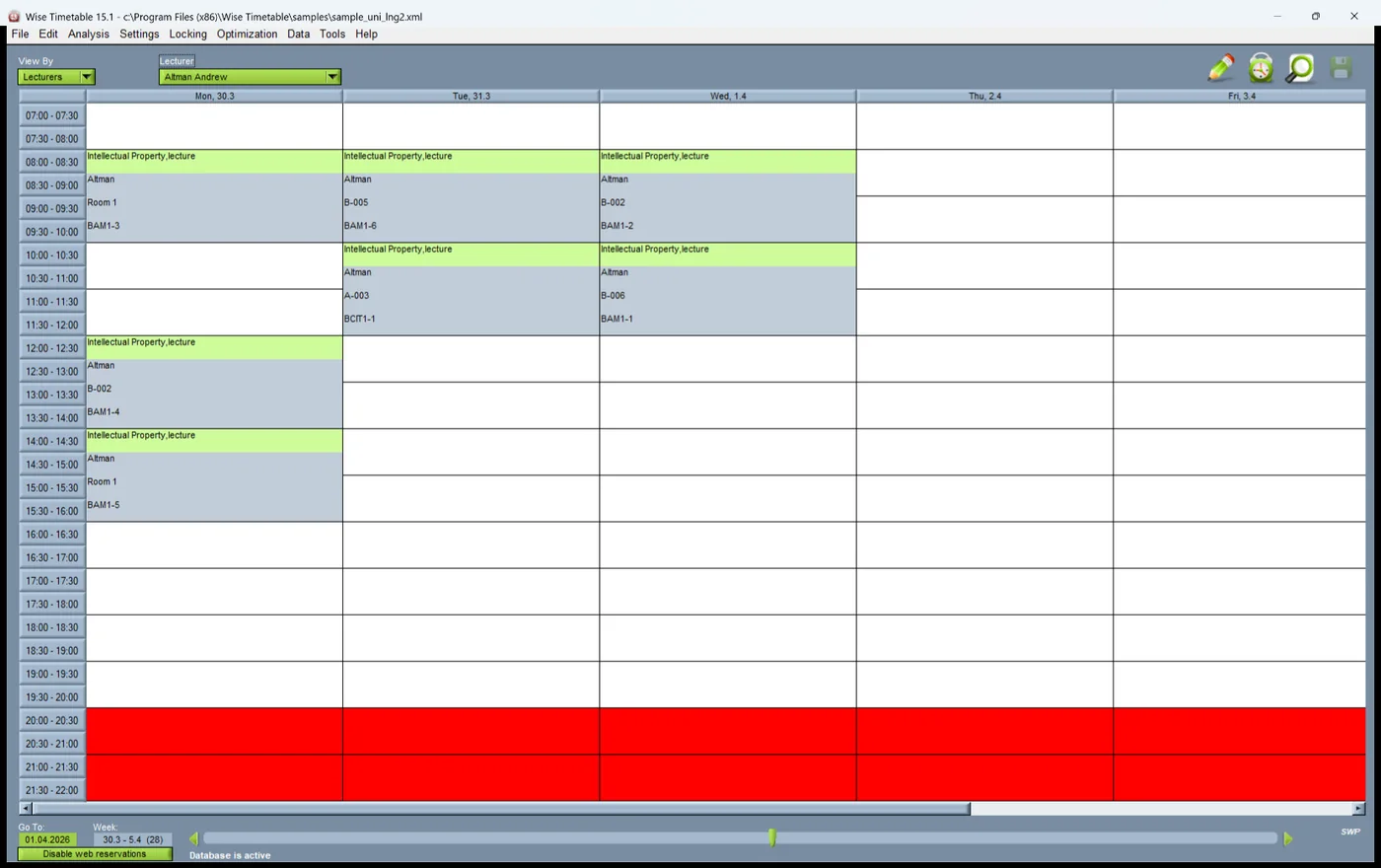
Timetable viewed by lecturer in the Wise Timetable desktop application
By lecturer The same timetable for one lecturer — where a conversation about workload starts.
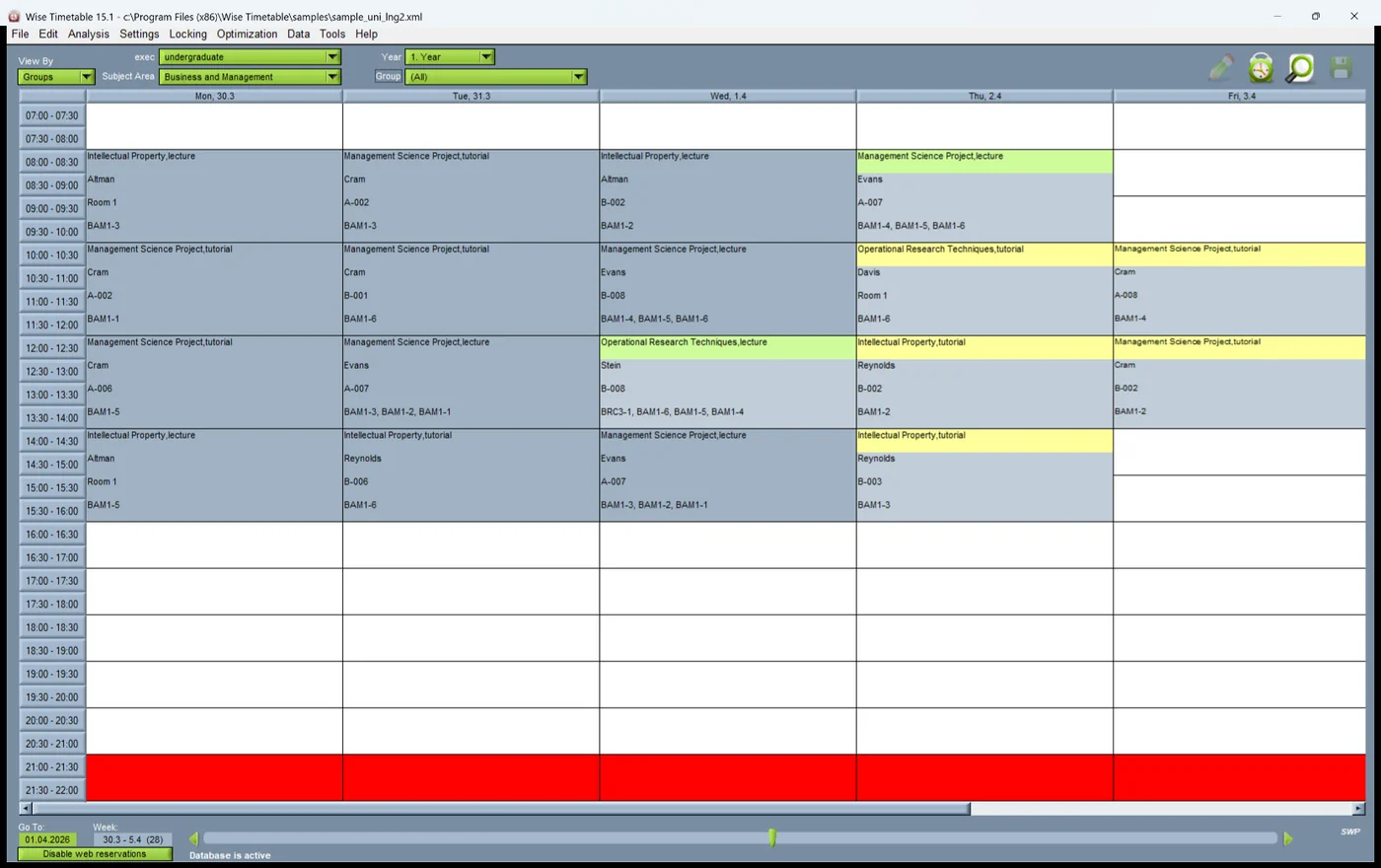
Timetable viewed by student group in the Wise Timetable desktop application
By group The week of one student group, which is what students eventually receive.
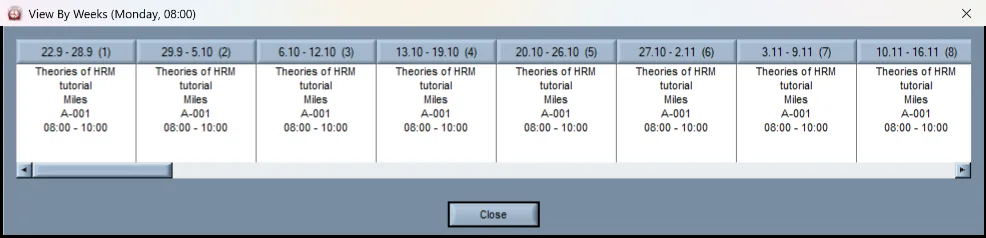
A session shown week by week in the Wise Timetable desktop application
Week by week One session across the weeks of a term, for teaching that does not run as a fixed weekly hour.

Building it

Generation runs against the whole constraint set, and whatever cannot be placed is listed — never forced in.
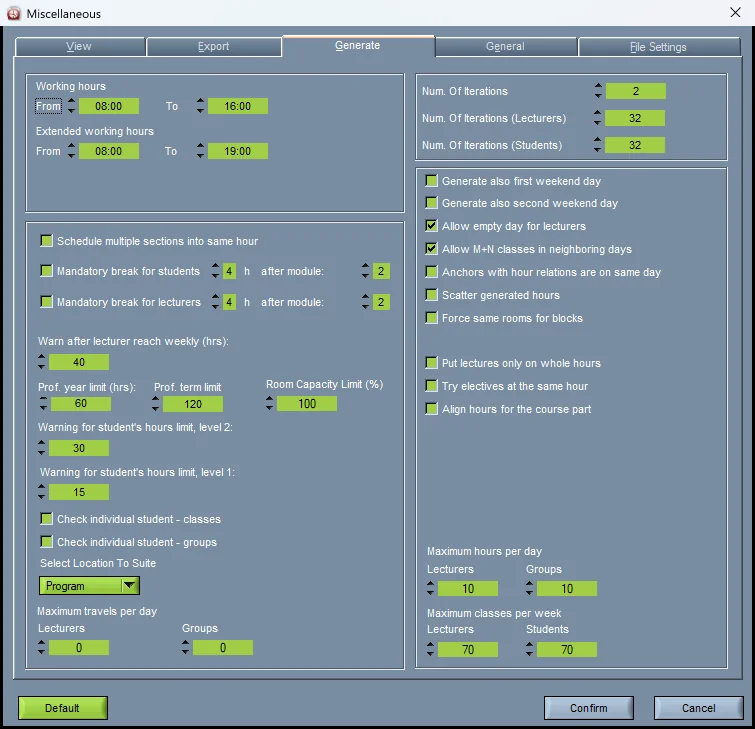
Timetable generation settings in the Wise Timetable desktop application
Generation settings Working hours, breaks, daily and weekly limits, and how teaching is spread across the week.
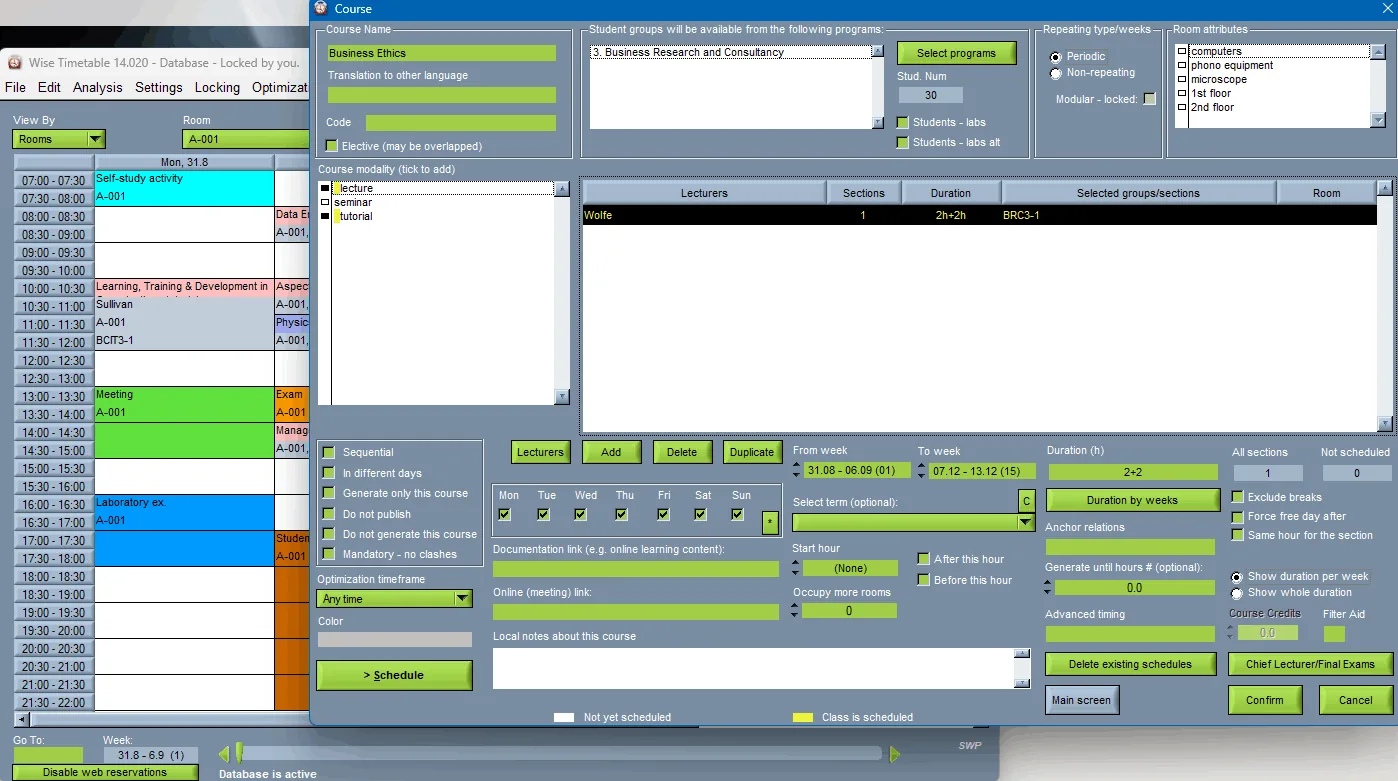
The course dialog with its scheduling constraints in the Wise Timetable desktop application
A course and its constraints Sequential or on different days, never overlapping, preferred rooms and equipment — set per course, where they matter.
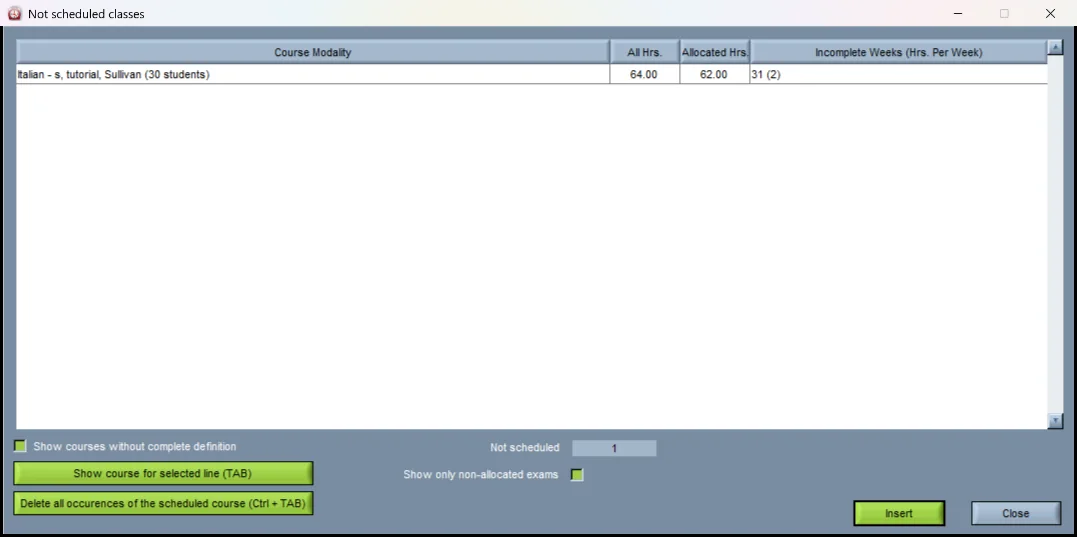
List of unscheduled classes in the Wise Timetable desktop application
What could not be placed Listed plainly, with the hours required and the hours allocated, ready to be inserted by hand.
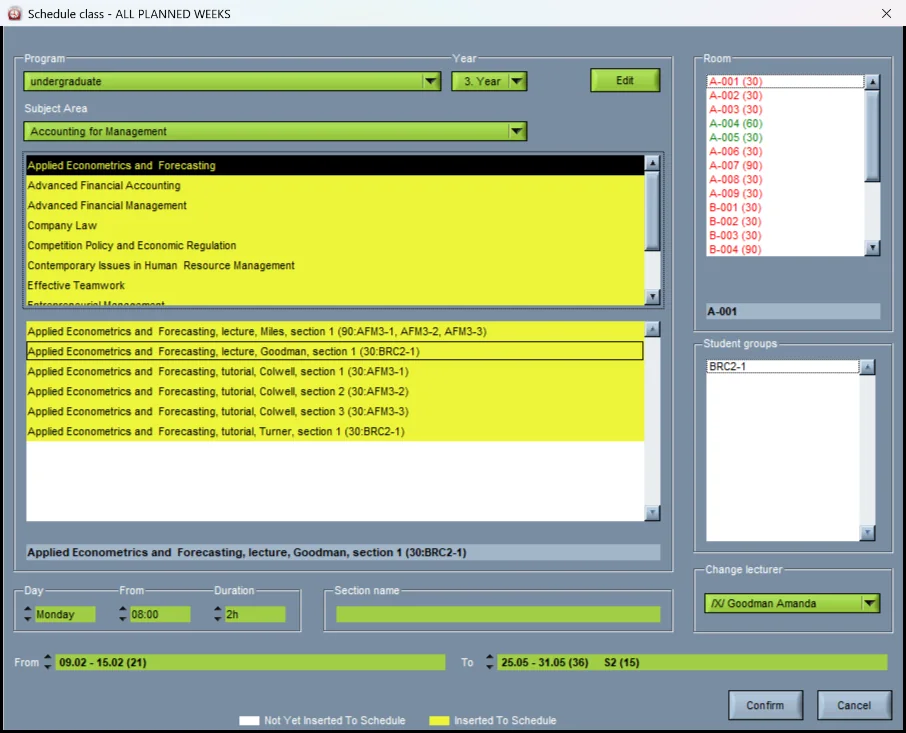
Inserting a class into the timetable in the Wise Timetable desktop application
Inserting a session Rooms coloured by whether they are free; the lecturer and the groups are checked before anything is committed.

Checking and changing

The term never stays as built. These are the tools for changing it without breaking it.
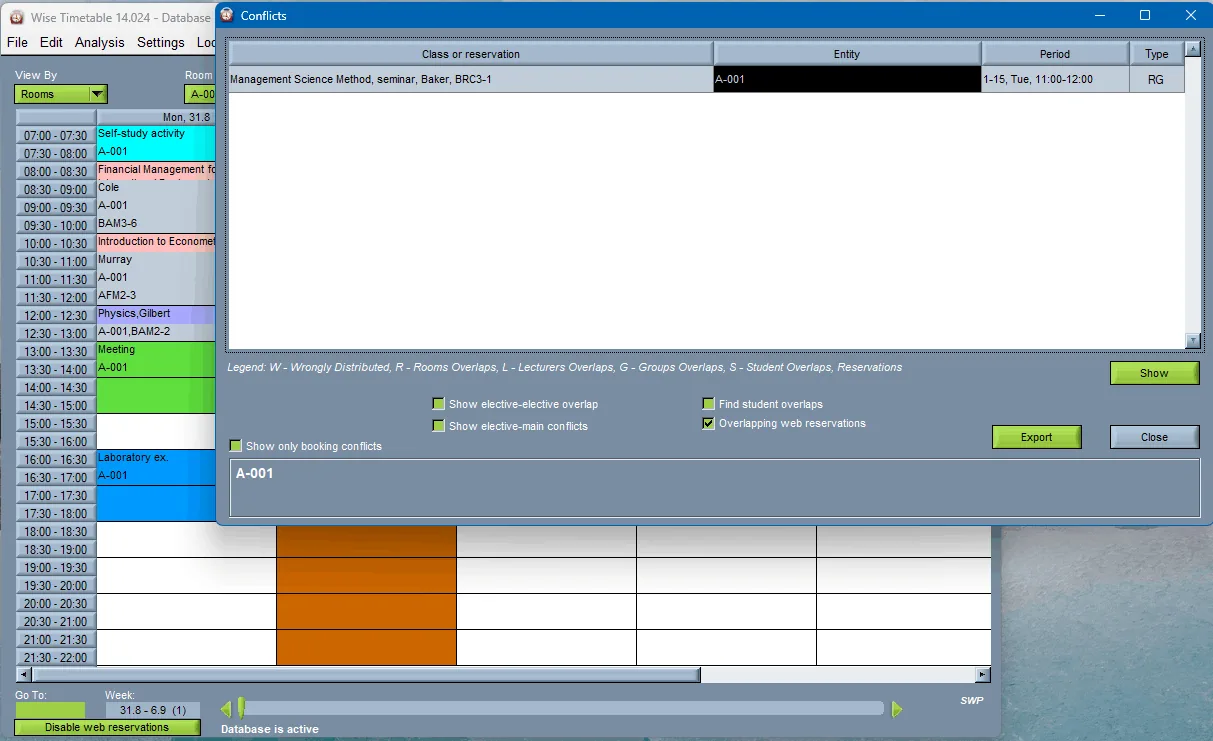
Conflict list in the Wise Timetable desktop application
Conflicts Every clash named — room, lecturer, group or student — with the lesson and the period it is in.
Free hours highlighted for a selected session in the Wise Timetable desktop application
Where can it go? Select a session and the hours it could move to light up, before anything changes.
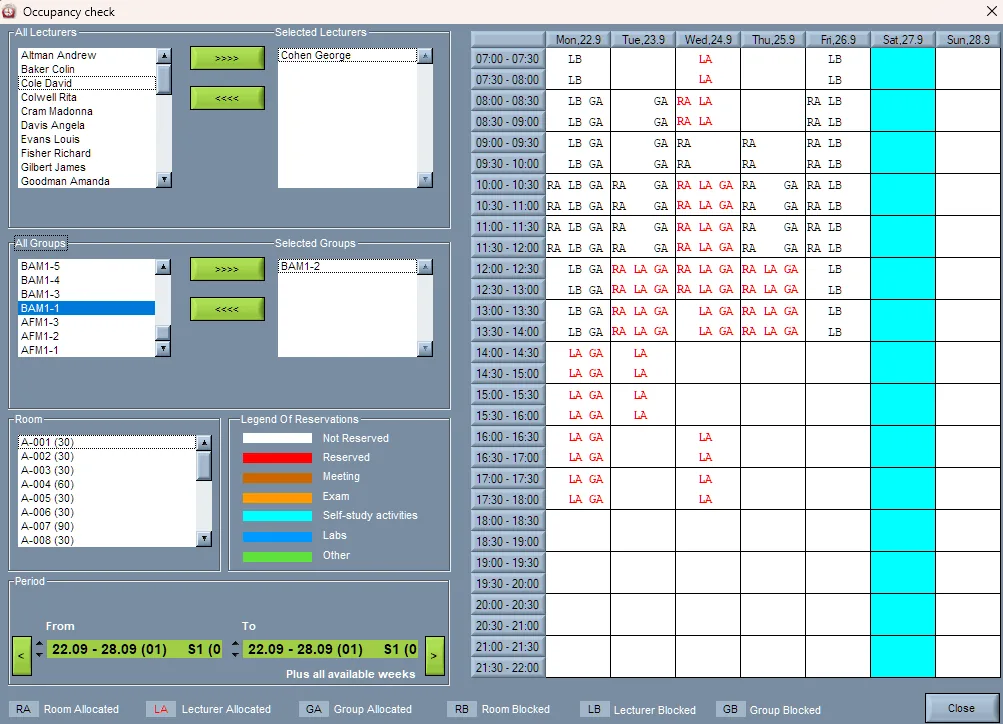
Occupancy check across lecturers, groups and rooms in the Wise Timetable desktop application
Occupancy check Lecturers, groups and rooms side by side over a week — who is booked where, at a glance.
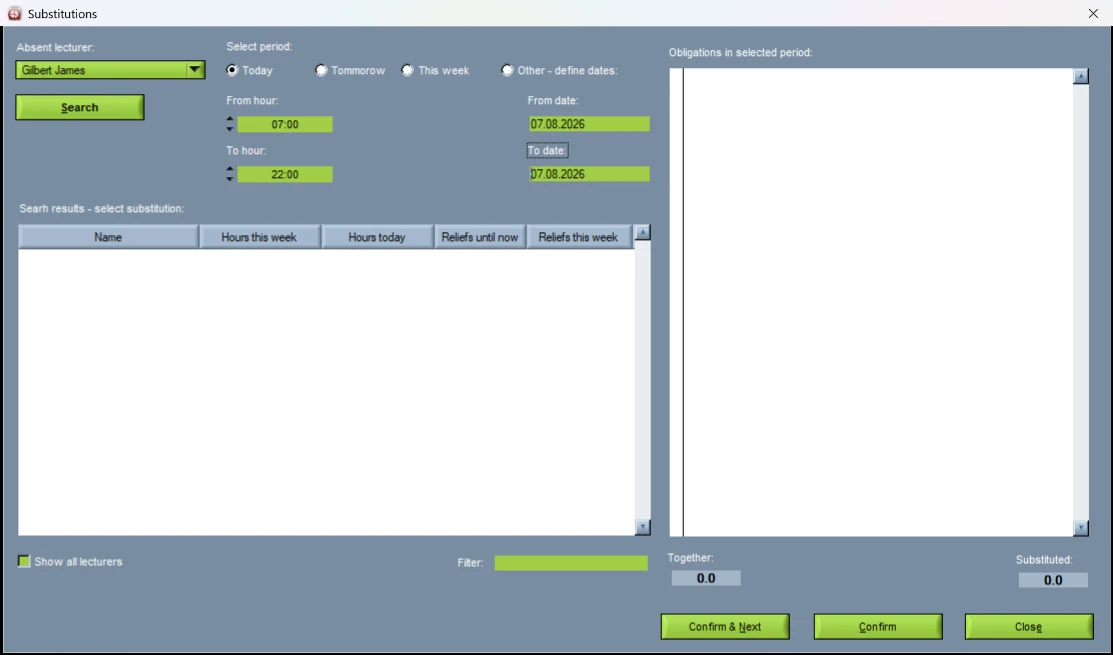
Searching for a substitute lecturer in the Wise Timetable desktop application
Finding cover Who can take an absent lecturer’s classes, with how much each has taught and covered already.

The data

Courses, groups, students, rooms and lecturers — entered by hand, imported, or both.
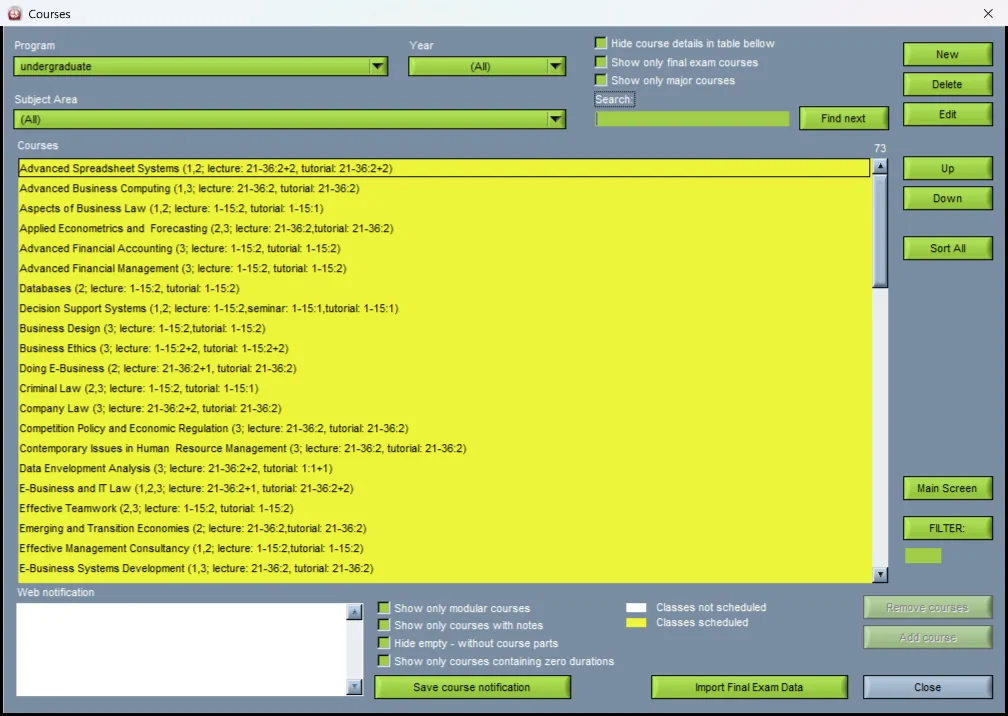
Course list in the Wise Timetable desktop application
Courses Every course with its plan on one line: its parts, weeks and hours.
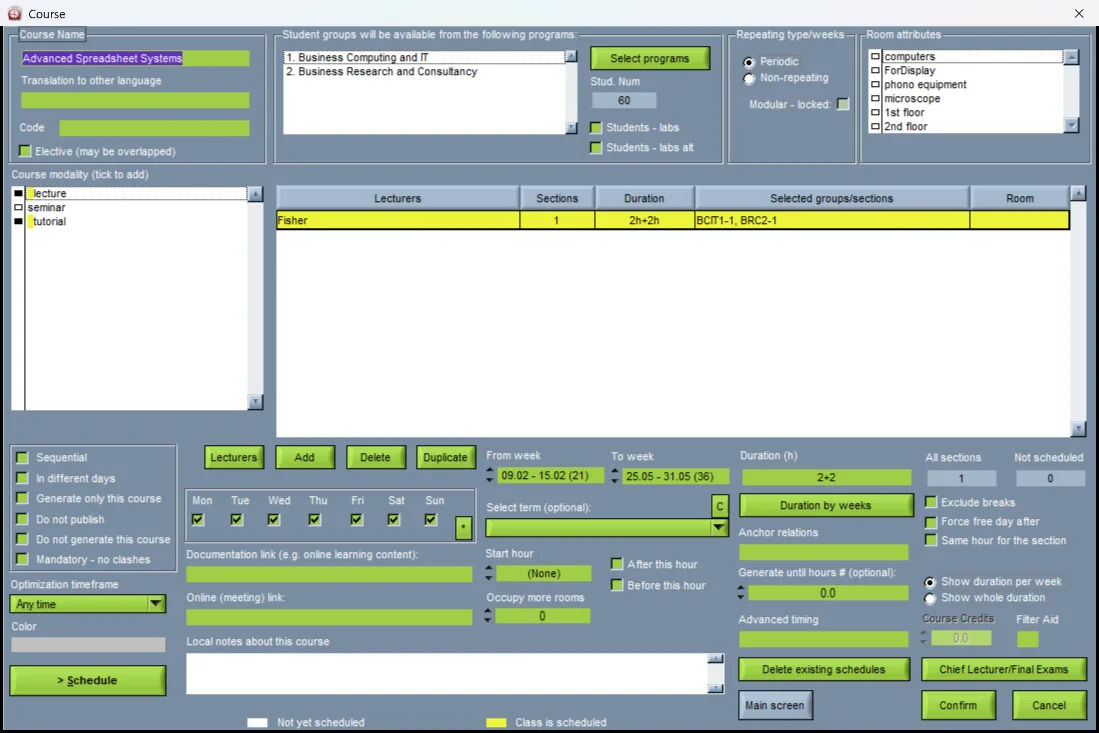
Course editing screen in the Wise Timetable desktop application
The course editor Parts of the course, lecturers, groups, weeks and duration — and the options that tell generation how to treat it.
Student group list in the Wise Timetable desktop application
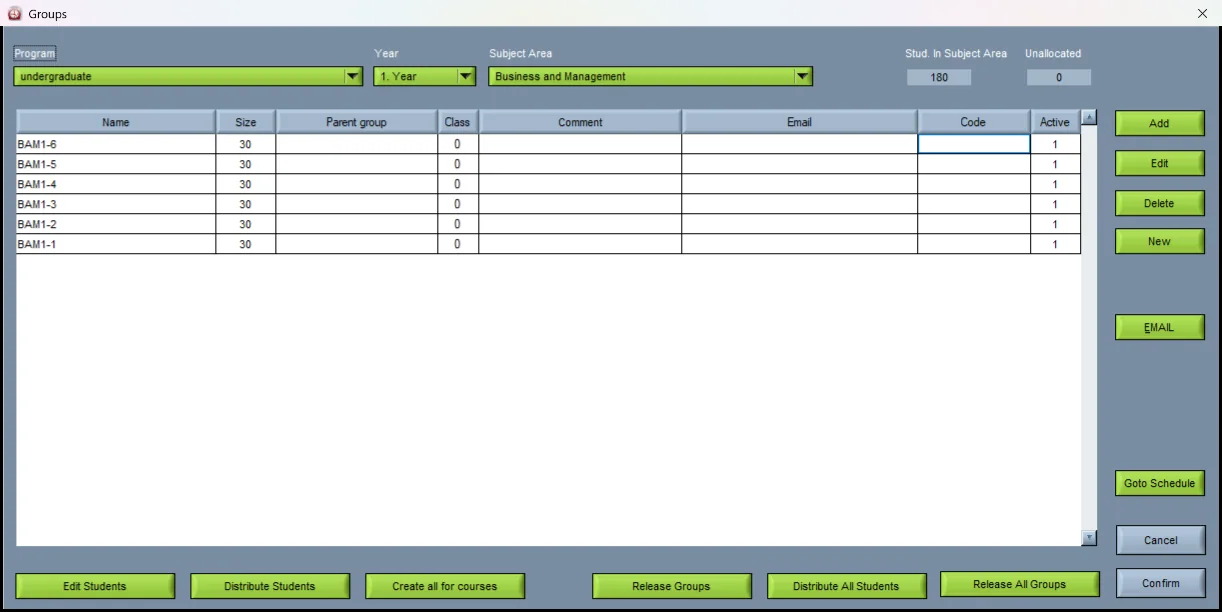
Student groups The groups of one year and area, with their size, parent group and code.
Distributing students across groups in the Wise Timetable desktop application
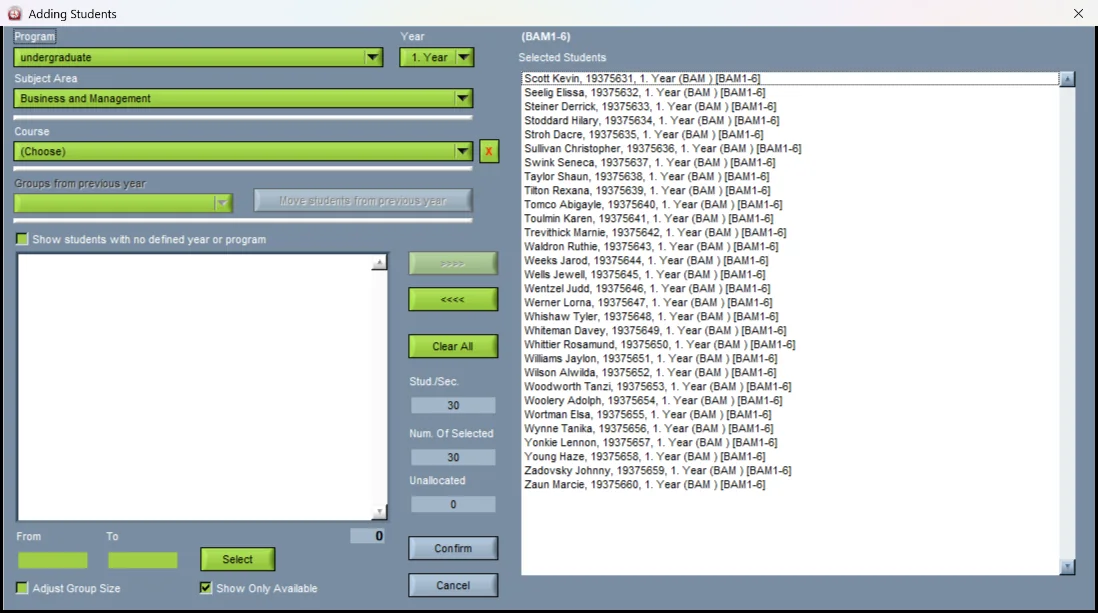
Distributing students Filling practical or seminar groups from a cohort, name by name or all at once.
Student course enrolment in the Wise Timetable desktop application
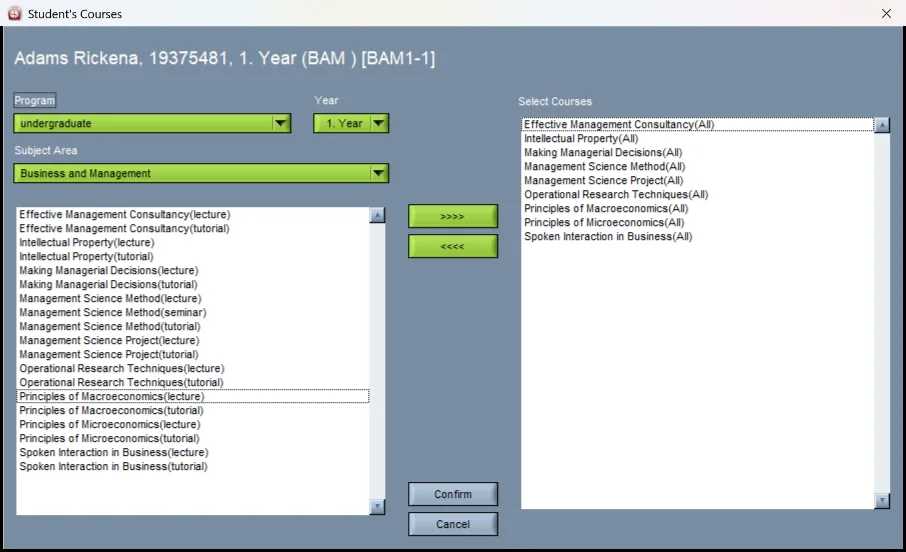
Enrolment Which courses a student takes — what turns a group into a number the room has to hold.
Room inventory with capacities in the Wise Timetable desktop application
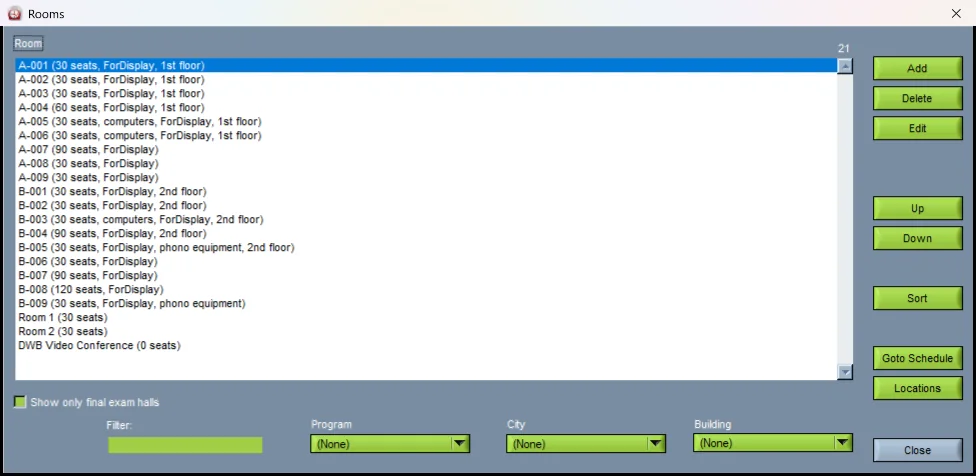
Rooms Seats, equipment and floor for every room, filtered by programme, city and building.
Room equipment definition in the Wise Timetable desktop application
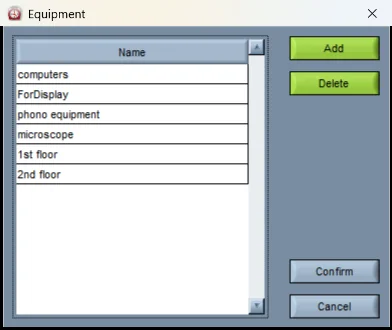
Equipment Attached to rooms and required by courses: a hard constraint, not a note.
Lecturer teaching obligations in the Wise Timetable desktop application
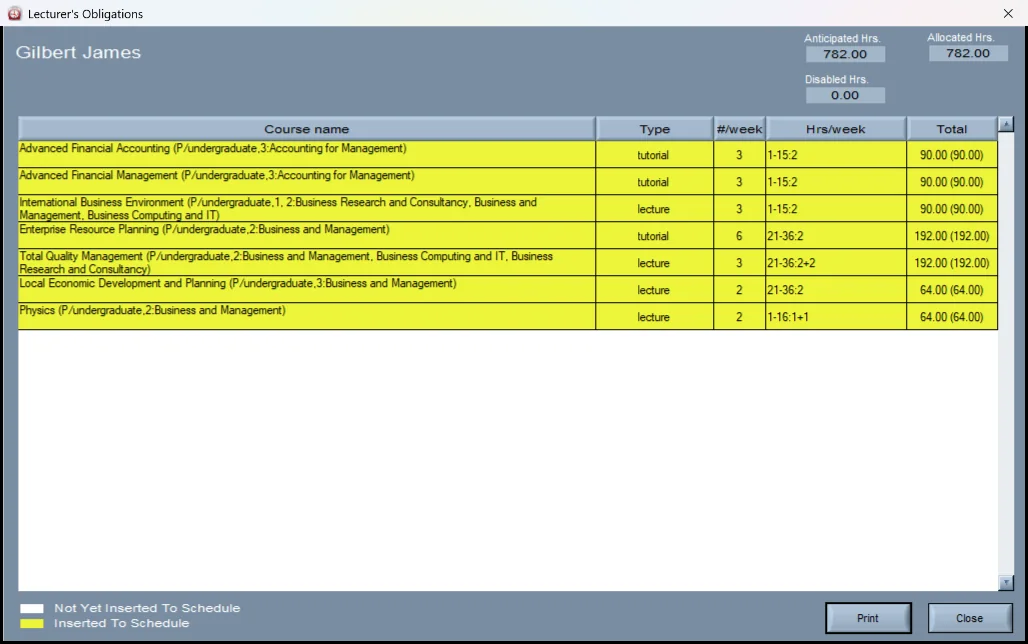
Teaching obligations A lecturer’s courses with hours per week and in total, anticipated against allocated.
Lecturer availability in the Wise Timetable desktop application
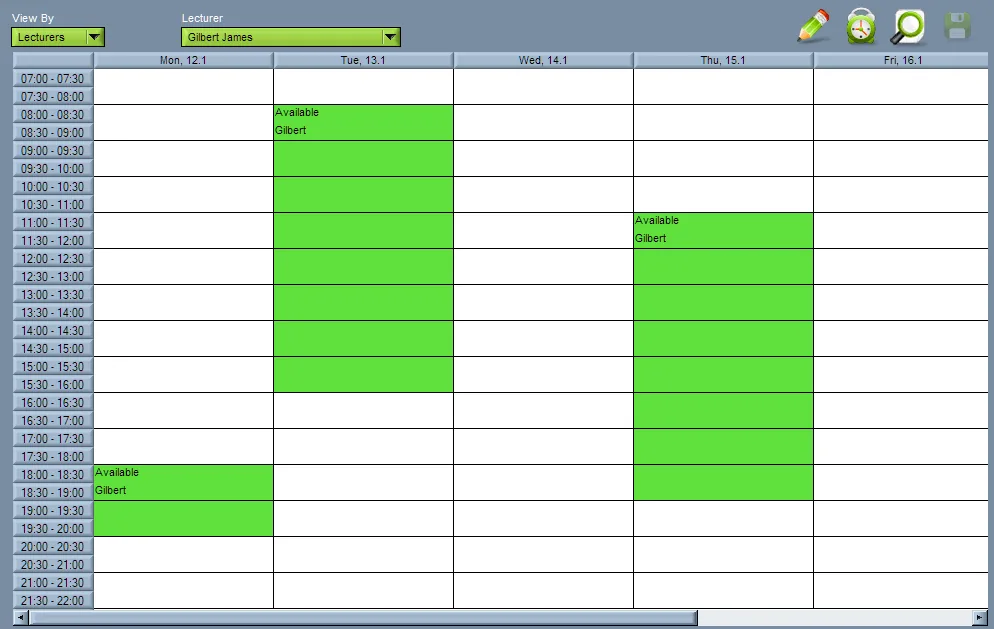
Lecturer availability The hours a lecturer has declared free, as the office sees them before generation.
Data import menu in the Wise Timetable desktop application
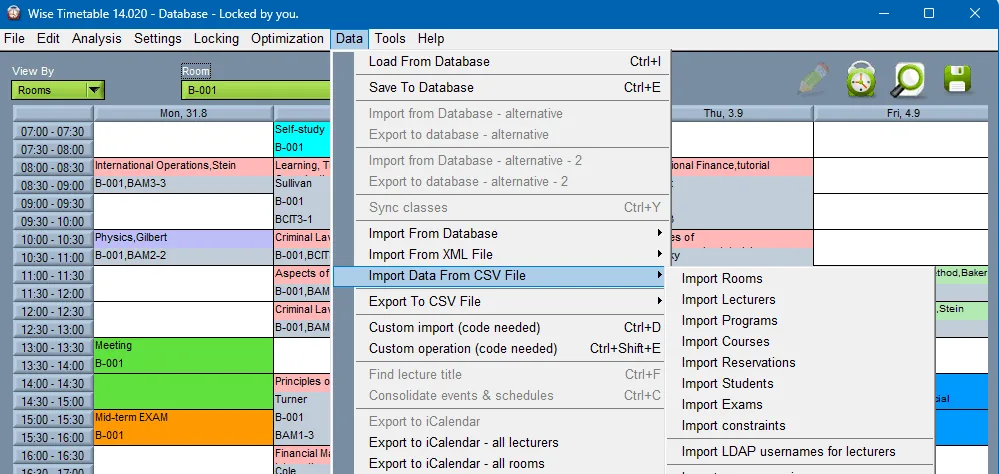
Import Rooms, lecturers, programmes, courses, reservations, students, exams and constraints — from CSV, XML or a database.

Examinations

Exam periods planned against clashes at the level of the individual student, with rooms and invigilators.
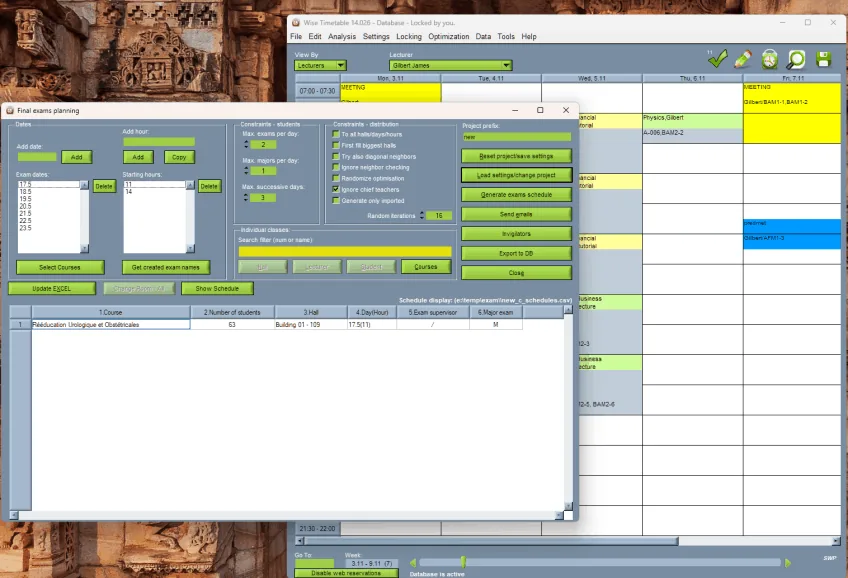
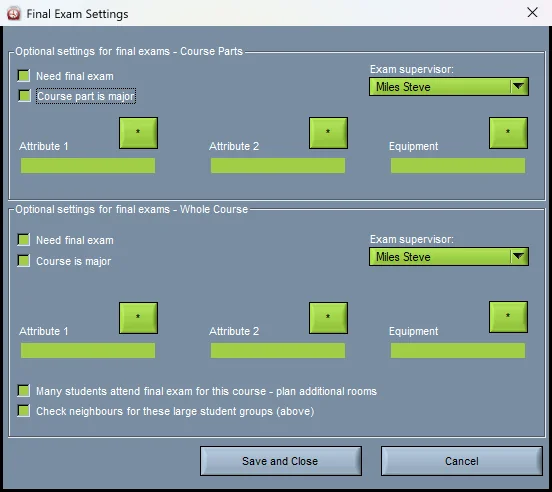
Final exam planning in the Wise Timetable desktop application
Planning final exams Dates, starting hours and the rules — exams per day, per student, on successive days — in one planner.
Final exam settings for a course in the Wise Timetable desktop application
Exam settings per course Which courses need a final exam, which are major, the supervisor and the equipment.
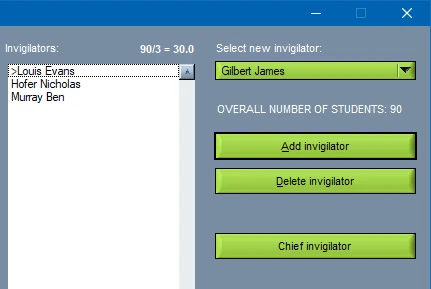
Calculating the invigilators needed for an exam sitting in Wise Timetable
Invigilators How many a sitting needs, worked out from the number of candidates.

Output, mail and the next year

Everything that leaves the application — printouts, files and mail — and rolling the whole structure into the next academic year.
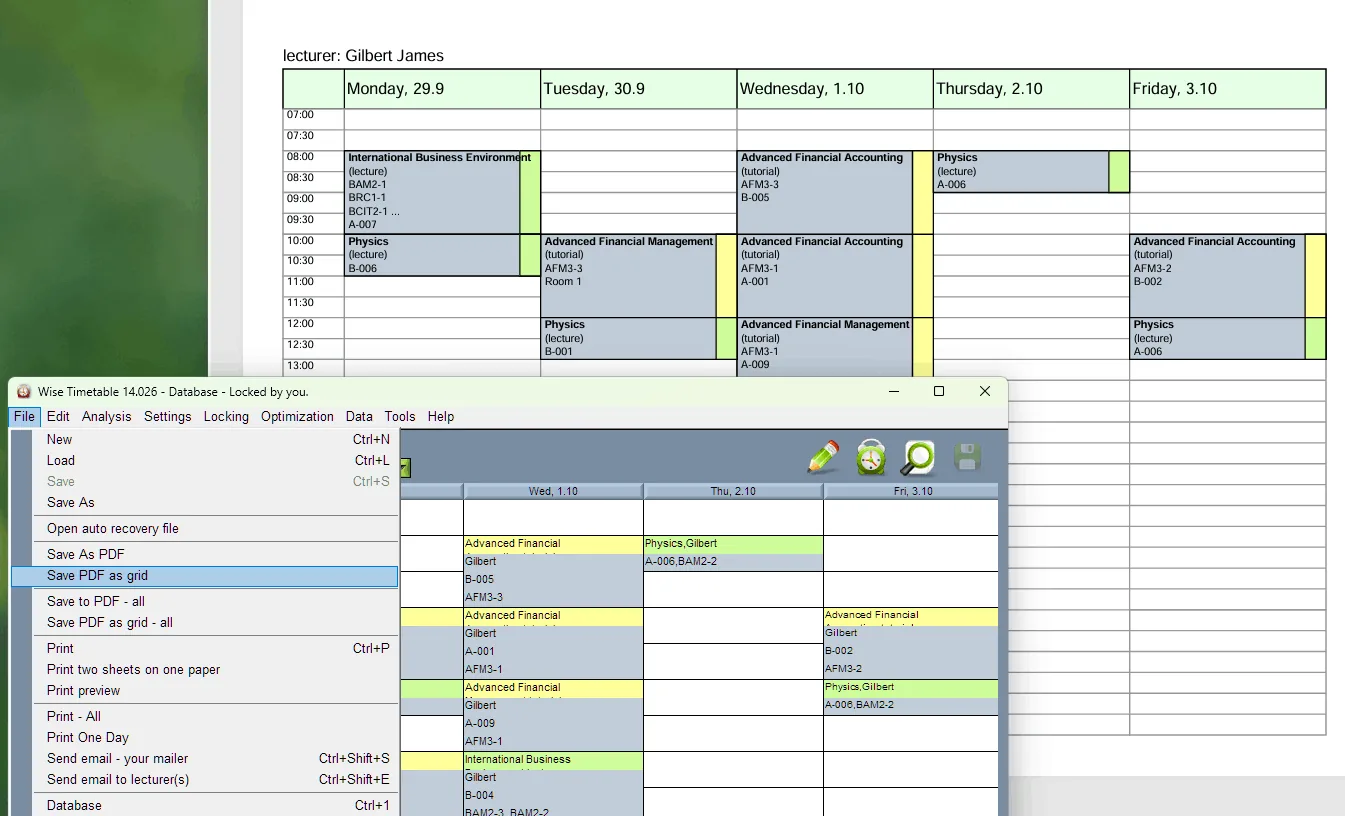
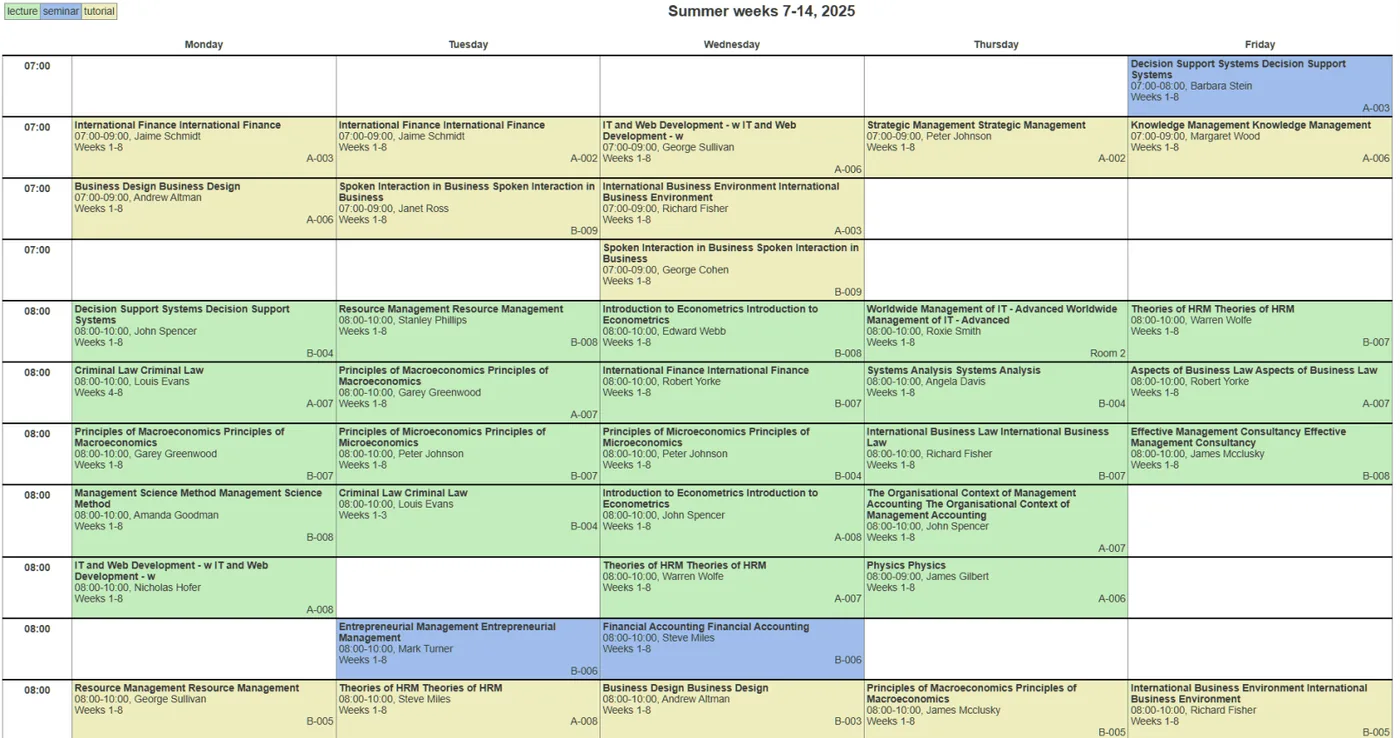
PDF and Excel timetable output from the Wise Timetable desktop application
PDF and Excel A timetable as a printable grid for one lecturer, one group or everybody.
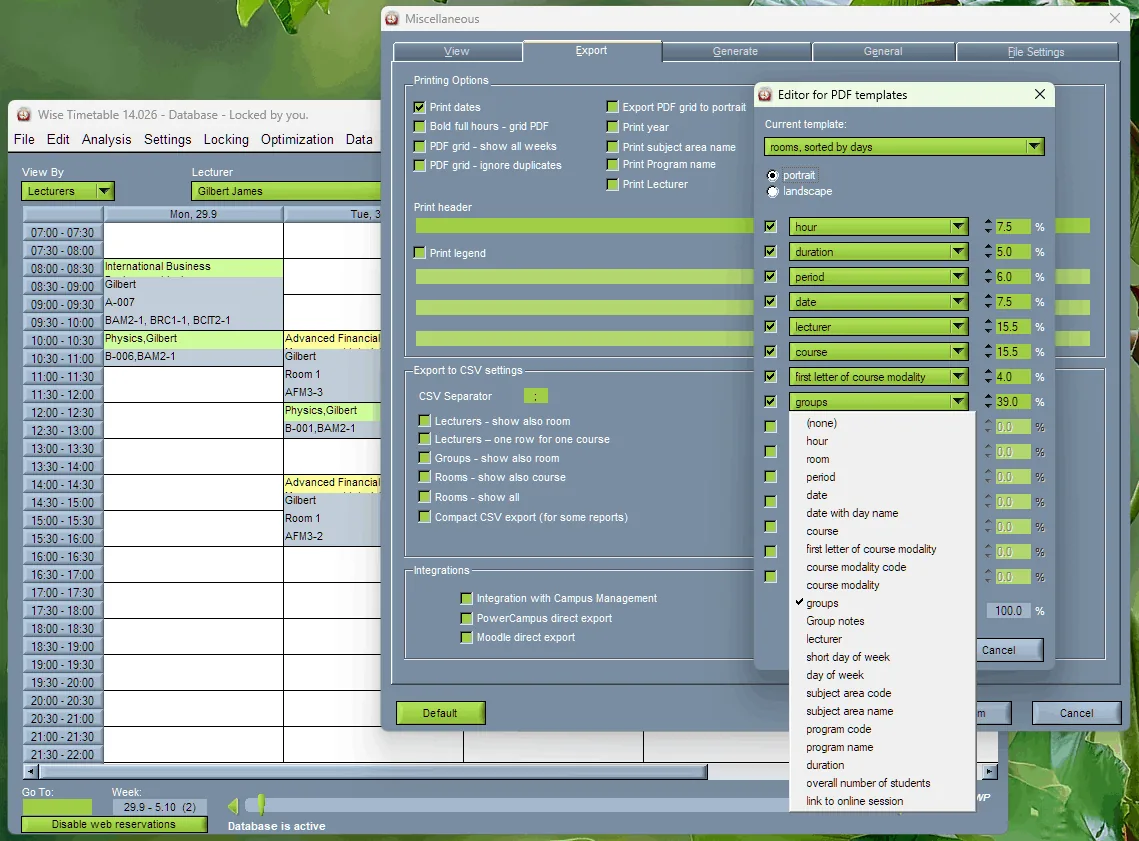
Print and export template settings in the Wise Timetable desktop application
Your own layouts What a printout carries and in what order — hour, room, lecturer, groups — saved as templates.
Printable report of a teaching period from Wise Timetable
A term on one page Every session of a period with its weeks, room and lecturer — the page a committee prints.
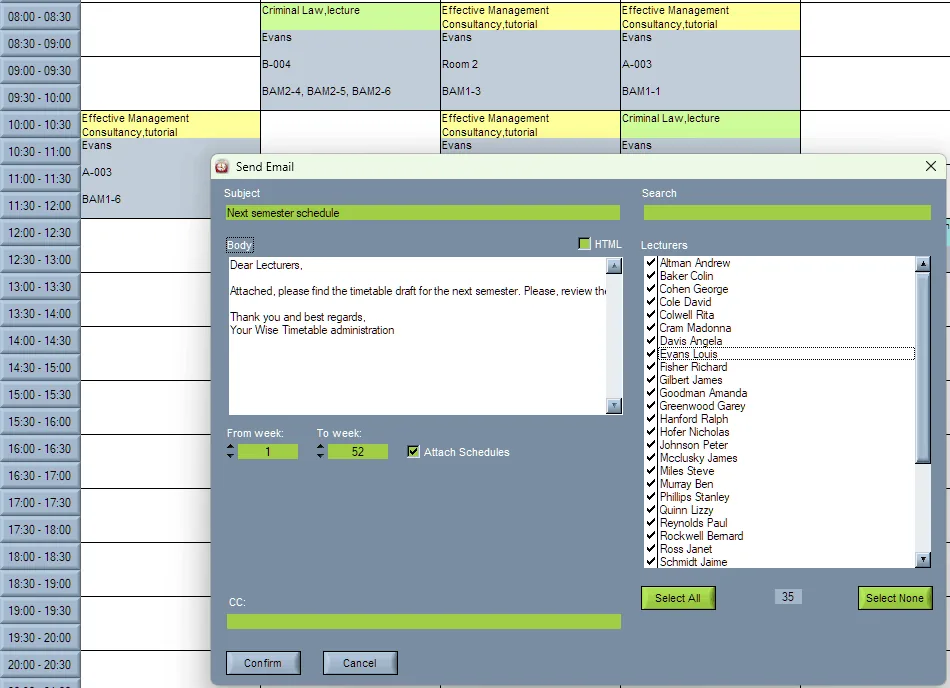
Sending personalised timetables by e-mail from the Wise Timetable desktop application
Timetables by e-mail Each lecturer receives their own schedule attached, not a faculty-wide file.
Academic year settings in the Wise Timetable desktop application
The next academic year Term dates, non-working days and week numbering move together, and the structure carries over.
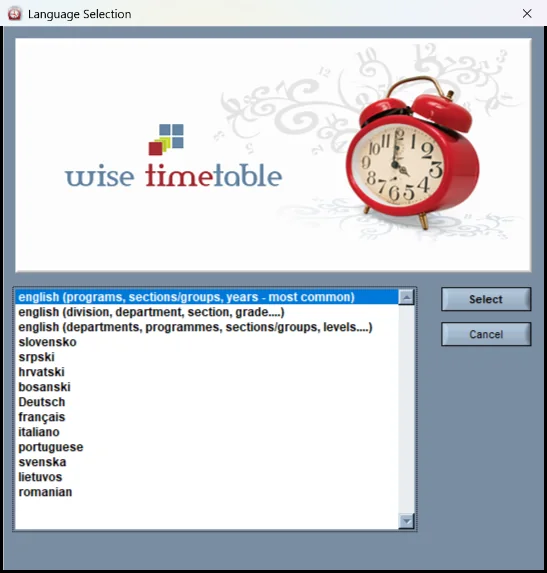
Interface language selection in the Wise Timetable desktop application
In your language Slovenian, Croatian, German, French, Lithuanian and more — with Unicode for the institution’s own data in any script.

See Wise Timetable on your own data

Book a 45-minute online presentation. We will walk through your institution's scheduling problem, show how Wise Timetable handles it, and answer anything your team wants to test.