Wise Timetable

Gallery · 12 screens

The timetable everybody else reads

Published pages for students, lecturers and visitors: no account, nothing to install, your school’s own name and logo. A group, a lecturer’s week or a free room in a few clicks.
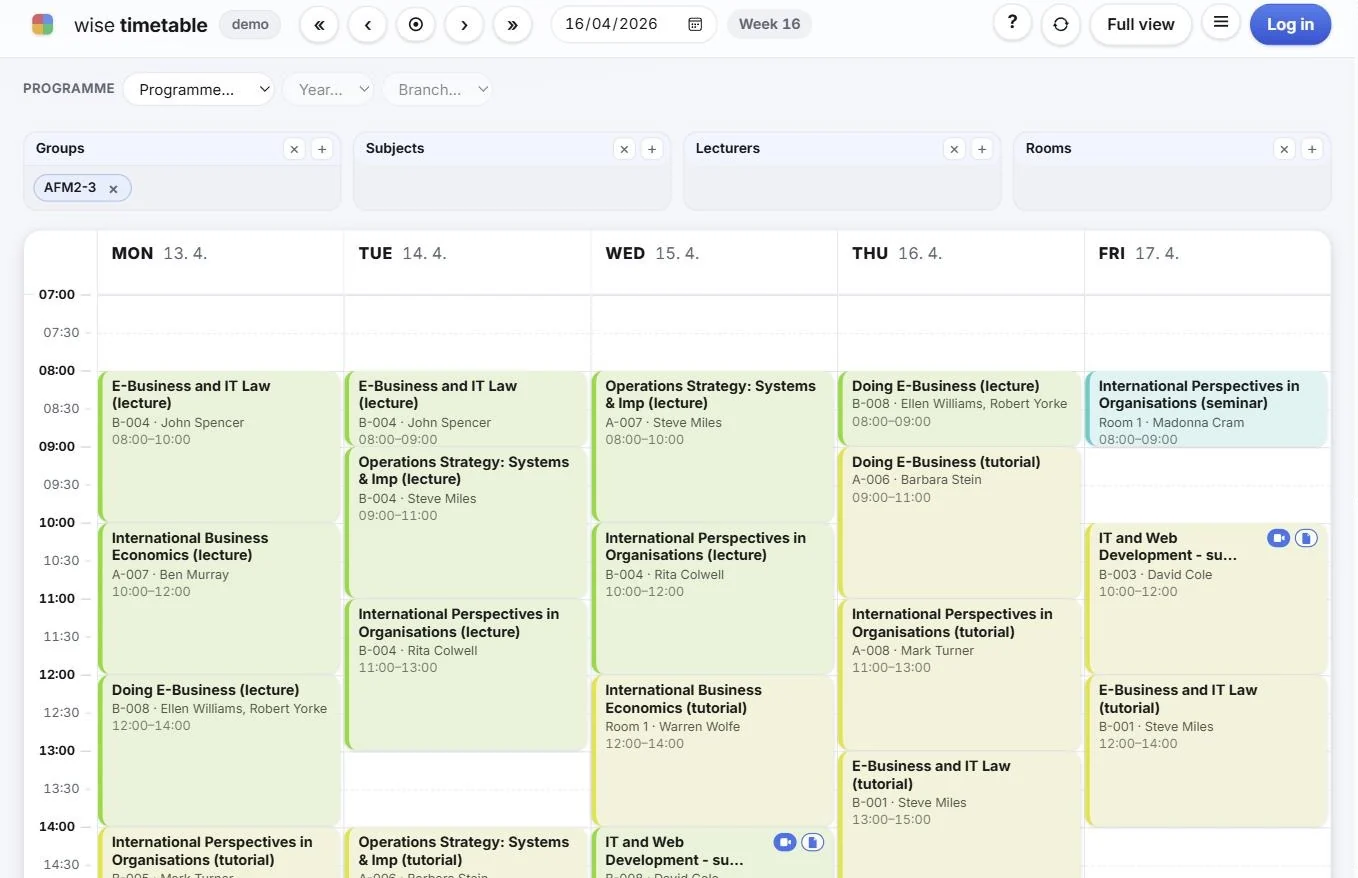
Published web timetable week from Wise Timetable

Finding a timetable

The way the institution is organised — programme, year, branch — and then the group. Every choice goes into the address, so a view can be bookmarked or sent to somebody.
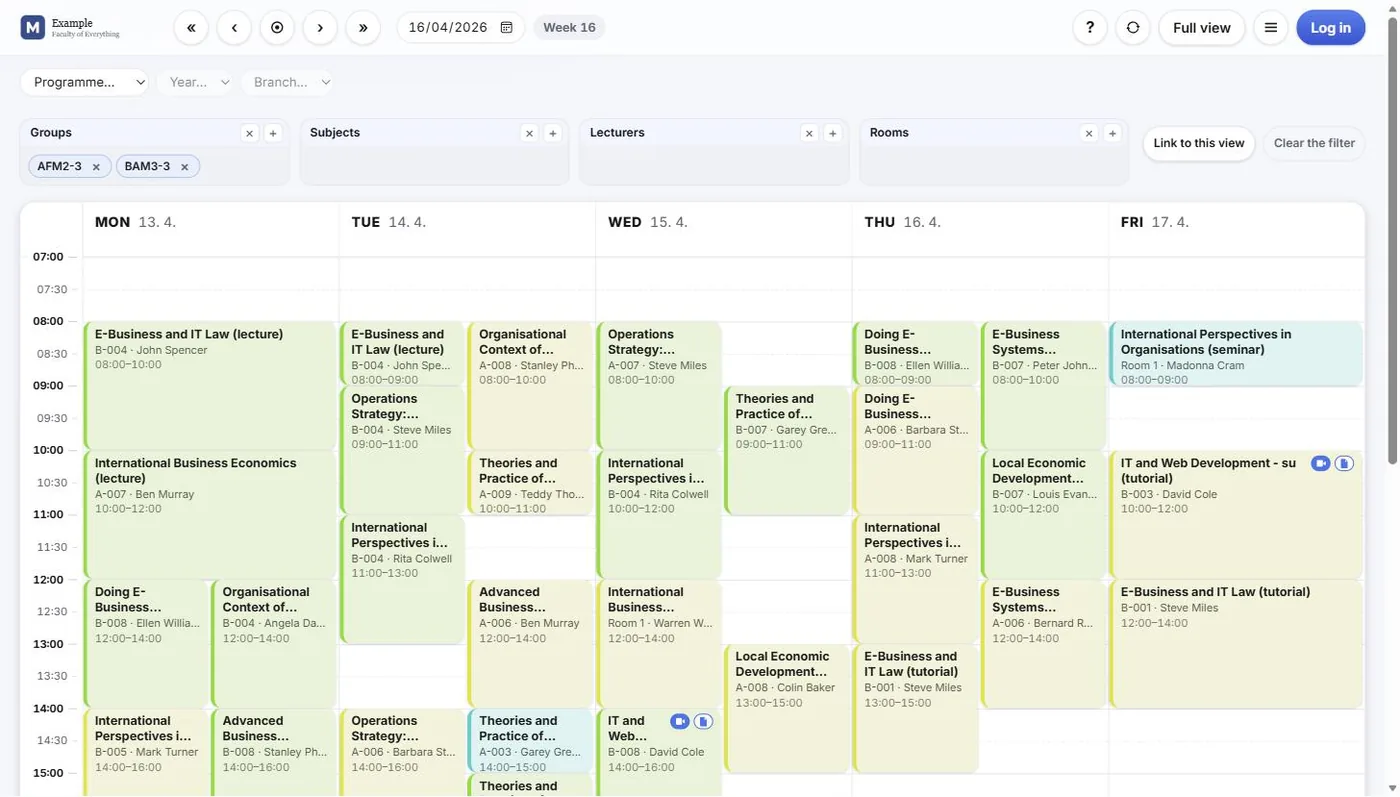
Published web timetable week from Wise Timetable
A published week Two groups side by side, under the school’s own logo.
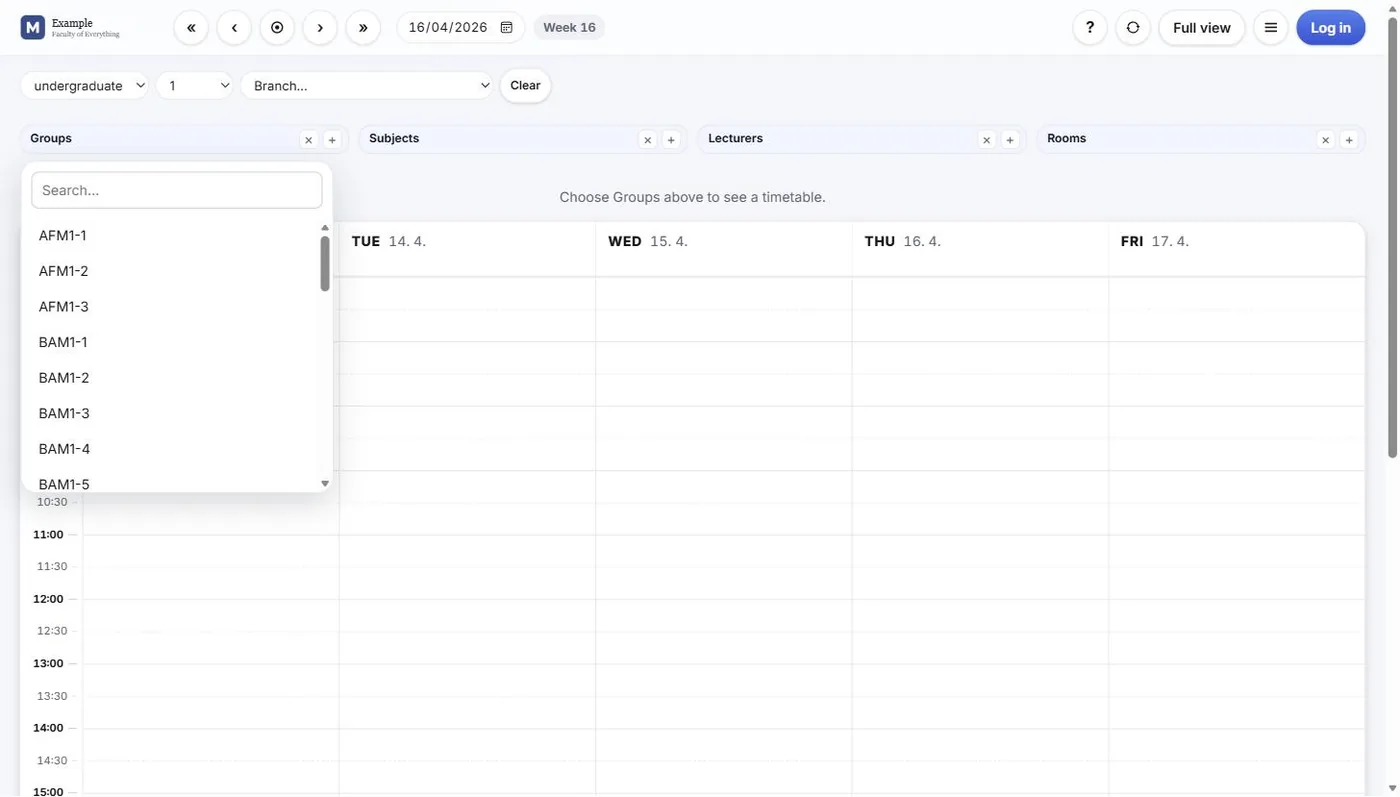
Wise Timetable web timetable with group, subject, lecturer and room filters
Filters across the top Groups, subjects, lecturers and rooms can be combined in one view; the week draws as soon as something is chosen.
Choosing a student group in the Wise Timetable web timetable by programme, year and branch
Programme, year, branch — then the group Finding a timetable the way the institution is organised, not by guessing a group code.
Searching for a student group in the Wise Timetable web timetable
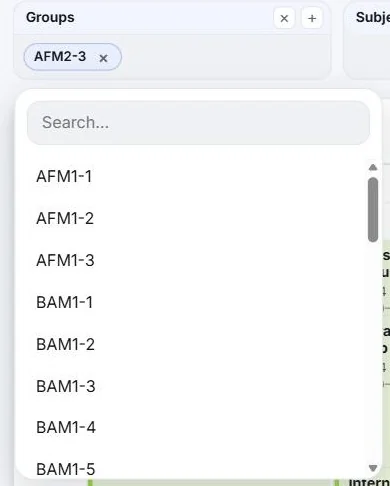
Type to narrow Or search the groups directly and tick the ones you want.
Class detail in the Wise Timetable web timetable with online lecture and materials links
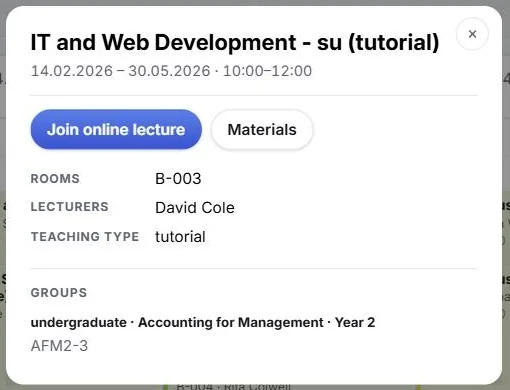
A class in full Rooms, lecturers, type of teaching and groups — with Join online lecture and Materials where the faculty has set them.
The five view modes of the Wise Timetable web timetable
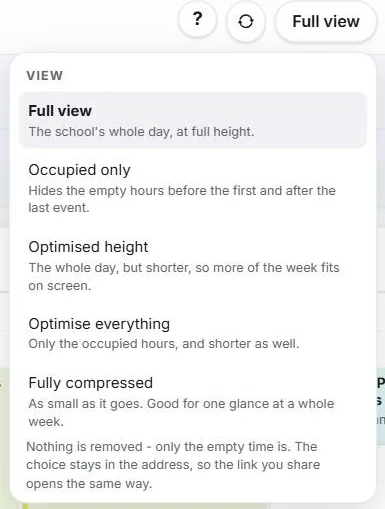
Five ways to draw the week From the whole teaching day down to a fully compressed week. Only empty time is removed, never a lesson.

Rooms and reports

For the people who need more than their own week.
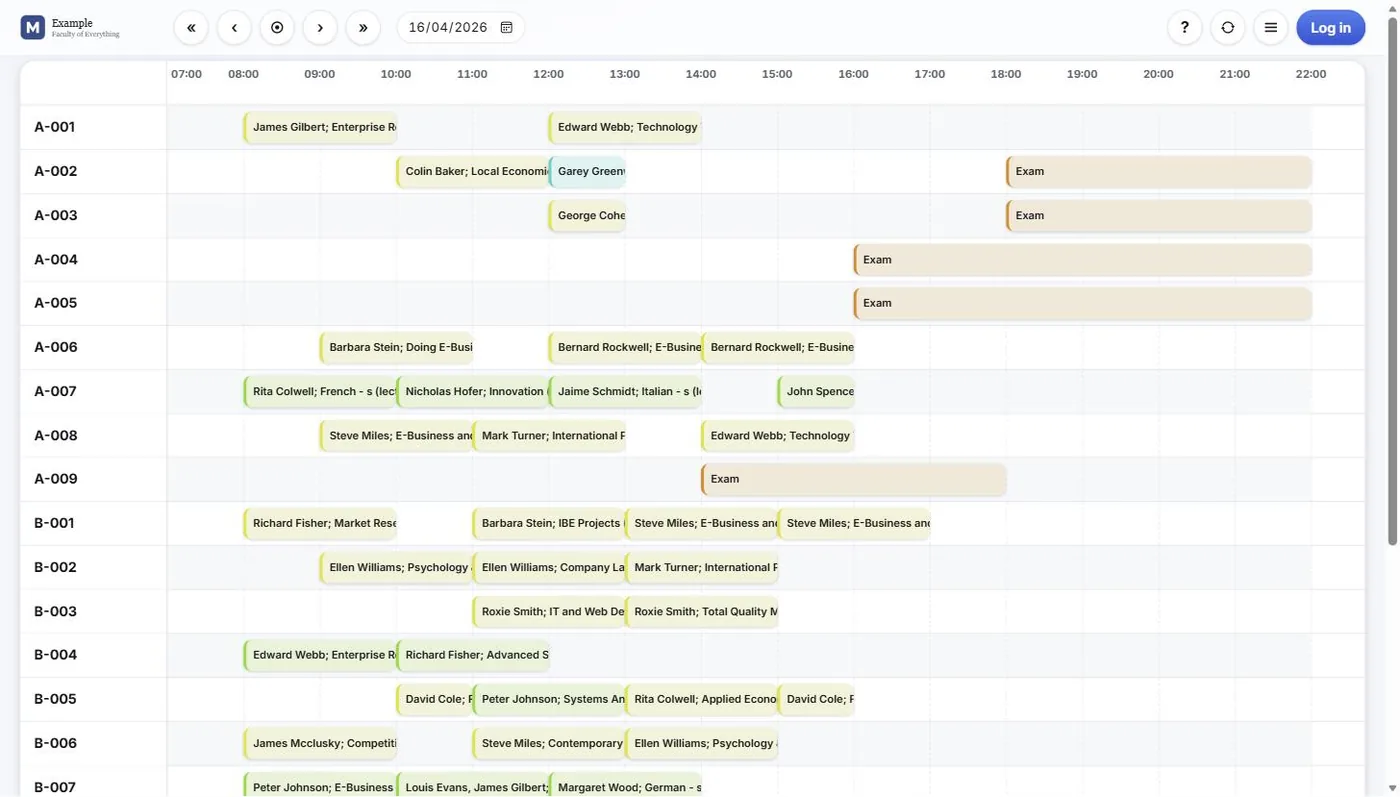
Room overview in the Wise Timetable web timetable, every room of one day side by side
Room overview One day, every room side by side — which is how a free room is actually found.
Timetable report in the Wise Timetable web timetable with Excel, PDF and calendar output
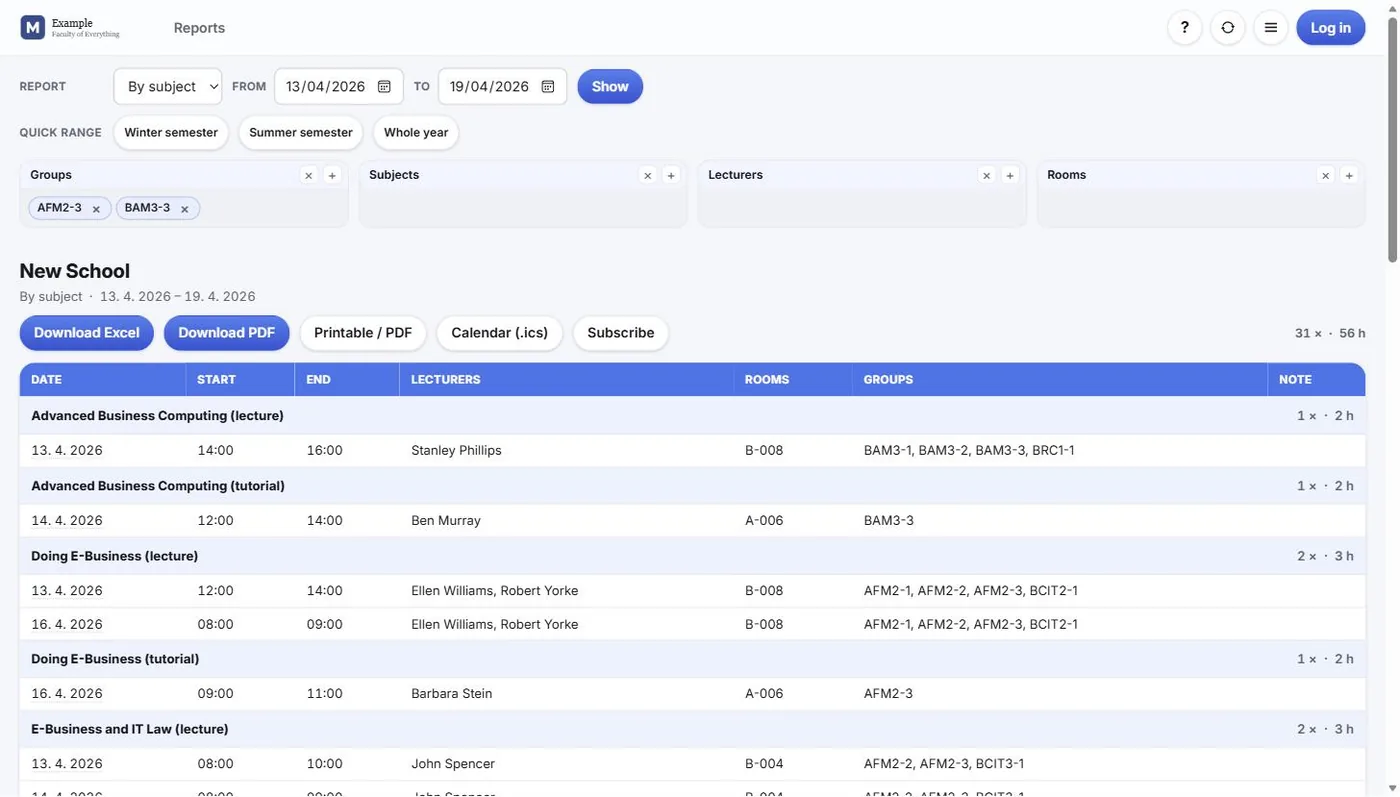
Reports in the browser By subject, group, lecturer or room, taken away as Excel, PDF or a calendar feed.
The menu of the Wise Timetable web timetable
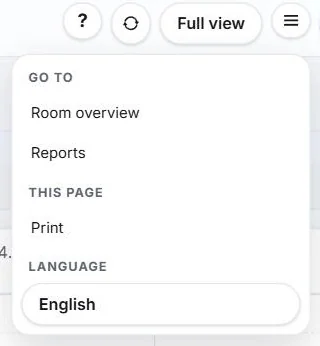
One menu Room overview, reports, printing and the language of the page.

Set by your own staff

What the published pages offer, and how they look, is decided at the school — not ordered as a service.
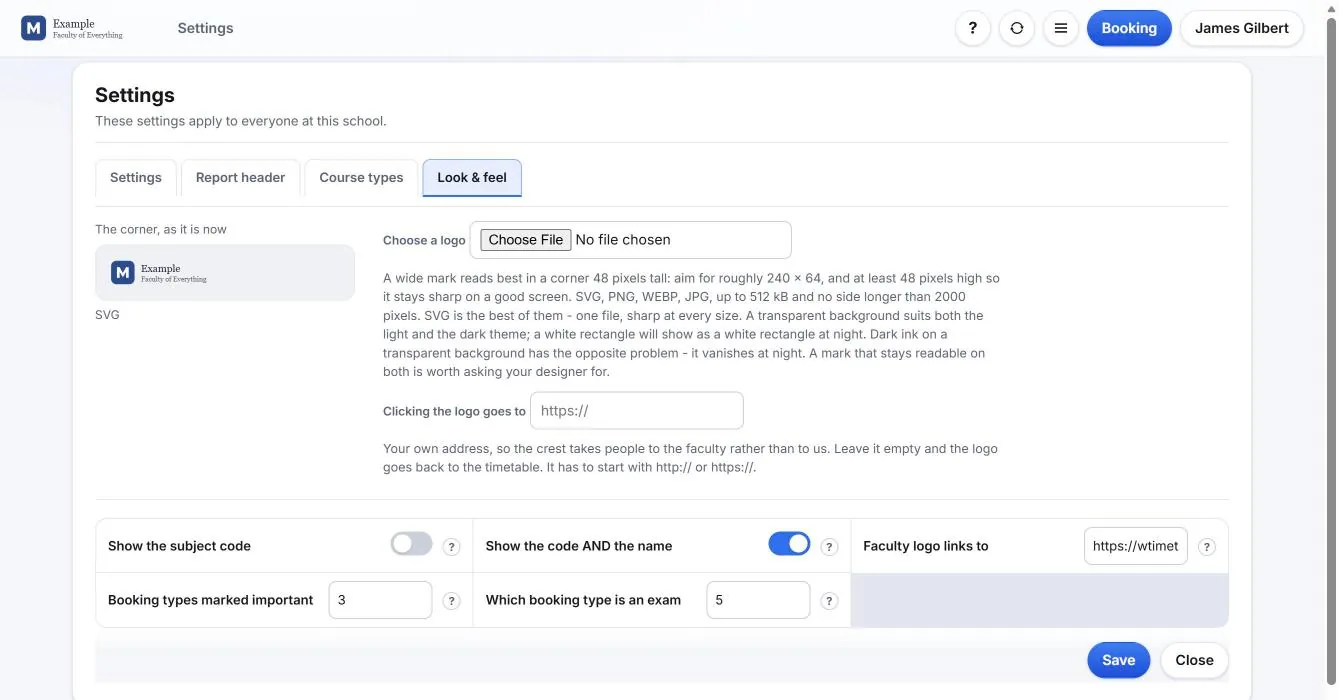
Look and feel settings of the Wise Timetable web timetable, where a school sets its own logo
Your logo and your look The logo in the corner, where it links to, and the appearance of the pages.
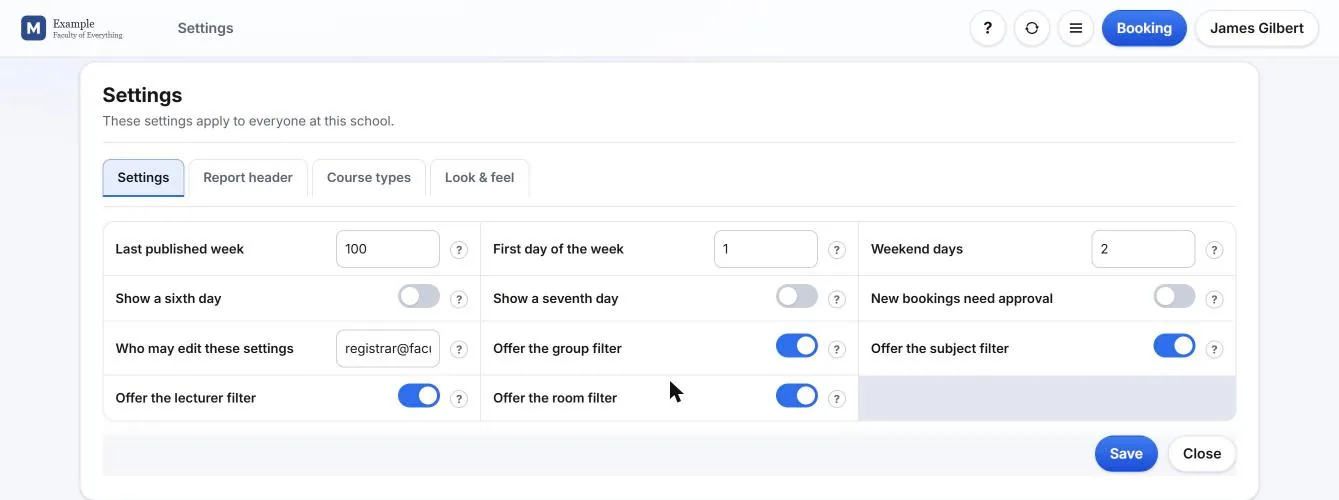
School settings of the Wise Timetable web timetable
What visitors are offered Which filters appear, the last published week, the first day of the week, weekend days and whether new bookings need approval.
Personal view settings of a visitor to the Wise Timetable web timetable
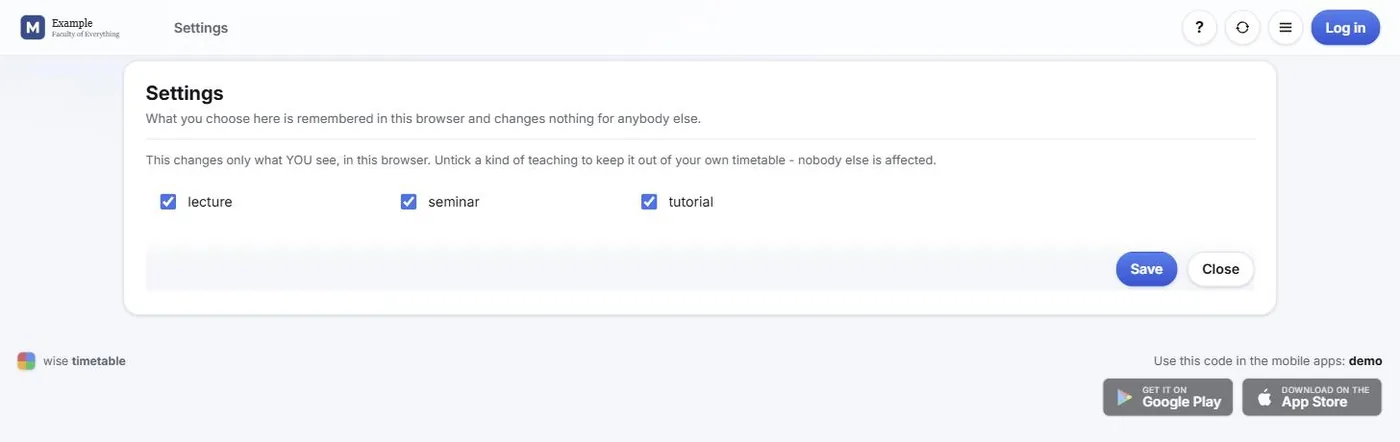
What one visitor changes A visitor can hide kinds of teaching from their own view. It changes only what they see, in their own browser.

See Wise Timetable on your own data

Book a 45-minute online presentation. We will walk through your institution's scheduling problem, show how Wise Timetable handles it, and answer anything your team wants to test.